

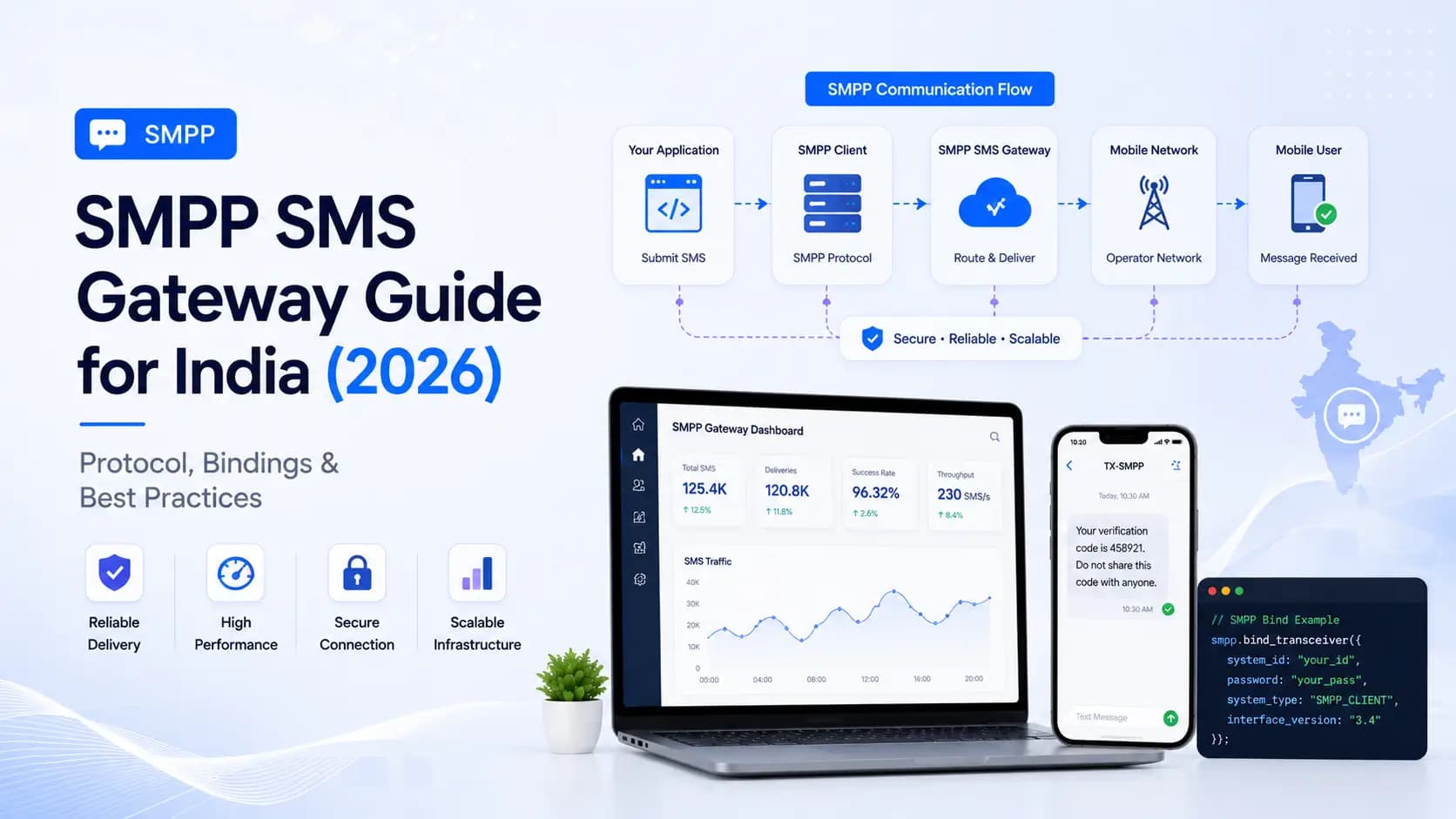
In this article
Explore the key concepts, practical considerations, and frequently asked questions related to smpp sms gateway guide for india (2026)- protocol, bindings & best practices.
Key takeaways
- SMPP's persistent socket handles 1,000-10,000+ messages per second, far above REST's practical ceiling of roughly 100 requests per second.
- DLT compliance carries over to SMPP through TLV tags 0x1400 (entity ID) and 0x1401 (template ID)- omit them and the gateway rejects the PDU.
- Window size directly drives throughput: synchronous sending manages roughly 30-50 MPS, while a window of 100 scales to 3,000-5,000 MPS.
SMPP (Short Message Peer-to-Peer) is the industry-standard protocol for high-throughput SMS exchange between carriers and enterprise SMS gateways. While REST APIs suit most web applications, SMPP is the protocol of choice when sending millions of messages per hour- bulk OTP platforms, banking alert systems, and national broadcast campaigns. This guide explains the protocol, its India-specific requirements, and how to configure an SMPP connection correctly.
What Is SMPP?
SMPP v3.4 (the version universally supported in India) is a persistent TCP/IP binary protocol that maintains a long-lived socket connection between your application (ESME- External Short Message Entity) and the SMS gateway (SMSC- Short Message Service Centre). Unlike REST, which opens and closes an HTTP connection for every message, SMPP sends binary PDUs over a single socket- dramatically reducing per-message overhead.
SMPP vs REST API- When to Use Which
| Criteria | REST API | SMPP |
|---|---|---|
| Setup complexity | Low- standard HTTP | High- binary protocol, persistent socket |
| Throughput | Up to ~100 RPS | 1,000–10,000+ MPS |
| Latency per message | 50–200ms (connection overhead) | 5–30ms (persistent socket) |
| Delivery receipts | Webhook / polling | Embedded in protocol (deliver_sm) |
| Best for | Web apps, SaaS, moderate volume | High-volume platforms, carriers, aggregators |
| Fault tolerance | Stateless- easy retry | Requires sequence tracking and re-bind |
Rule of thumb: Use REST API for volumes under 100 SMS/second. Use SMPP for volumes above 100 SMS/second or when sub-50ms delivery dispatch is critical.
SMPP Protocol Architecture
Your Application (ESME)
        │
        │  TCP/IP persistent socket
        │
  Get Click Media (SMSC)
        │
  Indian Telecom Operators (Jio, Airtel, Vi, BSNL)
        │
  Recipient Handset
SMPP Bind Types
When your application connects to the SMSC, it must bind (authenticate) using one of three bind types:
| Bind Type | PDU Command | Can Send | Can Receive |
|---|---|---|---|
| Transmitter | bind_transmitter | Yes | No |
| Receiver | bind_receiver | No | Yes (DLRs, MO SMS) |
| Transceiver | bind_transceiver | Yes | Yes |
Recommendation: Always use Transceiver (bind_transceiver) in production. It combines send and receive functionality over a single connection, halving your connection count and simplifying session management.
Connection Parameters
To connect to Get Click Media's SMPP gateway, configure your ESME client with:
| Parameter | Value |
|---|---|
| Host | smpp.getclickmedia.com |
| Port | 2775 (standard SMPP) / 2776 (TLS) |
| System ID | Your account system ID (from dashboard) |
| Password | Your SMPP password (from dashboard) |
| System Type | Leave blank or set to GCM |
| Interface Version | 0x34 (SMPP v3.4) |
| Bind Type | transceiver |
Always use the TLS port (2776) in production to encrypt credentials and message content in transit.
Key PDU Types
submit_sm- Send an SMS
The submit_sm PDU is sent from ESME to SMSC to deliver a single SMS. Key parameters:
| Parameter | Description |
|---|---|
source_addr | Your sender ID (e.g., GCMDIA) |
destination_addr | Recipient number in international format (919876543210) |
short_message | Message body (max 160 chars GSM-7; 140 bytes) |
data_coding | 0x00 GSM-7 (English) / 0x08 UCS-2 (Unicode/regional) |
registered_delivery | 0x01 to request delivery receipt |
esm_class | 0x00 standard; 0x40 for UDH (concatenated SMS) |
submit_sm_resp- Gateway Acknowledgement
The SMSC immediately returns submit_sm_resp with:
command_status=0(success) or error codemessage_id- the gateway's internal message reference (correlates with DLR)
deliver_sm- Delivery Receipt / Inbound SMS
The SMSC sends deliver_sm to your ESME for:
- Delivery receipts (DLR)- confirmation that a sent message was delivered or failed
- Mobile-originated (MO) SMS- inbound messages from users to your virtual number
A DLR deliver_sm short message body looks like:
id:gcm_msg_abc123 sub:001 dlvrd:001 submit date:2606231030 done date:2606231031 stat:DELIVRD err:000
Parse stat values:
| stat | Meaning |
|---|---|
DELIVRD | Delivered to handset |
UNDELIV | Undeliverable |
REJECTD | Rejected by operator |
EXPIRED | Message validity period expired |
enquire_link- Keep-Alive
SMPP connections are terminated by network equipment if idle. Send enquire_link every 30–60 seconds to keep the session alive. The SMSC responds with enquire_link_resp.
Python SMPP Client Example (smpplib)
import smpplib.client
import smpplib.gsm
import smpplib.consts

client = smpplib.client.Client("smpp.getclickmedia.com", 2775)
client.connect()
client.bind_transceiver(
    system_id="your_system_id",
    password="your_smpp_password",
)

parts, encoding_flag, msg_type_flag = smpplib.gsm.make_parts(
    "Your order ORD-9921 has been confirmed.- GCMDIA"
)

for part in parts:
    client.send_message(
        source_addr_ton=smpplib.consts.SMPP_TON_ALNUM,
        source_addr="GCMDIA",
        dest_addr_ton=smpplib.consts.SMPP_TON_INTL,
        dest_addr_npi=smpplib.consts.SMPP_NPI_ISDN,
        destination_addr="919876543210",
        short_message=part,
        data_coding=encoding_flag,
        esm_class=msg_type_flag,
        registered_delivery=True,
    )
Window Size and Throughput Tuning
SMPP supports asynchronous windowing- sending multiple PDUs before waiting for acknowledgements. The window size controls how many unacknowledged submit_sm PDUs can be in flight simultaneously.
| Window Size | Approximate Throughput |
|---|---|
| 1 (synchronous) | ~30–50 MPS |
| 10 | ~200–400 MPS |
| 50 | ~1,000–2,000 MPS |
| 100 | ~3,000–5,000 MPS |
Increase window size progressively and monitor SMSC submit_sm_resp latency. Overly large windows cause memory pressure and response queue overflow on low-spec servers.
Long Message Handling (Concatenated SMS)
SMS messages over 160 characters (GSM-7) or 70 characters (UCS-2 Unicode) are split into segments and reassembled on the handset. SMPP handles this via the User Data Header (UDH) mechanism.
Set esm_class = 0x40 and include the UDH in the short_message body. Most SMPP libraries (smpplib, Kannel, OpenSMPP) handle UDH automatically when you pass the full long-form message.
Cost note: Each segment counts as one SMS credit. A 300-character English message = 2 segments = 2 credits.
DLT Compliance Over SMPP in India
TRAI's DLT framework applies identically over SMPP. The gateway maps your source_addr (sender ID) against approved DLT registrations and validates the short_message body against approved templates before forwarding to carriers.
Pass the DLT template ID in the optional TLV (Tag-Length-Value) parameter:
| TLV Tag | Value |
|---|---|
0x1400 | Entity ID (your DLT entity ID) |
0x1401 | Template ID (DLT template ID) |
client.send_message(
    ...
    params={
        "user_message_reference": 1,
        # DLT TLVs
        "0x1400": b"your_entity_id",
        "0x1401": b"your_template_id",
    }
)
Without valid DLT TLVs, the gateway rejects the PDU with error code 0x00000045 (Invalid Source Address).
Session Management and Reconnection
SMPP sessions drop due to network interruptions, SMSC restarts, or idle timeouts. Implement automatic reconnection:
import time, smpplib

def connect_with_retry(host, port, system_id, password, max_retries=10):
    for attempt in range(max_retries):
        try:
            client = smpplib.client.Client(host, port)
            client.connect()
            client.bind_transceiver(system_id=system_id, password=password)
            return client
        except Exception as e:
            wait = min(2 ** attempt, 60)  # Exponential backoff, max 60s
            print(f"Connection failed: {e}. Retry in {wait}s...")
            time.sleep(wait)
    raise RuntimeError("Max SMPP connection retries exceeded")
Also implement a background thread that sends enquire_link every 30 seconds to detect stale connections before they drop.
Summary
SMPP is the backbone of high-volume SMS infrastructure in India. Its persistent binary protocol enables throughput levels impossible with REST- critical for banking OTP platforms, election communication systems, or national e-commerce order alerts. DLT compliance requirements apply equally over SMPP via TLV parameters. Start with REST for standard web integrations and migrate to SMPP only when your volume and latency requirements demand it.
Get Click Media provides both REST API and SMPP connectivity with the same DLT-compliant infrastructure. Request SMPP credentials or compare our plans.
Article topics
Frequently Asked Questions
What is SMPP and how does it differ from a REST SMS API?
SMPP (Short Message Peer-to-Peer) is a persistent TCP/IP protocol designed for high-throughput SMS exchange between SMS centres (SMSCs) and external applications. Unlike REST APIs which open a new HTTP connection for every request, SMPP maintains a persistent socket connection, enabling thousands of messages per second with sub-100ms latency. REST APIs are easier to implement and sufficient for most web applications; SMPP is preferred when throughput exceeds 100 SMS per second.
What are the SMPP bind types?
SMPP supports three bind types: Transmitter (TX)- allows sending SMS only; Receiver (RX)- allows receiving delivery receipts and inbound SMS only; Transceiver (TRX)- allows both sending and receiving over a single connection. Most production implementations use Transceiver to minimise connection overhead.
What throughput can SMPP handle compared to REST?
A single SMPP connection typically supports 100–300 messages per second (MPS) depending on PDU window size and server configuration. Multiple parallel connections can scale to tens of thousands of MPS. REST APIs, constrained by HTTP connection overhead, are practical up to about 50–100 RPS per connection. For campaigns sending millions of messages per hour, SMPP is significantly more efficient.
Does SMPP require DLT registration in India?
Yes. DLT registration is mandatory regardless of the protocol used to send SMS in India. TRAI's DLT framework applies at the telecom operator level- your entity, sender ID, and message templates must be registered and approved on a DLT portal before any commercial SMS reaches a recipient, whether you use REST or SMPP.
What is a PDU in SMPP?
A PDU (Protocol Data Unit) is the binary message unit used in SMPP communication. Every SMPP operation- bind, submit_sm (send SMS), deliver_sm (receive SMS or delivery receipt), and unbind- is encoded as a PDU. Each PDU has a fixed 16-byte header specifying command ID, status, and sequence number, followed by a variable-length body containing message parameters.
About the author
Get Click Media creates practical resources for businesses using messaging, automation, analytics, and digital communication to improve customer engagement. This article was published on .