

In this article
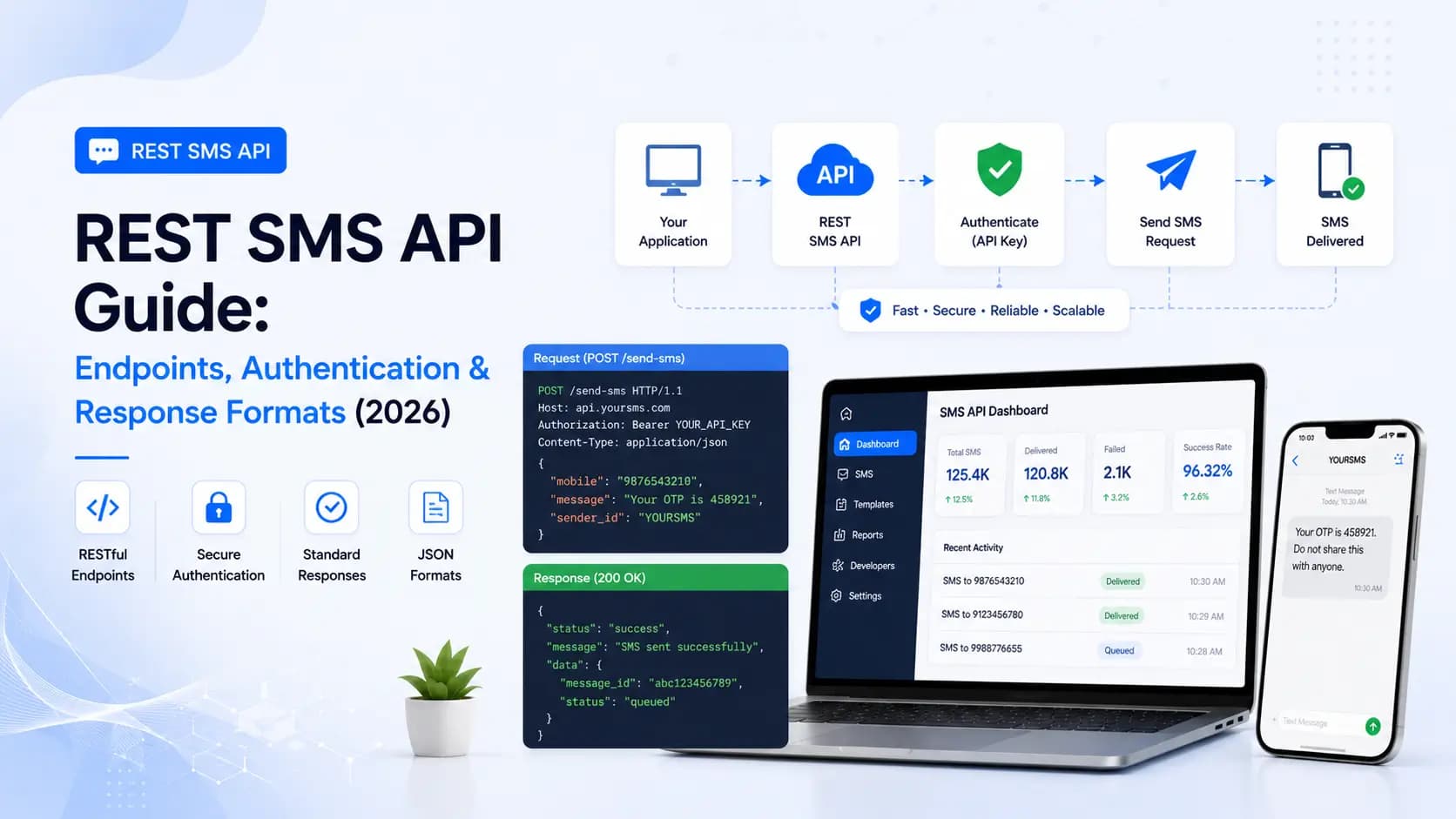
Explore the key concepts, practical considerations, and frequently asked questions related to rest sms api guide: endpoints, authentication & response formats (2026).
Key takeaways
- API keys use gcm_live_ and gcm_test_ prefixes, letting developers build and test against a sandbox key before switching to production.
- The /sms/bulk endpoint accepts up to 10,000 recipients per call, and rate limits scale from 10 RPS on Starter to 500+ RPS on Enterprise.
- Webhook delivery receipts carry an x-gcm-signature header verified with HMAC-SHA256, so status updates can be trusted as genuine.
A REST SMS API provides a standardised, language-agnostic interface for integrating SMS messaging into any application. This guide documents the full API surface- endpoints, authentication, request/response schemas, error handling, webhooks, and rate limits- so your team can move from sandbox to production in hours, not days.
Base URL and API Versioning
All API requests are made over HTTPS to prevent credential interception. The current API version is v1.
Base URL: https://api.getclickmedia.com/v1
Never call HTTP (non-secure) endpoints in production. Requests to the HTTP base URL are rejected with a 301 Redirect pointing to the HTTPS equivalent.
Authentication
The API uses API Key authentication. Pass your key in the x-api-key request header on every call.
x-api-key: gcm_live_xxxxxxxxxxxxxxxxxxxxxxxx
API Key Types
| Key Prefix | Environment | Description |
|---|---|---|
gcm_live_ | Production | Sends real SMS; charges apply |
gcm_test_ | Sandbox | Simulates responses; no actual delivery |
Always develop and test with a sandbox key. Switch to the live key only at deployment time.
How to Obtain Your API Key
Log in to the Get Click Media dashboard → Settings → API Keys → Generate New Key. Keys are shown only once at creation- copy and store them securely.
Endpoints Reference
POST /sms/send- Send a Single SMS
Sends one SMS to a single recipient.
Request Headers
Content-Type: application/json
x-api-key: gcm_live_xxxx
Request Body
{
  "to": "919876543210",
  "message": "Your order ORD-9921 has been confirmed. Expected delivery: 25 Jun.- GCMDIA",
  "senderId": "GCMDIA",
  "templateId": "1007161234567890123",
  "type": "transactional"
}
| Field | Type | Required | Description |
|---|---|---|---|
to | string | Yes | Recipient mobile in E.164 format (91 + 10-digit number) |
message | string | Yes | Full message text matching the DLT template exactly |
senderId | string | Yes | DLT-registered 6-character header |
templateId | string | Yes | DLT template ID from your approved template |
type | string | Yes | transactional or promotional |
unicode | boolean | No | Set true for non-ASCII characters (regional languages) |
scheduleAt | string | No | ISO 8601 datetime to schedule delivery; omit for immediate |
Success Response- HTTP 200
{
  "messageId": "gcm_msg_1a2b3c4d5e",
  "to": "919876543210",
  "status": "queued",
  "queuedAt": "2026-06-23T10:30:00Z",
  "credits": 1
}
POST /sms/bulk- Send Bulk SMS
Sends the same message to multiple recipients in a single call. Accepts up to 10,000 recipients per request.
Request Body
{
  "recipients": [
    "919876543210",
    "918765432109",
    "917654321098"
  ],
  "message": "Flash Sale! 40% off sitewide till midnight. Shop now: https://example.com- GCMDIA",
  "senderId": "GCMDIA",
  "templateId": "1007161234567890124",
  "type": "promotional",
  "scheduleAt": "2026-06-24T09:00:00+05:30"
}
Success Response- HTTP 200
{
  "batchId": "gcm_batch_xyz789",
  "total": 3,
  "queued": 3,
  "failed": 0,
  "scheduledAt": "2026-06-24T09:00:00+05:30",
  "estimatedCredits": 3
}
GET /sms/status/{messageId}- Get Delivery Status
Retrieves the delivery status of a single message.
Request
GET /v1/sms/status/gcm_msg_1a2b3c4d5e
x-api-key: gcm_live_xxxx
Response
{
  "messageId": "gcm_msg_1a2b3c4d5e",
  "to": "919876543210",
  "status": "delivered",
  "queuedAt": "2026-06-23T10:30:00Z",
  "sentAt": "2026-06-23T10:30:01Z",
  "deliveredAt": "2026-06-23T10:30:02Z",
  "operator": "Jio",
  "credits": 1
}
Status Values
| Status | Meaning |
|---|---|
queued | Accepted, waiting in gateway queue |
dispatched | Submitted to carrier |
delivered | Confirmed receipt by handset |
failed | Delivery failed; check failReason |
rejected | Blocked at operator- template mismatch or DLT issue |
GET /sms/batch/{batchId}- Get Batch Status
Returns aggregate delivery stats for a bulk campaign.
Response
{
  "batchId": "gcm_batch_xyz789",
  "total": 1000,
  "delivered": 967,
  "failed": 18,
  "pending": 15,
  "deliveryRate": "96.7%",
  "completedAt": null
}
GET /account/balance- Check Credit Balance
GET /v1/account/balance
x-api-key: gcm_live_xxxx
Response
{
  "credits": 48250,
  "plan": "Growth",
  "expiresAt": "2026-12-31"
}
DELETE /sms/schedule/{batchId}- Cancel a Scheduled Batch
Cancels a scheduled bulk send before the scheduleAt time.
DELETE /v1/sms/schedule/gcm_batch_xyz789
x-api-key: gcm_live_xxxx
{ "cancelled": true, "batchId": "gcm_batch_xyz789" }
Webhooks- Real-Time Delivery Reports
Instead of polling, configure a webhook URL in your dashboard. The API POSTs a delivery receipt for every status change.
Webhook Payload Structure
{
  "event": "sms.delivered",
  "messageId": "gcm_msg_1a2b3c4d5e",
  "batchId": null,
  "to": "919876543210",
  "status": "delivered",
  "operator": "Airtel",
  "queuedAt": "2026-06-23T10:30:00Z",
  "deliveredAt": "2026-06-23T10:30:02Z"
}
Webhook Event Types
| Event | Trigger |
|---|---|
sms.queued | Message accepted by gateway |
sms.dispatched | Sent to carrier |
sms.delivered | Confirmed delivered to handset |
sms.failed | Delivery failed |
sms.rejected | Blocked- template or DLT issue |
Verify Webhook Authenticity (HMAC)
All webhook requests include an x-gcm-signature header. Validate it:
import crypto from "crypto";

const isValidWebhook = (payload, signature) => {
  const expected = crypto
    .createHmac("sha256", process.env.GCM_WEBHOOK_SECRET)
    .update(JSON.stringify(payload))
    .digest("hex");
  return crypto.timingSafeEqual(
    Buffer.from(expected),
    Buffer.from(signature)
  );
};
Error Codes Reference
| HTTP Code | Error Code | Cause |
|---|---|---|
| 400 | INVALID_NUMBER | Phone number fails E.164 validation |
| 400 | MISSING_FIELD | Required field absent from request body |
| 401 | INVALID_API_KEY | Key not found or revoked |
| 403 | ROUTE_FORBIDDEN | Account not authorised for this message type |
| 422 | TEMPLATE_MISMATCH | Message text doesn't match DLT template |
| 422 | SENDER_NOT_REGISTERED | Sender ID not in approved state on DLT |
| 429 | RATE_LIMIT_EXCEEDED | Too many requests; honour Retry-After header |
| 500 | GATEWAY_ERROR | Upstream carrier issue; retry with backoff |
Error Response Body
{
  "error": {
    "code": "TEMPLATE_MISMATCH",
    "message": "The message body does not match DLT template 1007161234567890123. Check variable count and static text.",
    "requestId": "req_abc123"
  }
}
Rate Limits
| Plan | Requests/Second | Bulk Recipients/Request |
|---|---|---|
| Starter | 10 RPS | 1,000 |
| Growth | 100 RPS | 5,000 |
| Enterprise | 500+ RPS | 10,000 |
When a 429 is returned, read the Retry-After response header (seconds) before retrying.
SDK Quick Start
Get Click Media provides official SDKs to eliminate boilerplate:
npm install @getclickmedia/sms-sdk      # Node.js
pip install getclickmedia               # Python
composer require getclickmedia/sms-php  # PHP
import { SmsClient } from "@getclickmedia/sms-sdk";

const client = new SmsClient({ apiKey: process.env.GCM_API_KEY });

const result = await client.send({
  to: "919876543210",
  message: "Your OTP is 482910. Valid for 10 minutes.- GCMDIA",
  senderId: "GCMDIA",
  templateId: process.env.GCM_TEMPLATE_ID,
  type: "transactional",
});
Summary
The Get Click Media REST SMS API follows industry-standard conventions: HTTPS-only, API key authentication, JSON payloads, and webhook delivery reports. Single-message and bulk endpoints cover all use cases from OTP delivery to million-recipient campaigns. Start with the sandbox environment, validate your DLT templates, then flip to production- the same code runs unchanged.
Generate your API key or talk to our support team for full API documentation.
Article topics
Frequently Asked Questions
What is a REST SMS API?
A REST SMS API is a web service that follows REST (Representational State Transfer) conventions- using standard HTTP verbs (GET, POST, DELETE), JSON request/response bodies, and stateless authentication- to send, receive, and track SMS messages programmatically. It is the most widely adopted interface for integrating SMS into web and mobile applications.
How do I authenticate with an SMS REST API?
Most SMS REST APIs use API key authentication. You pass a unique API key in the request header- typically as 'x-api-key: YOUR_KEY' or 'Authorization: Bearer YOUR_KEY'. Some providers also support Basic Auth (base64-encoded username:password). API keys should be stored as environment variables and never committed to source code.
What HTTP method does an SMS API use to send a message?
Sending an SMS uses an HTTP POST request. The recipient number, message body, sender ID, template ID, and message type are passed as a JSON payload in the request body. GET requests are used for status lookups and account balance checks.
What does an SMS API response look like?
A successful SMS API response returns HTTP 200 with a JSON body containing a unique messageId, a status field (typically 'queued'), and timestamps. The messageId is used to poll for delivery status or correlate webhook callbacks. Error responses include an HTTP 4xx/5xx status and a JSON body with an error code and descriptive message.
What is the rate limit for SMS APIs in India?
Rate limits vary by provider and plan. Entry-level plans typically allow 10–50 requests per second (RPS). High-volume enterprise plans support 500+ RPS. For bulk campaigns, use the batch send endpoint which accepts up to 10,000 recipients per request and manages throughput internally.
About the author
Get Click Media creates practical resources for businesses using messaging, automation, analytics, and digital communication to improve customer engagement. This article was published on .