

In this article
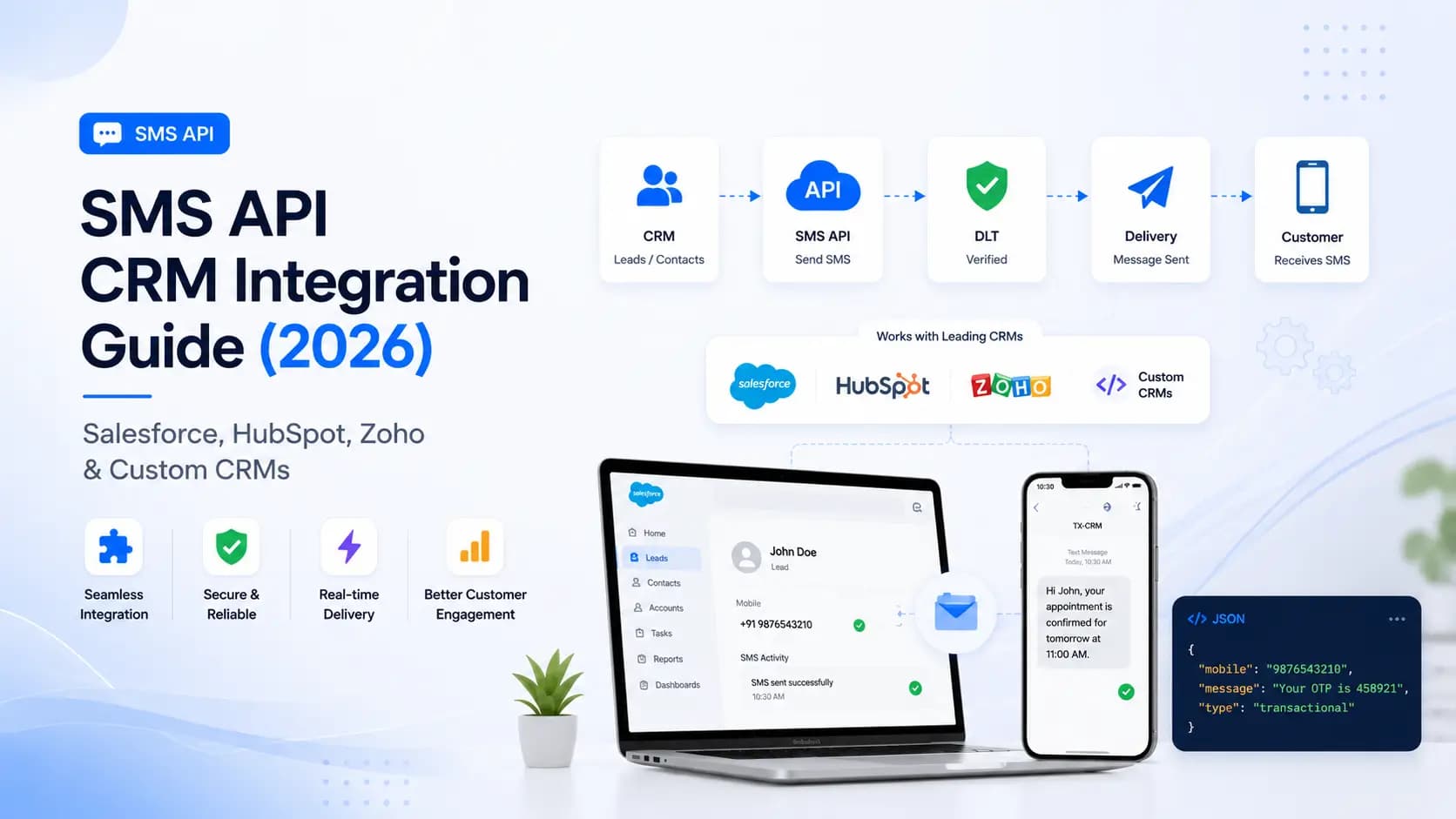
Explore the key concepts, practical considerations, and frequently asked questions related to sms api crm integration guide (2026)- salesforce, hubspot, zoho & custom crms.
Key takeaways
- CRM-triggered SMS logs delivery and reply status directly to the contact record, and Indian businesses report 30-50% higher contact rates than email-only outreach.
- Zoho and HubSpot support native SMS automation through workflows, while Salesforce needs a custom Apex class plus a Flow trigger to fire the same call.
- Each CRM trigger- lead welcome, demo confirmation, payment receipt- needs its own separately approved DLT template before it can send.
Integrating your SMS API with your CRM turns isolated messaging into an intelligent, automated communication layer. Every lead follow-up, deal nudge, appointment reminder, and post-sale message can be triggered automatically from CRM workflow rules- and every reply lands back in the contact timeline. This guide covers integration architecture, platform-specific setups, and DLT compliance for India.
Why CRM + SMS Integration Matters
CRM contact rates via phone and email have declined steadily. SMS cuts through:
| Channel | Average Open Rate | Average Response Time |
|---|---|---|
| 15–25% | Hours–Days | |
| Phone call | 25–35% answer rate | Immediate |
| 60–70% | Minutes | |
| SMS | 95–98% | Under 3 minutes |
With CRM integration, SMS messages are:
- Triggered automatically- no manual send required
- Personalised- using CRM contact fields (name, company, deal value)
- Tracked- delivery and reply status logged against the contact record
- Compliant- DLT templates enforced at the API level
Integration Architecture
CRM (Salesforce / HubSpot / Zoho / Custom)
     │
     │  Webhook or native trigger
     ▼
Middleware / SMS Plugin
     │
     │  POST /sms/send (REST API)
     ▼
Get Click Media SMS Gateway
     │
     │  Delivery receipt webhook
     ▼
Middleware → CRM Activity Log update
For inbound SMS (replies):
Recipient replies → Get Click Media virtual number
     │
     │  Inbound webhook
     ▼
Middleware → Match contact by phone → Log to CRM
HubSpot SMS Integration
Option A- HubSpot Workflow + Webhook (No-Code)
- Go to Workflows → Create a contact-based workflow
- Set trigger: e.g., "Contact property: Lifecycle stage = SQL"
- Add action: Send Webhook →
POST https://api.getclickmedia.com/v1/sms/send - Set headers:
x-api-key: YOUR_KEY - Map body fields using HubSpot tokens:
{
  "to": "91{{ contact.phone }}",
  "message": "Hi {{ contact.firstname }}, your demo with our team is confirmed for {{ contact.meeting_date }}.- GCMDIA",
  "senderId": "GCMDIA",
  "templateId": "YOUR_DLT_TEMPLATE_ID",
  "type": "transactional"
}
Option B- Node.js Middleware
// Express webhook receiver- triggered by HubSpot
app.post("/webhooks/hubspot", express.json(), async (req, res) => {
  const contact = req.body[0]; // HubSpot sends array

  if (contact.propertyName !== "lifecyclestage") return res.sendStatus(200);
  if (contact.propertyValue !== "sqlead") return res.sendStatus(200);

  const phone = await getContactPhone(contact.objectId);

  await fetch("https://api.getclickmedia.com/v1/sms/send", {
    method: "POST",
    headers: {
      "x-api-key": process.env.GCM_API_KEY,
      "Content-Type": "application/json",
    },
    body: JSON.stringify({
      to: `91${phone}`,
      message: `Hi, you've been qualified as a priority lead. Our team will call you within 2 hours.- GCMDIA`,
      senderId: "GCMDIA",
      templateId: process.env.LEAD_QUALIFY_TEMPLATE_ID,
      type: "transactional",
    }),
  });

  res.sendStatus(200);
});
Salesforce SMS Integration
Salesforce requires Apex code or a Process Builder / Flow integration. Using Salesforce Flow with a custom HTTP callout:
Apex Class- SMS Callout
public class GcmSmsService {
    private static final String API_URL = 'https://api.getclickmedia.com/v1/sms/send';
    private static final String API_KEY  = Label.GCM_API_Key; // Custom Label- never hardcode

    @future(callout=true)
    public static void sendSms(String phone, String message, String templateId) {
        HttpRequest req = new HttpRequest();
        req.setEndpoint(API_URL);
        req.setMethod('POST');
        req.setHeader('Content-Type', 'application/json');
        req.setHeader('x-api-key', API_KEY);

        Map<String, String> body = new Map<String, String>{
            'to'         => '91' + phone,
            'message'    => message,
            'senderId'   => 'GCMDIA',
            'templateId' => templateId,
            'type'       => 'transactional'
        };
        req.setBody(JSON.serialize(body));

        Http http = new Http();
        HttpResponse res = http.send(req);

        if (res.getStatusCode() != 200) {
            System.debug('SMS send failed: ' + res.getBody());
        }
    }
}
Salesforce Flow Trigger
- Create a Record-Triggered Flow on the
Opportunityobject - Set trigger: When record is updated →
Stage = Closed Won - Add Apex Action → call
GcmSmsService.sendSmswith:phone = {!$Record.Account.PersonMobilePhone}message = Congratulations! Your deal is confirmed. Our team will onboard you within 24 hours.- GCMDIAtemplateId = YOUR_TEMPLATE_ID
Zoho CRM SMS Integration
Zoho CRM supports SMS via Deluge scripts in Zoho Flow or native automation rules.
Zoho Flow- Deluge Script
// Triggered when Lead Status = "Hot"
leadPhone = zoho.crm.getRecordById("Leads", input.Id).get("Mobile");
leadName  = zoho.crm.getRecordById("Leads", input.Id).get("First_Name");

smsPayload = {
    "to": "91" + leadPhone,
    "message": "Hi " + leadName + ", thanks for your interest! Our team will call you within 30 minutes.- GCMDIA",
    "senderId": "GCMDIA",
    "templateId": zoho.cliq.getOrganizationParam("GCM_LEAD_TEMPLATE_ID"),
    "type": "transactional"
};

response = invokeurl
[
    url:     "https://api.getclickmedia.com/v1/sms/send"
    type:    POST
    parameters: smsPayload.toString()
    headers: {"Content-Type": "application/json", "x-api-key": "<YOUR_API_KEY>"}
];

info response;
Custom CRM / REST-to-REST Integration
For proprietary CRMs or ERPs, implement a webhook-based middleware that receives CRM events and dispatches SMS:
from flask import Flask, request, jsonify
import requests, os

app = Flask(__name__)

TEMPLATE_MAP = {
    "lead_created":    os.environ["LEAD_CREATED_TEMPLATE"],
    "demo_scheduled":  os.environ["DEMO_TEMPLATE"],
    "payment_received": os.environ["PAYMENT_TEMPLATE"],
}

@app.post("/crm-webhook")
def crm_webhook():
    data = request.json
    event   = data.get("event")
    contact = data.get("contact", {})
    phone   = contact.get("phone", "").replace("+91", "").replace(" ", "")

    if not phone or event not in TEMPLATE_MAP:
        return jsonify({"skipped": True}), 200

    messages = {
        "lead_created":    f"Hi {contact['name']}, thanks for your interest in Get Click Media. We'll be in touch shortly.- GCMDIA",
        "demo_scheduled":  f"Your demo is confirmed for {data['datetime']}. Join link: {data['meeting_url']}- GCMDIA",
        "payment_received": f"Payment of {data['amount']} received. Receipt: {data['receipt_url']}- GCMDIA",
    }

    resp = requests.post(
        "https://api.getclickmedia.com/v1/sms/send",
        headers={"x-api-key": os.environ["GCM_API_KEY"]},
        json={
            "to": f"91{phone}",
            "message": messages[event],
            "senderId": "GCMDIA",
            "templateId": TEMPLATE_MAP[event],
            "type": "transactional",
        },
        timeout=8,
    )

    return jsonify(resp.json()), resp.status_code
Logging SMS Activity Back to CRM
After sending, POST the delivery receipt back to your CRM to keep contact timelines accurate. Most CRMs expose an activity log API:
// Webhook from GCM delivery receipt → update CRM
app.post("/webhooks/sms-dlr", express.json(), async (req, res) => {
  const { messageId, to, status, deliveredAt } = req.body;

  const contactId = await lookupContactByPhone(to);

  // HubSpot example- log SMS activity
  await fetch(`https://api.hubapi.com/crm/v3/objects/notes`, {
    method: "POST",
    headers: {
      "Content-Type": "application/json",
      Authorization: `Bearer ${process.env.HUBSPOT_TOKEN}`,
    },
    body: JSON.stringify({
      properties: {
        hs_note_body: `SMS ${status}: messageId=${messageId} at ${deliveredAt}`,
        hs_timestamp: Date.now(),
      },
      associations: [
        { to: { id: contactId }, types: [{ associationCategory: "HUBSPOT_DEFINED", associationTypeId: 202 }] },
      ],
    }),
  });

  res.sendStatus(200);
});
DLT Template Management for CRM Automation
Each automated CRM message requires a separately approved DLT template. Maintain a template registry:
| CRM Trigger | DLT Template Name | Route |
|---|---|---|
| New lead created | lead_welcome | Transactional |
| Demo scheduled | demo_confirmation | Transactional |
| Payment received | payment_receipt | Transactional |
| Deal won | onboarding_start | Transactional |
| Re-engagement | reactivation_offer | Promotional |
| Event reminder | event_reminder | Promotional |
Register all templates before going live. Template approval takes 1–3 business days on DLT portals.
Best Practices for CRM SMS Automation
- Validate phone numbers before the API call- Indian mobile numbers must be 10 digits starting with 6–9:
^[6-9]\d{9}$ - Deduplicate recipients in bulk workflows- CRM data often contains duplicates that inflate costs
- Honour opt-outs- update CRM contact field
sms_opt_out = truewhen a user replies STOP; filter these contacts in all workflow triggers - Throttle outbound volume- CRM workflow bulk fires can spike to thousands of messages per minute; use the batch API and stagger sends
- Test with sandbox key before enabling live triggers in production CRM workflows
Summary
CRM SMS integration automates every customer touchpoint- from first-touch lead response to post-sale onboarding- with zero manual effort. Whether you use HubSpot workflows, Salesforce Flow, Zoho Deluge, or a custom webhook pipeline, the Get Click Media REST SMS API provides the same consistent interface. All messages are DLT-compliant, all delivery receipts flow back to your CRM, and your team gets complete communication visibility in one place.
Get your API key and start integrating or talk to our integration team.
Article topics
Frequently Asked Questions
Why should I integrate SMS with my CRM?
Integrating SMS with your CRM enables automated, contextual messaging triggered by customer actions- lead follow-ups, deal stage changes, appointment reminders, and post-sale nurture sequences. All SMS history is logged against the contact record, giving your sales and support teams complete communication visibility. Indian businesses using CRM-SMS integration report 30–50% higher contact rates compared to email-only outreach.
How does SMS CRM integration work technically?
CRM-SMS integration works via webhooks or native API calls. The CRM fires a webhook when a trigger condition is met (e.g., lead status changes to 'hot'). Your middleware or the SMS provider's native CRM plugin receives the webhook, formats the message using CRM contact data, and calls the SMS API. Delivery receipts are posted back to the CRM via a reverse webhook, updating the contact activity log.
Does SMS CRM integration require DLT registration in India?
Yes. All commercial SMS sent via CRM automation in India requires DLT registration- entity, sender ID, and message templates. Each automated message template used in your CRM workflows must be separately registered and approved on a TRAI DLT portal. Failure to register results in zero delivery, regardless of your CRM or SMS provider.
Can I receive SMS replies in my CRM?
Yes, if your SMS provider supports two-way messaging (virtual number / long code). When a contact replies to your SMS, the provider forwards the inbound message to a webhook URL you configure. Your middleware parses the reply and logs it as an activity against the matching CRM contact. Some CRM plugins handle this natively without custom code.
Which CRMs support native SMS integration without custom code?
Zoho CRM, HubSpot, and Freshsales have native SMS integrations through their marketplace. Salesforce requires custom Apex code or a third-party SMS AppExchange package. For custom CRMs or ERPs, the REST SMS API integrates via standard HTTP webhook triggers. Get Click Media provides plugins for Zoho and HubSpot, with webhook documentation for all other platforms.
About the author
Get Click Media creates practical resources for businesses using messaging, automation, analytics, and digital communication to improve customer engagement. This article was published on .