

In this article
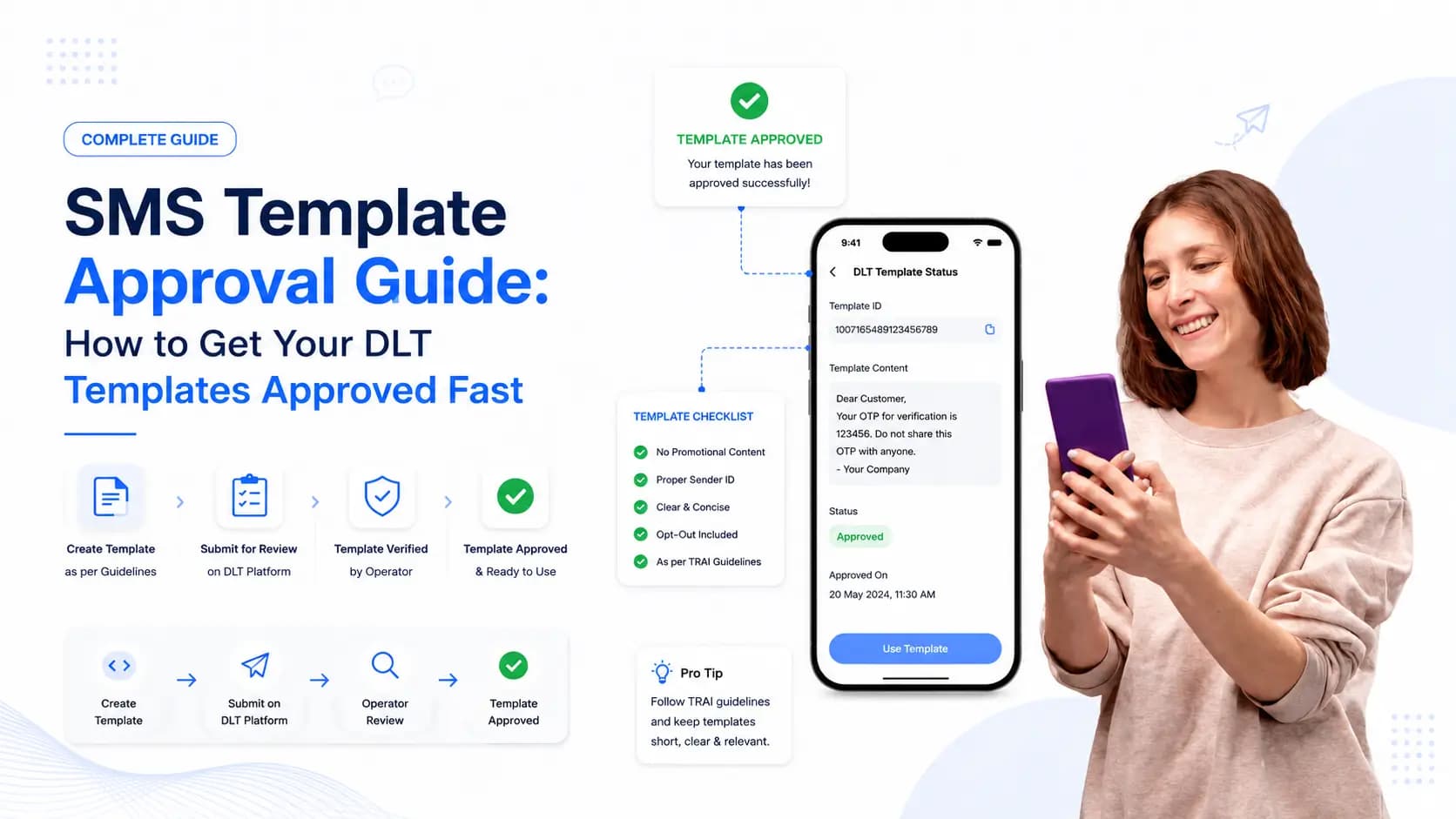
Explore the key concepts, practical considerations, and frequently asked questions related to sms template approval guide: how to get your dlt templates approved fast.
Key takeaways
- DLT templates must use the exact {#var#} placeholder syntax- formats like [name] or {{var}} get rejected or fail delivery.
- Templates split into Transactional, Promotional, and Service categories, and mismatching content to the declared category is the top rejection reason.
- Submitting a batch of starter templates- OTP, order confirmation, payment, reminder- at registration avoids approval delays once a campaign is ready.
Getting your SMS templates approved on India's DLT platform should not take weeks of back-and-forth rejections. Most delays and rejections are avoidable- they come from a handful of predictable mistakes in how templates are written, categorised, or submitted.
This guide gives you a clear, practical framework for writing DLT templates that get approved on the first submission and work reliably when you send at scale.
Why Templates Are the Most Critical Part of DLT Compliance
Your DLT entity registration and header approval are one-time steps. Template management is ongoing- every new campaign, new use case, or new message type requires a new approved template.
Templates are also where the most compliance risk lives. Sending a message that does not match an approved template is not just a delivery failure- it is a TRAI violation that can result in your header being suspended. Understanding the template system properly protects your entire SMS operation.
Before working on templates, make sure your entity and headers are already registered. If you have not done that yet, start with our DLT Registration Guide.
The Three Template Categories
Every template you submit must be assigned to one of three categories. Choosing the wrong category is one of the most common mistakes- and one of the most consequential.
Transactional Templates
Used for messages that contain information a customer needs to complete an action they initiated- OTPs, order confirmations, payment receipts, booking confirmations, account alerts.
Transactional messages can be sent to all numbers including DND-registered numbers. They are high-priority messages that customers expect.
Example:
Your OTP for {#var#} is {#var#}. Valid for 10 minutes. Do not share with anyone. - GETCLK
Promotional Templates
Used for marketing messages- offers, discounts, product launches, event invitations, any message intended to drive a purchase or action.
Promotional messages cannot be sent to DND numbers and can only be sent between 9 AM and 9 PM. They require explicit customer consent.
Example:
Hi {#var#}, get 30% off on all orders above Rs. 999 today. Use code {#var#} at checkout. Valid till midnight. Shop: {#var#} - GETCLK
Service (Implicit / Explicit)
A broader category for messages that are neither purely transactional nor promotional- service updates, regulatory notices, government communications, reminder messages.
Service Implicit applies to messages where consent is implied by the customer's relationship with the business (e.g., a reminder SMS to a registered user). Service Explicit requires documented opt-in consent.
If you are unsure whether to use Transactional or Service for your use case, see our detailed breakdown in Transactional vs Promotional SMS.
The Correct Variable Syntax
Dynamic content in DLT templates must use the {#var#} placeholder. This is non-negotiable- any other format (like [name], %s, or {{variable}}) will cause the template to be rejected or, worse, cause message delivery failures even after approval.
Correct:
Dear {#var#}, your appointment on {#var#} at {#var#} is confirmed. - GETCLK
Incorrect:
Dear [name], your appointment on [date] at [time] is confirmed. - GETCLK
The DLT system does not care what your variable means- it just sees {#var#} as a placeholder that can be filled with any text at send time. Name them consistently in your own documentation so you know which variable maps to which field.
Writing Templates That Get Approved First Time
1. Always include your brand name
Every template should identify your business- either through the Sender ID at the end or within the message body itself. Templates with no clear brand attribution are commonly rejected.
Good: Your invoice from Get Click Media for {#var#} is ready. Download: {#var#} - GETCLK
2. Match category to content honestly
Do not try to register a promotional offer as a transactional message to bypass DND restrictions. DLT reviewers check the template content against the declared category. Mismatches cause rejections and, if flagged post-approval, can result in your header being blacklisted.
3. Keep variables to what you actually need
A template with 15 variables for a simple appointment reminder will get flagged for review. Use variables only for content that genuinely changes per recipient- name, date, order number, amount, URL.
4. Avoid prohibited content
Templates containing the following are automatically rejected:
- Competitor brand names
- Guaranteed financial returns ("earn ₹5,000 daily")
- Content that implies TRAI or government endorsement
- Lottery, prize, or lucky draw language without prior consent setup
- Requests for OTPs, passwords, or PINs from recipients (you can send OTPs, not ask for them)
5. Register your URL domain separately
If your template includes a URL, the domain must be registered on the DLT platform before the template will be approved. Register your domain under your entity first, then reference it in templates. Use your actual domain- URL shorteners are increasingly flagged.
6. End with your Sender ID
While not always mandatory, ending the template with - GETCLK (your header) reinforces brand recognition and aligns with how the network identifies the sender.
A Template Library to Submit From Day One
Instead of registering templates one at a time as you need them, plan ahead and submit a batch on day one. Here is a starter set most businesses need:
| Use Case | Category | Template |
|---|---|---|
| OTP / Login | Transactional | Your OTP for {#var#} is {#var#}. Valid for {#var#} minutes. - GETCLK |
| Order Confirmation | Transactional | Hi {#var#}, your order {#var#} has been placed. Expected delivery: {#var#}. Track: {#var#} - GETCLK |
| Payment Received | Transactional | Payment of Rs.{#var#} received for {#var#}. Ref: {#var#}. Thank you. - GETCLK |
| Appointment Reminder | Service | Reminder: Your appointment with {#var#} is on {#var#} at {#var#}. Reply CANCEL to cancel. - GETCLK |
| Promotional Offer | Promotional | Hi {#var#}, {#var#}% off on {#var#} today only. Use code {#var#}. Shop: {#var#} - GETCLK |
| Delivery Alert | Transactional | Your order {#var#} has been {#var#}. {#var#} - GETCLK |
Submitting a batch like this at registration means you are not waiting for approvals when a campaign is ready to go.
What to Do When a Template Is Rejected
When a template is rejected, the DLT platform usually provides a reason code. Common ones:
- Content mismatch with category- Reclassify or rewrite the content to match
- Brand name not found- Add your registered business name or Sender ID to the body
- Prohibited keywords- Remove or rephrase flagged terms
- Excessive variables- Reduce variables to only essential ones
- URL not registered- Register your domain on DLT first, then resubmit
Do not resubmit the same template without making the required change- it will be rejected again and may flag your account for review.
Keeping Your Templates Organised
As your DLT template list grows, keeping track of which template ID maps to which campaign becomes important. Create a simple spreadsheet:
| Template Name | DLT Template ID | Category | Header | Status | Use Case |
|---|---|---|---|---|---|
| OTP Login | 1234567 | Transactional | GETCLK | Approved | Auth flow |
| Order Confirm | 1234568 | Transactional | GETCLK | Approved | E-commerce |
Share this with your SMS provider so they can map the correct template IDs in their platform. Mismatched template IDs at the campaign level are another common source of delivery failures.
Ongoing Template Compliance
Template compliance is not just about the approval stage. After approval, you need to ensure:
- Your actual messages match the template at every character position (outside variables)
- You are not using transactional templates for promotional content
- Templates with expired or deactivated URLs are updated
For the full picture of ongoing compliance obligations, including scrubbing rules and opt-out management, read our TRAI SMS Compliance Guide.
Conclusion
DLT template approval is straightforward when you understand the rules. Choose the right category, use the correct variable syntax, include your brand name, and register your domain. Submit a full batch at registration rather than one at a time.
The investment you make in getting templates right upfront pays off every time a campaign goes out- no delivery failures, no compliance risk, no last-minute template approval waits. If you need help setting up your template library, talk to our team at Get Click Media and we will guide you through the entire process.
Article topics
Frequently Asked Questions
How long does SMS template approval take on DLT?
Standard transactional templates often get auto-approved within minutes on platforms like Airtel and Jio. Promotional and service templates typically take 2–5 business days for manual review.
Can I edit a DLT template after approval?
No. Once a template is approved, you cannot edit it. If you need to change the message content, you must submit a new template and wait for fresh approval. This is why getting the template right the first time matters.
What is the maximum length for an SMS template?
A single SMS is 160 characters for standard encoding. For templates with special characters or Devanagari text, each SMS is 70 characters. Most DLT platforms accept templates up to 640 characters (concatenated SMS), but longer messages are billed as multiple SMS units.
How many variables can I use in a single template?
Most DLT platforms allow up to 30 variables per template, but practical limit depends on the operator. Use only as many variables as you genuinely need- excessive variables in a template can trigger manual review.
What happens if my message content doesn't match the approved template?
The message will be rejected by the operator's DLT system before delivery. The content must match the template exactly except for text substituted in {#var#} positions.
About the author
Get Click Media creates practical resources for businesses using messaging, automation, analytics, and digital communication to improve customer engagement. This article was published on .