
In this article
Explore the key concepts, practical considerations, and frequently asked questions related to click-to-whatsapp ads: setup guide for indian businesses.
Key takeaways
- CTWA ads open a 72-hour free conversation window versus the standard 24 hours, letting chatbots qualify leads and send payment links at zero cost.
- Cost per lead in India runs roughly ₹80-400, 40-60% lower than standard Meta lead form ads, with Reels placement delivering the lowest CPL.
- Cost per conversation is the more reliable early-stage metric than cost per lead, since it isolates ad engagement from chatbot qualification quality.
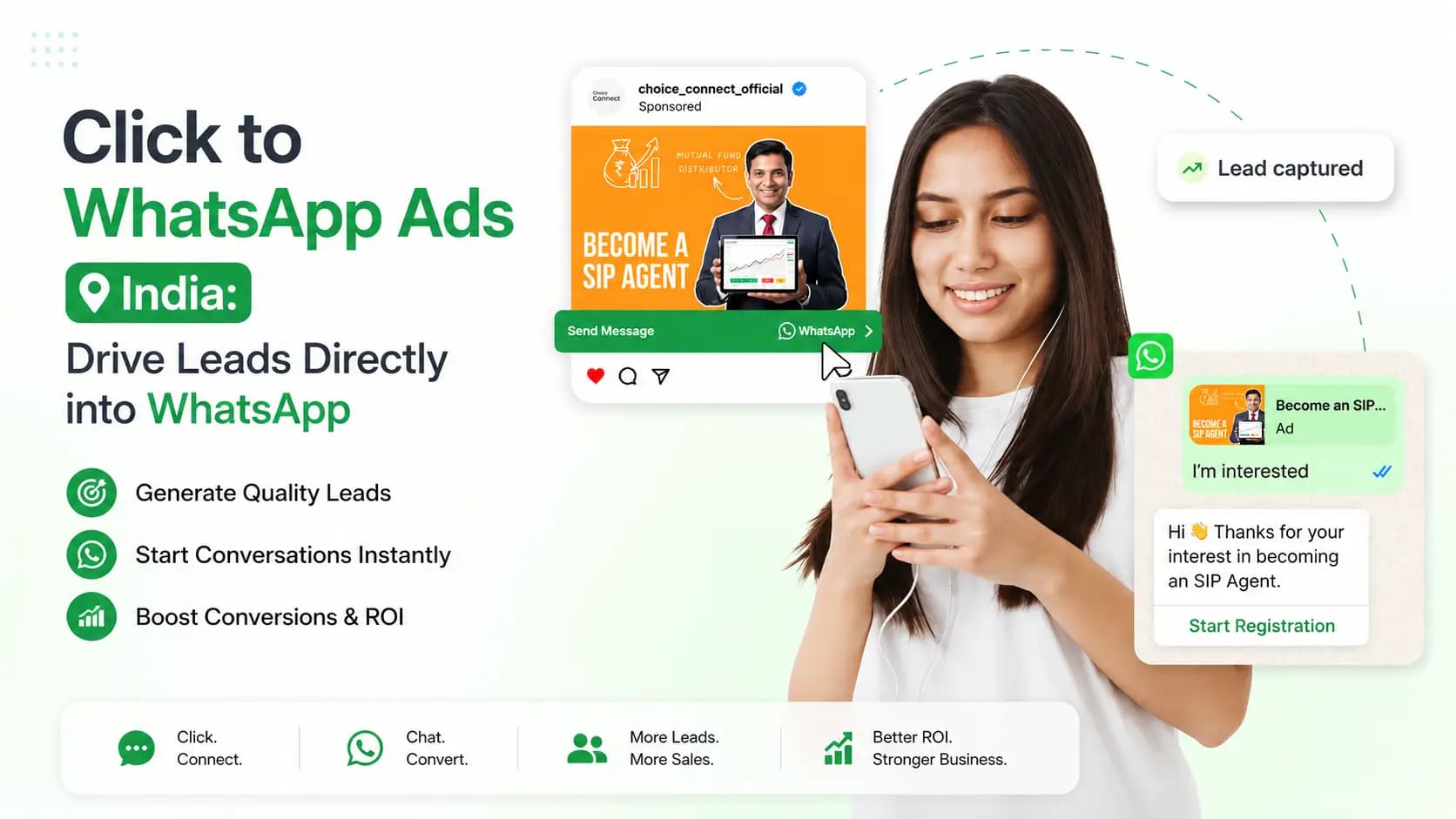
Click to WhatsApp Ads (CTWA) are Facebook and Instagram ads with a "Send Message" call-to-action that opens a WhatsApp conversation with your business the moment someone clicks- instead of sending them to a landing page or lead form. WhatsApp opens instantly on the customer's phone with a pre-written opening message ready to send. Get Click Media sets up and manages Click to WhatsApp ad campaigns for Indian businesses, connecting the ad response directly to a WhatsApp Business API chatbot and CRM for automated, real-time lead follow-up.
We've covered the broader strategy and ROI case for CTWA- why it outperforms lead forms, where it fits your funnel, industry-level economics- on our Click-to-WhatsApp Ads pillar page. This post answers the narrower, more practical question: how do you actually set one up, from picking the right campaign objective in Meta Ads Manager through to measuring cost per conversation once it's live.
The biggest problem with standard Facebook and Instagram lead ads in India is the gap between click and contact. A prospect sees your ad, fills the lead form, submits- and then waits for your sales team to call. By the time your team calls, the prospect may have moved on, forgotten the context, or already spoken to a competitor.
Click to WhatsApp ads close this gap entirely. When the prospect clicks your ad, WhatsApp opens immediately. They tap send on the pre-filled message. Your chatbot responds in seconds- with relevant information, qualification questions, and a clear next step. No waiting, no lost leads, no cold calling.
Get Click Media is an official Meta Business Solution Provider- uniquely positioned to both run your Click to WhatsApp ad campaigns and connect the resulting leads directly to your WhatsApp Business API chatbot and CRM for end-to-end automation.
- 40–60% lower cost per lead vs standard lead form ads
- 72 hours free conversation window from every CTWA ad
- Under 5 seconds from ad click to WhatsApp conversation
- 3x higher lead response rate vs landing page forms
Run Click to WhatsApp Ads with Get Click Media- Official Meta BSP · Ad creative + chatbot setup · CRM integration · Pay per result. Start a CTWA Campaign · Request a Demo · See Pricing
What Are Click to WhatsApp Ads?
Click to WhatsApp Ads- officially "Click to Message" ads with WhatsApp as the destination- are a Meta ad format that replaces the traditional landing page or lead form CTA with a direct WhatsApp conversation.
How they work, step by step:
- You create a Facebook or Instagram ad through Meta Ads Manager, or through Get Click Media's managed service.
- Instead of a landing page URL, the ad CTA is set to "Send WhatsApp Message."
- You set a pre-filled opening message the customer sends when they click- for example, "I am interested in your loan offer."
- The ad runs across Facebook feed, Instagram feed, Instagram Stories, Facebook Stories, Reels, Marketplace, and the Facebook/Instagram audience network.
- The customer sees the ad and taps "Send Message"- WhatsApp opens instantly with the pre-filled message ready to send.
- The customer taps Send, and a WhatsApp conversation begins with your business.
- Your chatbot, connected via WhatsApp Business API, responds in seconds- qualifying the lead, capturing details, and routing to the right next step.
What Makes CTWA Different From Standard Meta Lead Ads
| Aspect | Standard Meta lead form ad | Click to WhatsApp ad |
|---|---|---|
| Post-click experience | Customer fills a form on Facebook/Instagram | WhatsApp opens- conversation begins instantly |
| Time to first response | Hours (manual sales follow-up) | Seconds (chatbot auto-responds) |
| Lead quality signal | Form fill- low intent signal | Actively sent a message- higher intent |
| Lead follow-up channel | Phone call (often rejected) or email | WhatsApp- highest response channel in India |
| Conversation free window | N/A- no WhatsApp session | 72 hours free (vs standard 24 hours) |
| CRM integration | Lead data synced to CRM | Conversation + lead data synced in real time |
| Retargeting | Form abandoners only | Can retarget on WhatsApp engagement signals |
| Cost per lead (India avg) | ₹300–800 | ₹120–350- 40–60% lower |
The 72-Hour Free Conversation Window- CTWA's Hidden Advantage
Standard WhatsApp Business API conversations triggered by your business (marketing, utility, authentication) are charged per conversation. When a customer initiates a conversation through a Click to WhatsApp ad, Meta provides a 72-hour free conversation window- longer than the standard 24-hour service window, and completely free.
| Conversation type | Who initiates | Duration | Cost |
|---|---|---|---|
| Standard service conversation | Customer (organic) | 24 hours | Free for first 1,000/month, then ₹0.14 |
| Click to WhatsApp ad conversation | Customer (from CTWA ad) | 72 hours | Free- no conversation charge during window |
| Marketing conversation | Business | 24 hours | ₹0.79–0.91 per conversation |
| Utility conversation | Business | 24 hours | ₹0.14–0.17 per conversation |
The 72-hour window means your chatbot can send multiple follow-up messages, qualification questions, product cards, and payment links- all within the same conversation- at zero conversation cost. This is Meta's built-in incentive for businesses to run CTWA ads, and it makes the format even more cost-effective than the already-lower CPL suggests.
Example ROI: A real estate developer runs a CTWA ad. 1,000 people click and start a WhatsApp conversation, each free for 72 hours. The chatbot qualifies leads, sends property carousels, and schedules site visits- all inside the free window. The only cost is ad spend, compared to standard lead form ads where every follow-up call costs ₹50–150 in sales team time.
Click to WhatsApp Ad Formats- Where Your Ads Appear
CTWA ads can run across every major Meta placement. Here's where Indian audiences are most active and which placements tend to drive the best CTWA performance.
| Placement | Format | Best for India | Typical CPL |
|---|---|---|---|
| Facebook News Feed | Image, video, carousel | Broad B2C- finance, real estate, EdTech | ₹150–400 |
| Instagram Feed | Image, video, carousel | D2C, fashion, beauty, lifestyle brands | ₹120–350 |
| Instagram Stories | Full-screen image/video (9:16) | Youth audience- EdTech, food, travel, D2C | ₹100–280 |
| Facebook Stories | Full-screen image/video (9:16) | Tier 2/3 cities- real estate, FMCG, insurance | ₹90–250 |
| Reels (FB + IG) | Short video (9:16, up to 60 sec) | Highest reach, fastest growing- all industries | ₹80–220 |
| Facebook Marketplace | Image + description | Local services, real estate, automotive | ₹120–300 |
| Audience Network | Banner, interstitial, native | Volume reach- FMCG, insurance, banking | ₹60–180 |
| Messenger Home | Banner in Messenger inbox | Financial services, banking, insurance | ₹140–380 |
Best placement for India: Reels (Facebook + Instagram) consistently delivers the lowest CPL for CTWA ads- driven by Meta's algorithm favouring Reels inventory and the high time-on-platform of Indian users. Start with Reels-first creative, then expand into Feed and Stories.
Click to WhatsApp Ads- 8 Industry Use Cases for Indian Businesses
1. Real Estate
Target homebuyers in your city, aged 28–50, HHI ₹8L+, with interest in property or home décor. Ad creative: property image or 30-second walkthrough video. Headline: "Book Your Dream Home- Start at ₹65 Lakh." Opening message: "Hi, I saw your property ad. Interested in 3 BHK in [City]. My budget is ₹80L." Chatbot flow: asks location preference → sends a 3-property carousel → asks preferred date → books a site visit slot → logs into Sell.do CRM. Cost per qualified lead: ₹180–320 (vs ₹800–1,500 for a portal lead).
2. EdTech / Coaching Institute
Target Class 10–12 students, parents, and aspirants for JEE/NEET/UPSC, aged 16–30. Ad creative: student success story or faculty intro video. Headline: "Join India's Top JEE Coaching- Free Trial Class." Opening message: "Hi, I want to know about JEE 2027 batch- fees, schedule, and free trial." Chatbot flow: collects class, city, and target exam → sends course details PDF → offers 3 free trial slots → books a slot → logs into LeadSquared. Cost per enrolled student enquiry: ₹120–250 (vs ₹400–900 from portal ads).
3. Financial Services / NBFC
Target salaried individuals aged 25–45, HHI ₹4L+, interested in personal finance and credit. Ad creative: simple carousel showing offer amount, interest rate, and disbursal time. Headline: "Personal Loan ₹5L in 4 Hours- Check Your Eligibility." Opening message: "Hi, I want to check my eligibility for a personal loan. Salary: ₹45,000/month." Chatbot flow: captures salary, employment type, existing EMIs → pre-qualifies → sends offer card → routes to a loan officer for closure. Cost per qualified loan application: ₹200–400 (vs ₹600–1,200 from a Google Search lead).
4. Healthcare- Hospital / Clinic
Target a local audience within 10 km, aged 25–60, with health interests and families. Ad creative: doctor photo with qualification. Headline: "Book Appointment with [Specialist]- Same Day Available." Opening message: "Hi, I want to book an appointment for [specialty]." Chatbot flow: confirms specialty → shows available slots → books the appointment → sends a confirmation card with directions and prep instructions. Cost per booked appointment: ₹80–180.
5. D2C / E-commerce Brand
Target interest-based audiences- fashion, beauty, home décor, fitness- plus lookalikes of past purchasers. Ad creative: product video or carousel. Headline: "New Collection Drop- Shop Now on WhatsApp." Opening message: "Hi, I saw your ad. Interested in the Summer Collection. What sizes are available?" Chatbot flow: sends a product carousel with sizes, prices, and COD option → customer selects → adds to order → payment link sent → order confirmed. Cost per completed order conversation: ₹90–200.
6. Insurance
Target ages 25–50, married, vehicle or homeowners, interested in financial planning. Ad creative: cover amount vs premium comparison. Headline: "₹1 Crore Life Cover at ₹500/Month- Check Your Premium." Opening message: "Hi, I want to know more about term insurance. Age: 32. Non-smoker." Chatbot flow: captures age, health status, income → generates a premium quote → sends a comparison card → routes to an insurance advisor for policy issuance. Cost per qualified insurance lead: ₹150–350.
7. Travel / Tourism
Target frequent travellers and holiday-interest segments, HHI ₹8L+, aged 25–45. Ad creative: destination photo or reel. Headline: "Bali 7 Nights from ₹45,000- Book on WhatsApp." Opening message: "Hi, I am interested in the Bali package for October. 2 adults. Budget: ₹1.2L total." Chatbot flow: captures dates, group size, budget → sends customised package options → offers a payment plan → books a deposit. Cost per package inquiry: ₹200–450 (vs ₹600–1,400 from Google travel ads).
8. Automobile / Car Dealer
Target in-market car buyers aged 25–50, HHI ₹10L+, interested in specific models or auto finance. Ad creative: car walkaround video or offer card. Headline: "Book a Test Drive- [Car Model] Available at [Dealer Name]." Opening message: "Hi, I am interested in the Toyota Innova HyCross. Can I book a test drive this weekend?" Chatbot flow: confirms preferred showroom location → shows available test drive slots → books the slot → sends confirmation and directions. Cost per test drive booking: ₹250–500 (vs ₹800–2,000 for a traditional dealer lead).
How to Set Up a Click to WhatsApp Ad Campaign- Step by Step
- Connect WhatsApp Business API to Meta Business Manager. Your WhatsApp Business API number must be linked to your Meta Business Manager account- done during WhatsApp onboarding with Get Click Media. Once linked, your number appears as a destination option in Meta Ads Manager. No additional setup is needed if your WABA is already linked to Meta BM.
- Create your ad campaign in Meta Ads Manager. Open Meta Ads Manager → Create Campaign → Objective: Engagement or Leads → Ad Set → Conversion Location: Messaging Apps → WhatsApp. Set targeting, budget, and schedule. Get Click Media recommends the "Engagement" objective for CTWA- it optimises for users likely to start a conversation, not just click. Budget: minimum ₹500/day for meaningful data in the first week.
- Configure the WhatsApp opening message. Define the pre-filled message the customer sends on click- specific enough for your chatbot to route on, short enough that customers are comfortable sending it. Keep it under 15 words, and include a context keyword your chatbot can detect: "Loan enquiry," "Property booking," "JEE batch info," "Product question." Avoid phrasing it as a question- the customer needs to send a statement, not answer one.
- Design your ad creative. CTWA ads follow standard Meta creative requirements. For India, use video- especially Reels format- wherever possible, showing a real product, result, or person rather than stock imagery. Put the price or key offer number in the first 3 seconds of video or the first visible line of image text. Get Click Media's creative team designs CTWA-optimised static images, carousels, and 15–30 second Reels videos tailored to your industry and offer.
- Set up your WhatsApp chatbot response. Connect your WhatsApp Business API chatbot to handle incoming ad conversations: acknowledge the ad context, ask 1–2 qualifying questions, provide the relevant information or offer, capture contact details, and route to the next step- booking, demo, purchase, or agent handoff. Get Click Media builds and configures this flow as part of campaign setup.
- Connect to CRM for lead capture. Configure your CRM- Salesforce, HubSpot, Zoho, LeadSquared, or a custom system- to receive qualified lead data from the chatbot conversation. Every ad-driven conversation that completes the chatbot flow creates a CRM lead with full context automatically. Lead routing rules and field mapping are configured during setup as part of Get Click Media's CRM integration.
- Launch, monitor, and measure cost per conversation. Track cost per conversation (ad spend ÷ conversations started) alongside conversation start rate, chatbot completion rate, and CRM lead quality daily for the first week. Cost per conversation is the more reliable early-stage metric- it tells you how efficiently the ad is generating engagement before you have enough closed deals to judge cost per sale. Get Click Media provides weekly performance reports with actionable recommendations and adjusts targeting, creative, and opening message based on the data.
Click to WhatsApp Ads Performance Benchmarks- India 2026
Based on Get Click Media's CTWA campaign data across Indian industries:
| Metric | CTWA average (India) | Standard lead form ad | Standard traffic ad |
|---|---|---|---|
| Cost per lead | ₹120–400 | ₹300–800 | ₹80–200 (per click, not lead) |
| Lead-to-conversation rate | 85–95% | N/A | N/A |
| First response time | Under 5 seconds (chatbot) | 4–8 hours (sales call) | N/A |
| Chatbot qualification rate | 60–75% | 30–50% (form quality) | N/A |
| CRM lead quality score | High- context-rich | Medium- form-only data | Low- unknown intent |
| Lead-to-sale conversion | 15–30% | 8–15% | 3–8% |
| Conversation cost | Free (72hr window) | ₹0 (no WhatsApp involved) | N/A |
| Retargeting capability | WhatsApp engagement-based | Form abandoner only | Page visitor only |
Get Click Media's Managed CTWA Campaign Service
Running Click to WhatsApp ads effectively requires expertise in three areas at once- Meta Ads (creative, targeting, bidding), WhatsApp Business API (chatbot, conversation management), and CRM (lead capture, routing, follow-up). Get Click Media provides all three as a single managed service.
| What Get Click Media manages | Details |
|---|---|
| Campaign strategy | Audience research, offer framing, creative brief, campaign structure, budget allocation |
| Ad creative production | Static images, carousel designs, Reels-format videos- CTWA-optimised for your industry |
| Meta Ads setup | Campaign, ad set, and ad creation in Meta Ads Manager with the correct CTWA objective |
| Opening message design | Pre-filled message copy optimised for chatbot routing and conversion |
| Chatbot flow build | WhatsApp Business API chatbot flow for ad conversations- qualification, info delivery, lead capture |
| CRM integration | Lead data from chatbot flows synced automatically to your CRM with routing rules |
| Campaign monitoring | Daily performance tracking- CPL, conversation rate, chatbot completion, CRM lead quality |
| Weekly optimisation | Targeting refinements, creative A/B tests, chatbot flow improvements from drop-off data |
| Monthly reporting | Full campaign performance report with ROI analysis and next-month recommendations |
Pricing: Get Click Media's CTWA managed service is priced as a monthly management fee plus your Meta ad spend, which goes directly to Meta. Contact our team for a custom proposal based on your industry, target CPL, and monthly lead volume requirement.
Frequently Asked Questions- Click to WhatsApp Ads India
What are Click to WhatsApp Ads? Click to WhatsApp Ads (CTWA) are Facebook and Instagram ads where the CTA opens a WhatsApp conversation instead of a landing page. When a user taps "Send Message," WhatsApp opens with a pre-filled message ready to send, and a conversation begins instantly. CTWA ads run through Meta Ads Manager and require a WhatsApp Business API account connected to your Meta Business Manager.
How are Click to WhatsApp Ads different from regular Facebook lead ads? Regular Facebook lead ads collect data through an on-platform form, and you follow up later- usually by phone. Click to WhatsApp Ads open a WhatsApp conversation instantly, so your chatbot can respond in seconds, qualify the lead in real time, and capture richer context than a static form. CTWA leads are typically 40–60% cheaper with significantly higher response rates, because follow-up happens immediately on WhatsApp instead of a delayed call.
What is the 72-hour free conversation window in CTWA ads? When a customer initiates a conversation by clicking a CTWA ad, Meta grants a 72-hour free conversation window- compared to 24 hours for other customer-initiated chats. Every message inside that window, including chatbot follow-ups, qualification questions, and payment links, is free of conversation charges.
Do I need WhatsApp Business API to run CTWA ads? Yes. CTWA requires a WhatsApp Business API account connected to Meta Business Manager. Without it, ad conversations land in the basic WhatsApp Business App with no chatbot automation, no CRM integration, and no way to handle real campaign volume. Get Click Media sets this up as part of CTWA campaign onboarding.
How much do Click to WhatsApp Ads cost in India? Ad spend cost per lead (per conversation started) typically ranges ₹80–400 depending on industry, audience quality, and creative effectiveness- Reels format and well-optimised targeting reach the lower end. The WhatsApp conversation itself is free for 72 hours after the click. Get Click Media's management fee is separate from ad spend.
What kind of creative works best for Click to WhatsApp Ads? Short vertical video (15–30 seconds, 9:16 Reels format) consistently outperforms static images for Indian audiences. Show a real result, testimonial, or product demo in the first 3 seconds, state the key offer number prominently, and use an action-oriented headline like "Check your loan eligibility now" rather than a generic "Learn more."
Can CTWA ads be used for B2B lead generation? Yes, though it needs more deliberate targeting since Meta lacks LinkedIn-style firmographic filters. Interest-based targeting, limited job-title targeting, and Custom Audiences built from your own database can still reach relevant B2B decision-makers. CTWA works especially well where WhatsApp is already the expected channel- software demos, financial services, HR solutions, professional services.
How does Get Click Media measure CTWA campaign ROI? We track the full funnel- ad spend, conversations started, chatbot qualification completions, CRM leads created, pipeline value, and closed deals- attributing revenue at the deal-close level once your CRM is connected, for true ROAS. Monthly reports cover CPL trend, lead quality distribution, chatbot completion rates, and sales conversion on CTWA-sourced leads.
Should I measure CTWA campaigns by cost per lead or cost per conversation in 2026? Cost per conversation is the more useful metric for CTWA, since every ad click that results in a sent message opens a conversation whether or not it turns into a qualified lead. Tracking cost per conversation alongside your chatbot's qualification rate tells you two separate things- how efficiently the ad is generating engagement, and how well the automated first response converts that engagement into a real lead- rather than blending both into a single CPL number that hides which part of the funnel needs work.
Get Started
Click to WhatsApp Ads close the gap between ad click and customer conversation, turning Meta's biggest weakness for Indian advertisers- the slow, low-intent lead form- into a same-second WhatsApp chat backed by chatbot automation and CRM data. Combined with WhatsApp Business API and a well-built chatbot flow, CTWA typically delivers 40–60% lower cost per lead and 2–4x higher lead-to-sale conversion than standard Meta lead ads. For the broader strategy and ROI picture behind this setup guide, see Click-to-WhatsApp Ads.
Run Click to WhatsApp Ads with Get Click Media- Official Meta BSP · Ad creative + chatbot setup · CRM integration · Pay per result. Start a CTWA Campaign · Request a Demo · See Pricing
Article topics
Frequently Asked Questions
What are Click to WhatsApp Ads?
Click to WhatsApp Ads (CTWA) are Facebook and Instagram ads where the CTA opens a WhatsApp conversation instead of a landing page. When a user clicks 'Send Message', WhatsApp opens on their phone with a pre-filled message ready to send, and a conversation begins instantly. CTWA ads require a WhatsApp Business API account connected to Meta Business Manager, and typically cost 40–60% less per lead than standard lead form ads.
How are Click to WhatsApp Ads different from regular Facebook lead ads?
Regular Facebook lead ads collect data through an on-platform form, and the business follows up later- usually by phone, often hours later. Click to WhatsApp Ads open a live WhatsApp conversation instantly, so a chatbot can respond in seconds, qualify the lead in real time, and capture richer context than a static form. This immediacy is why CTWA leads convert at a noticeably higher rate.
What is the 72-hour free conversation window in CTWA ads?
When a customer initiates a WhatsApp conversation by clicking a Click to WhatsApp ad, Meta grants a 72-hour free conversation window- longer than the standard 24-hour window for other customer-initiated chats. Every message exchanged within those 72 hours, including chatbot follow-ups, qualification questions, and payment links, is free of conversation charges.
Do I need WhatsApp Business API to run CTWA ads?
Yes. Click to WhatsApp Ads require a WhatsApp Business API account linked to Meta Business Manager. Without it, ad-driven conversations land in the basic WhatsApp Business App with no chatbot automation, no CRM integration, and no way to handle real campaign volume. Get Click Media sets up WhatsApp Business API as part of CTWA campaign onboarding.
How much do Click to WhatsApp Ads cost in India?
Ad spend cost per lead typically ranges from ₹80 to ₹400 depending on industry, audience quality, and creative- with Reels-format video and well-optimised targeting reaching the lower end. The WhatsApp conversation itself is free for 72 hours after the ad click, so the only recurring cost is media spend plus your management fee.
What kind of creative works best for Click to WhatsApp Ads?
For Indian audiences, short 15–30 second vertical video in Reels format consistently outperforms static images. Lead with a real result, testimonial, or product demonstration in the first three seconds, state the key offer number (price, discount, rate) prominently, and use an action-oriented headline like 'Check your loan eligibility now' instead of a generic 'Learn more'.
Can CTWA ads be used for B2B lead generation?
Yes, though B2B CTWA needs more deliberate targeting since Meta lacks LinkedIn-style firmographic filters. Interest-based targeting, limited job-title targeting, and Custom Audiences built from your existing database can still reach relevant decision-makers. CTWA performs particularly well for B2B categories- software demos, financial services, HR solutions- where WhatsApp is already the expected channel.
How does Get Click Media measure CTWA campaign ROI?
We track the full funnel: ad spend, conversations started, chatbot qualification completions, CRM leads created, pipeline value, and closed deals. When your CRM is connected, revenue is attributed at the deal-close level for true ROAS. Monthly reports cover CPL trend, lead quality distribution, chatbot completion rate, and sales conversion on CTWA-sourced leads.
Should I measure CTWA campaigns by cost per lead or cost per conversation in 2026?
Cost per conversation is the more useful metric for CTWA, since every ad click that results in a sent message opens a conversation whether or not it turns into a qualified lead. Tracking cost per conversation alongside your chatbot's qualification rate tells you two separate things- how efficiently the ad is generating engagement, and how well the automated first response converts that engagement into a real lead- rather than blending both into a single CPL number that hides which part of the funnel needs work.
About the author
Get Click Media creates practical resources for businesses using messaging, automation, analytics, and digital communication to improve customer engagement. This article was published on and was last reviewed on .