
In this article
Explore the key concepts, practical considerations, and frequently asked questions related to whatsapp catalog: showcase your products inside whatsapp.
Key takeaways
- The free Business App caps catalogs at 500 products with manual upload, while the API syncs unlimited products automatically from your product database.
- A multi-product message can display up to 30 items as a scrollable carousel, and a chatbot can filter the catalog by price or attribute on request.
- Fashion D2C brands saw 30% of catalog viewers convert to cart in the same session, versus just 8% for equivalent website browsing.
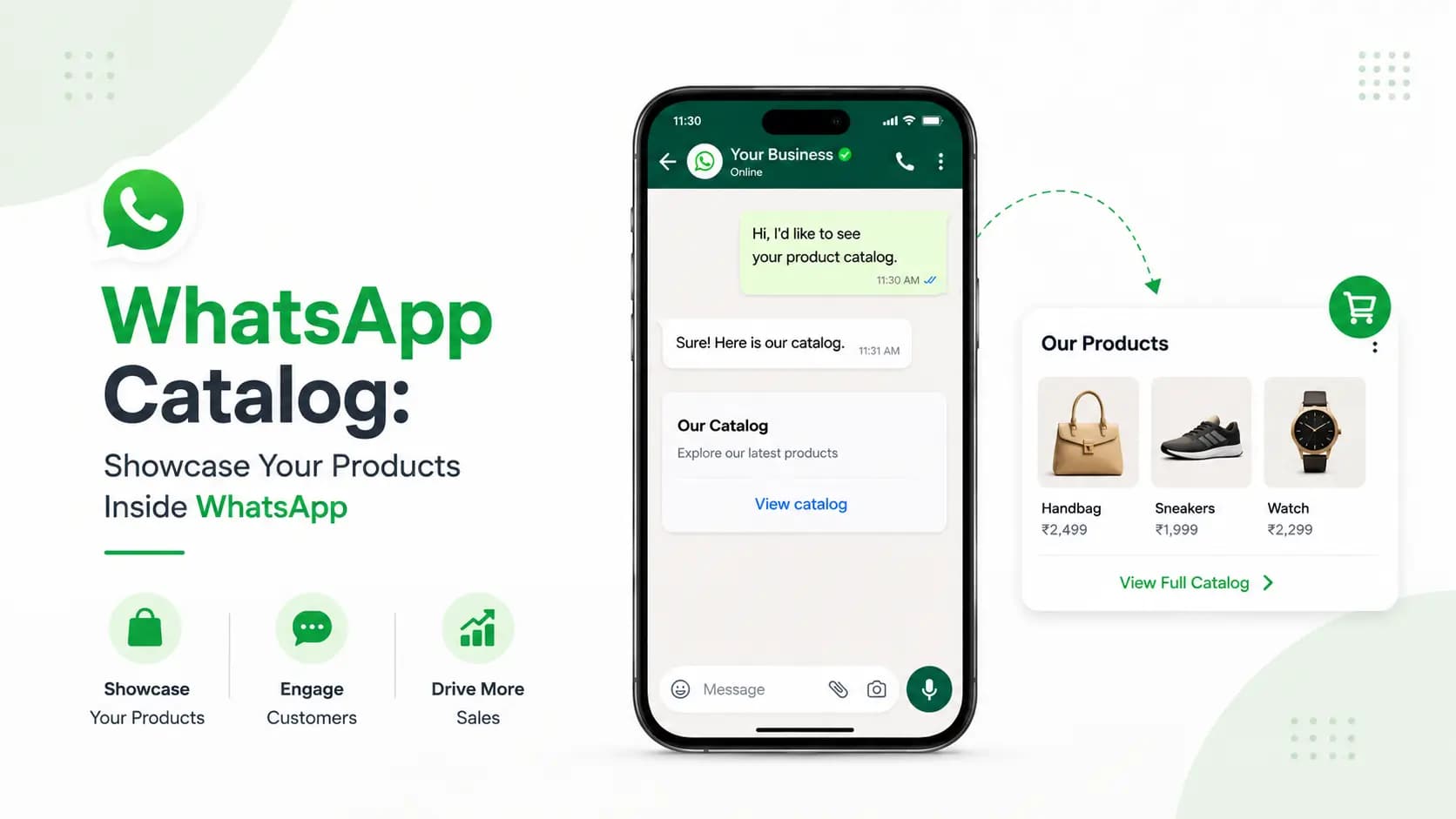
A WhatsApp Catalog is a built-in product or service listing inside WhatsApp Business that allows customers to browse your offerings directly within the WhatsApp app- without visiting your website. Through WhatsApp Business API, businesses can create product catalogs with images, descriptions, prices, and product IDs, and share individual products or the full catalog in conversations. Get Click Media sets up and manages WhatsApp Catalog integration for Indian businesses.
Indian customers increasingly prefer to discover, compare, and enquire about products without leaving WhatsApp. Sending a customer to a website adds friction- they leave the conversation, browse a different interface, and often don't return to complete the purchase.
WhatsApp Catalog keeps the entire product discovery and purchase journey inside WhatsApp. Your customer browses products, asks questions, and places an order- all in the same conversation thread. No website visit required. No app switch. No account registration.
For Indian small businesses, D2C brands, retailers, and service providers, WhatsApp Catalog is the fastest way to turn a WhatsApp conversation into a sale.
Set Up Your WhatsApp Catalog with Get Click Media- Official Meta BSP · Catalog setup + chatbot integration · Commerce automation · Go live in 5 days. Set Up WhatsApp Catalog · Request a Demo · See Pricing
What Is WhatsApp Catalog?
WhatsApp Catalog is a native product and service listing feature built into WhatsApp Business and WhatsApp Business API. It functions like a mini storefront inside WhatsApp- customers can view your products, see prices and descriptions, and share items with others, all without leaving the chat.
Two Versions of WhatsApp Catalog
| Aspect | WhatsApp Business App Catalog | WhatsApp Business API Catalog |
|---|---|---|
| Who it is for | Small businesses with manual catalog management | Medium-large businesses needing automation |
| Product limit | 500 products maximum | Unlimited via API |
| Setup | Manual- in-app product upload | Automated- sync from your product database |
| Real-time price/stock | Manual update only | Auto-sync from your inventory system |
| Multi-agent sharing | Limited to one device | Any agent in multi-agent inbox can share |
| Chatbot integration | Not supported | Chatbot can send catalog items based on query |
| Analytics | None | Item views, shares, order intents tracked |
| Best for | Boutiques, freelancers, home businesses | D2C brands, retailers, restaurant chains |
This page covers WhatsApp Business API Catalog- the enterprise version that connects to your product database, syncs automatically, and integrates with chatbots and order management systems. For the basic WhatsApp Business App catalog, Meta's official documentation applies.
WhatsApp Catalog Features- What You Can Do
- Product listings with images, price, and description. Each catalog item includes a product image (min 640×640px), product name (up to 100 characters), price with currency, description (up to 5,000 characters), an optional product URL, and a unique Retailer ID (your SKU or product code). Customers see a clean product card in the chat.
- Send individual products or the full catalog in conversations. Your agents or chatbot can send individual product cards- "here is the specific product you asked about"- or share a link to your entire catalog. Customers can browse all products from the catalog link without leaving WhatsApp.
- Multi-product messages (carousel-style listing). Send up to 30 products in a single message using multi-product messages- customers see a horizontal scrolling product list, each with its own image, name, and price. Customers can add to cart across multiple products in one message.
- In-chat product enquiry and add-to-cart. Customers can tap "Add to Cart" on any catalog item, building a cart within WhatsApp. They can add multiple items and send the entire cart to your business as a single message, with your chatbot or agent receiving the structured order data.
- Collection organisation. Group your catalog items into collections- "Men's Wear," "New Arrivals," "Best Sellers," "On Sale." Customers navigate to relevant sections instead of scrolling through everything, improving discovery and reducing time to purchase.
- Catalog-powered chatbot recommendations. Your WhatsApp chatbot can pull from your catalog API to send personalised product recommendations. A customer asks "Show me laptops under ₹50,000" and the chatbot queries the catalog and sends matching product cards automatically.
- Catalog API- real-time sync with your product database. For WhatsApp Business API accounts, catalog items sync automatically from your product database via the Catalog API. Price changes, stock updates, new product additions, and removals reflect in WhatsApp in real time- no manual catalog management.
How to Set Up WhatsApp Business API Catalog- Step by Step
- Prepare your product data. Compile your product information in the format required by Meta's Catalog API: product ID (your SKU), name, description, price in INR with currency code, availability status, a publicly accessible HTTPS image URL, and category. For large catalogs, prepare a CSV or connect your product database directly. Get Click Media's team provides a product data template that matches Meta's catalog schema- you fill it in once, and we handle the upload and ongoing sync.
- Create a Commerce account in Meta Business Manager. Your WhatsApp Business API account must be linked to a Meta Commerce account- the same one used for Facebook and Instagram Shops. Create or claim this in Meta Business Manager → Commerce Manager → Catalog. Most businesses with Facebook ads already have a Commerce Manager account; Get Click Media links your existing catalog to your WhatsApp Business API account.
- Upload or sync your catalog. For small catalogs under 200 products, upload via CSV through Meta Commerce Manager or Get Click Media's dashboard. For large catalogs, connect via the Catalog API to automatically sync from your Shopify, WooCommerce, or custom product database. Products appear in WhatsApp within 24 hours of upload. Get Click Media's Shopify and WooCommerce plugins automatically sync your store catalog- new products, price changes, and stock updates reflect in real time.
- Organise collections. Group your products into logical collections by category, season, price range, or bestseller status, created in Commerce Manager. Recommended collection structure for most Indian businesses: All Products, New Arrivals, Best Sellers, Sale/Offers, plus category-specific collections relevant to your inventory.
- Integrate catalog with WhatsApp chatbot. Configure your WhatsApp chatbot to send catalog items based on customer queries. When a customer asks "Show me summer dresses under ₹1,000," the chatbot queries your catalog API for matching items and sends product cards automatically. Get Click Media's chatbot builder has a built-in catalog query action- no custom code needed for keyword-triggered recommendations.
- Set up cart and order handling. When customers add products to cart and send the cart message, your chatbot or team needs to receive and process it. Configure your order management system to receive cart data from WhatsApp and trigger the order confirmation flow- payment link, delivery details, order tracking. Get Click Media's Commerce module handles cart-to-order conversion automatically, capturing cart data, sending payment links via Razorpay/PayU, and triggering order confirmation on payment.
WhatsApp Catalog Use Cases- 8 Indian Business Types
1. Fashion & Apparel- D2C Brands
List new arrivals, seasonal collections, size-wise listings, accessories, and clearance sale items. A typical journey: customer clicks a CTWA ad → enters WhatsApp → chatbot says "Browse our collection" → customer taps the catalog link → browses → adds 2 items to cart → sends the cart → chatbot sends a payment link → order placed. Result: 30% of catalog viewers convert to cart in the same session, vs 8% for website browsing.
2. Restaurants & Food Delivery
List the full menu by category- starters, mains, desserts, drinks- plus combo offers, chef's specials, and daily specials. Customer messages "Can I see your menu?" → chatbot shares the catalog link → customer browses and adds 3 items to cart → sends the cart → chatbot confirms the order and ETA → kitchen receives the order. Result: average order value +18% vs phone orders, since customers see the full menu and add more items.
3. Electronics & Gadgets
Showcase smartphones, laptops, and accessories with full specs in the description, available colours, and EMI options. Customer asks "Show me phones under ₹20,000" → chatbot filters the catalog and sends 5 matching product cards → customer asks about a specific model → chatbot sends a detailed spec card → "Add to Cart." Result: enquiry-to-purchase conversion 2.8x higher than a website product page alone.
4. Retail- Kirana / Grocery
Maintain a regular order catalogue for repeat customers- daily staples, household items, personal care, with prices updated weekly, organised into Fresh Produce, Household, and Personal Care collections. A repeat customer messages "My usual order" → chatbot sends their last order as a pre-filled cart → customer modifies and sends → delivery scheduled. Result: repeat order rate +45%, with order frequency increasing from fortnightly to weekly.
5. Jewellery- Gold & Silver
Showcase rings, necklaces, bangles, and sets with weight, purity, and making charges listed, priced updated daily with the gold rate. Customer messages "Show me gold chains under ₹15,000" → catalog filtered by price shows 6 matching chains → customer asks about custom sizing → an agent takes over. Result: walk-in conversion +25% for customers who viewed the catalog before visiting the store.
6. Services- Salon / Spa
List all services with duration, price, and slot availability, plus combo packages, membership plans, and gift vouchers. Customer messages "What services do you offer?" → chatbot shares the catalog → customer browses and adds "Bridal Package" to cart → chatbot opens the appointment booking flow → slot confirmed. Result: service enquiry-to-booking conversion +38% vs voice/text description alone.
7. Healthcare- Pharmacy / Medical Supplies
List over-the-counter medicines, vitamins, health devices, and baby products- prescription items are excluded from the catalog and handled by the pharmacist. A patient messages asking about a specific supplement → chatbot matches items from the catalog → sends a product card with dosage info → patient adds to cart → delivery scheduled. Result: reorder rate for repeat customers +52% vs text-only ordering.
8. B2B Wholesale / Distributor
Maintain a trade catalog with retail price and wholesale price- wholesale shown only after the CRM identifies a trade buyer- with MOQ, lead time, and payment terms in the description. A trade buyer messages → chatbot identifies them as a registered trade customer → shares the wholesale catalog → buyer browses → places a bulk order → the sales rep receives the order in CRM. Result: B2B order processing time −60% vs email/phone order taking.
WhatsApp Catalog vs Website- When to Use Which
A common question from Indian businesses: "I already have a website- do I still need a WhatsApp Catalog?" The answer depends on how your customers shop. For most Indian B2C businesses, the answer is yes.
| Scenario | Use website | Use WhatsApp Catalog | Use both |
|---|---|---|---|
| Customer found via Google Search | Yes- SEO drives website traffic | No | Share catalog link in the WhatsApp conversation |
| Customer reached via WhatsApp (ad/chat) | No- friction to switch apps | Yes- keep them in WhatsApp | Both- website for SEO, catalog for WA conversion |
| Repeat customer placing a regular order | Sometimes | Yes- catalog is faster for repeat buyers | Yes |
| Customer comparing multiple products | Yes- more screen space | Partial- limited by WhatsApp UI | Show top 3 on WA, link to full comparison on website |
| Customer on feature phone / slow internet | Yes, if mobile-optimised | Better- WhatsApp loads faster than most websites | WhatsApp catalog is lighter |
| B2B buyer with a large complex order | Yes- full e-commerce features | No- cart not built for complex B2B | Website for quotes, catalog for discovery |
The strategic answer for Indian businesses: use your website for SEO and new customer acquisition, and use WhatsApp Catalog for conversion once the customer is already in a WhatsApp conversation. Both serve different moments in the customer journey- this is where WhatsApp commerce and WhatsApp automation work together.
WhatsApp Catalog API- Technical Overview
For businesses with large or frequently changing product databases, the WhatsApp Catalog API enables automated catalog management with no manual uploads required.
| API capability | What it does | When to use |
|---|---|---|
| Product upload | Create new products in the catalog via API | New product launch- auto-pushed to catalog |
| Product update | Update price, description, availability, images | Daily price sync, stock updates, seasonal descriptions |
| Product deletion | Remove discontinued or out-of-stock products | SKU retirement, out-of-stock management |
| Batch operations | Upload, update, or delete up to 1,000 products in one API call | Large catalog sync from ERP or product database |
| Catalog query | Search and filter catalog by attributes for chatbot use | Chatbot product recommendation engine |
| Cart retrieval | Receive customer cart data when they send cart to business | Order management system integration |
| Collection management | Create and update product collections via API | Seasonal collection launches, sale sections |
Shopify and WooCommerce: Get Click Media's native plugins automatically sync your Shopify or WooCommerce product catalog to WhatsApp in real time- new products, price changes, and stock updates are reflected without any manual work. Setup takes under 60 minutes.
Frequently Asked Questions- WhatsApp Catalog India
What is a WhatsApp Catalog and how does it work? A WhatsApp Catalog is a built-in product or service listing inside WhatsApp Business that lets customers browse your offerings without leaving the app. Via WhatsApp Business API, businesses add products with images, descriptions, and prices. These can be shared individually in conversations, as multi-product carousels, or as a catalog link. Customers can add items to a WhatsApp cart and send the cart to the business to place an order- all within WhatsApp.
How many products can I list in a WhatsApp Catalog? Via WhatsApp Business App, the limit is 500 products. Via WhatsApp Business API, there is no practical limit- large retailers sync thousands of products automatically via the Catalog API. For businesses using Get Click Media's Shopify or WooCommerce integration, your entire store catalog syncs automatically to WhatsApp.
Can customers buy directly through WhatsApp Catalog? Customers can add items to a WhatsApp cart and send the cart to your business as a structured order message. Completing the purchase requires an additional step: your chatbot or agent sends a payment link- via Razorpay, PayU, CCAvenue, or UPI- and the customer pays. WhatsApp Pay is available in India for businesses with a WhatsApp Pay integration, enabling in-app payment without leaving WhatsApp.
Does WhatsApp Catalog work with my Shopify or WooCommerce store? Yes. Get Click Media's Shopify and WooCommerce plugins automatically sync your store catalog to WhatsApp. Product names, descriptions, prices, images, and stock availability are updated in real time whenever you make changes in your Shopify or WooCommerce admin. New products added to your store appear in your WhatsApp Catalog automatically- no manual upload required.
Can I show different prices to different customers (B2B vs B2C)? WhatsApp Catalog supports one standard public price per product. For B2B wholesale pricing, the recommended approach is to identify the customer type via your chatbot- registered trade buyer vs retail- then send trade-specific product cards with wholesale pricing as individual messages rather than from the public catalog. Get Click Media's chatbot platform supports this customer segmentation flow.
How do I organise my WhatsApp Catalog for large inventories? Use WhatsApp Catalog Collections to group products by category, season, price range, or popularity. For large inventories of 1,000+ products, make sure your chatbot's product recommendation logic uses the Catalog API to filter by attributes- category, price range, availability- so customers see relevant products rather than being overwhelmed by the full catalog. Get Click Media provides catalog architecture consulting for large retail and D2C clients.
Can my WhatsApp chatbot send products from the catalog automatically? Yes. WhatsApp Business API's Catalog API allows your chatbot to query, filter, and send catalog items based on customer messages. When a customer says "Show me running shoes under ₹3,000," the chatbot filters the catalog for matching items and sends up to 30 products as a multi-product message. This requires WhatsApp Business API with chatbot integration- both provided by Get Click Media.
Is WhatsApp Catalog free? Creating and maintaining a WhatsApp Catalog is free- there is no charge from Meta for catalog storage or product listings. The costs involved are WhatsApp Business API conversation charges when customers interact with your catalog, Get Click Media's platform fee, and any custom development or integration work. The Catalog API calls themselves are free within Meta's API usage limits.
Get Started
WhatsApp Catalog turns product discovery into a same-conversation sale- no website hop, no app switch, no lost intent. Paired with WhatsApp automation, a well-built chatbot, and WhatsApp API integration into your CRM, it's the fastest path from "what do you have?" to a confirmed order for Indian e-commerce and retail businesses.
Set Up Your WhatsApp Catalog with Get Click Media- Official Meta BSP · Catalog setup + chatbot integration · Commerce automation · Go live in 5 days. Set Up WhatsApp Catalog · Request a Demo · See Pricing
Article topics
Frequently Asked Questions
What is a WhatsApp Catalog and how does it work?
A WhatsApp Catalog is a built-in product or service listing inside WhatsApp Business that lets customers browse your offerings without leaving the app. Via WhatsApp Business API, businesses add products with images, descriptions, and prices. These can be shared individually in conversations, as multi-product carousels, or as a catalog link. Customers can add items to a WhatsApp cart and send the cart to the business to place an order- all within WhatsApp.
How many products can I list in a WhatsApp Catalog?
Via WhatsApp Business App, the limit is 500 products. Via WhatsApp Business API, there is no practical limit- large retailers sync thousands of products automatically via the Catalog API. For businesses using Get Click Media's Shopify or WooCommerce integration, your entire store catalog syncs automatically to WhatsApp.
Can customers buy directly through WhatsApp Catalog?
Customers can add items to a WhatsApp cart and send the cart to your business as a structured order message. Completing the purchase requires an additional step: your chatbot or agent sends a payment link (via Razorpay, PayU, CCAvenue, or UPI) and the customer pays. WhatsApp Pay is available in India for businesses with a WhatsApp Pay integration, enabling in-app payment without leaving WhatsApp.
Does WhatsApp Catalog work with my Shopify or WooCommerce store?
Yes. Get Click Media's Shopify and WooCommerce plugins automatically sync your store catalog to WhatsApp. Product names, descriptions, prices, images, and stock availability are updated in real time whenever you make changes in your Shopify or WooCommerce admin. New products added to your store appear in your WhatsApp Catalog automatically- no manual upload required.
Can I show different prices to different customers (B2B vs B2C)?
WhatsApp Catalog supports one standard public price per product. For B2B wholesale pricing, the recommended approach is to identify the customer type via your chatbot- registered trade buyer vs retail- then send trade-specific product cards with wholesale pricing as individual messages rather than from the public catalog. Get Click Media's chatbot platform supports this customer segmentation flow.
How do I organise my WhatsApp Catalog for large inventories?
Use WhatsApp Catalog Collections to group products by category, season, price range, or popularity. For large inventories of 1,000+ products, make sure your chatbot's product recommendation logic uses the Catalog API to filter by attributes- category, price range, availability- so customers see relevant products rather than the full catalog. Get Click Media provides catalog architecture consulting for large retail and D2C clients.
Can my WhatsApp chatbot send products from the catalog automatically?
Yes. WhatsApp Business API's Catalog API allows your chatbot to query, filter, and send catalog items based on customer messages. When a customer says 'Show me running shoes under ₹3,000', the chatbot filters the catalog for matching items and sends up to 30 products as a multi-product message. This requires WhatsApp Business API with chatbot integration- both provided by Get Click Media.
Is WhatsApp Catalog free?
Creating and maintaining a WhatsApp Catalog is free- there is no charge from Meta for catalog storage or product listings. The costs involved are WhatsApp Business API conversation charges when customers interact with your catalog, Get Click Media's platform fee, and any custom development or integration work. The Catalog API calls themselves are free within Meta's API usage limits.
About the author
Get Click Media creates practical resources for businesses using messaging, automation, analytics, and digital communication to improve customer engagement. This article was published on .