
In this article
Explore the key concepts, practical considerations, and frequently asked questions related to whatsapp business platform: meta's enterprise messaging for india.
Key takeaways
- Meta rebranded WhatsApp Business API to WhatsApp Business Platform in 2023 to reflect added capabilities like Flows, Commerce, and AI tools.
- New accounts start at Tier 1 with 1,000 conversations per 24 hours and progress to Tier 4 (unlimited) as quality score and volume grow.
- Pricing is conversation-based, not per message- marketing runs ₹0.79-0.91 and utility/authentication ₹0.14-0.17 per 24-hour conversation window.
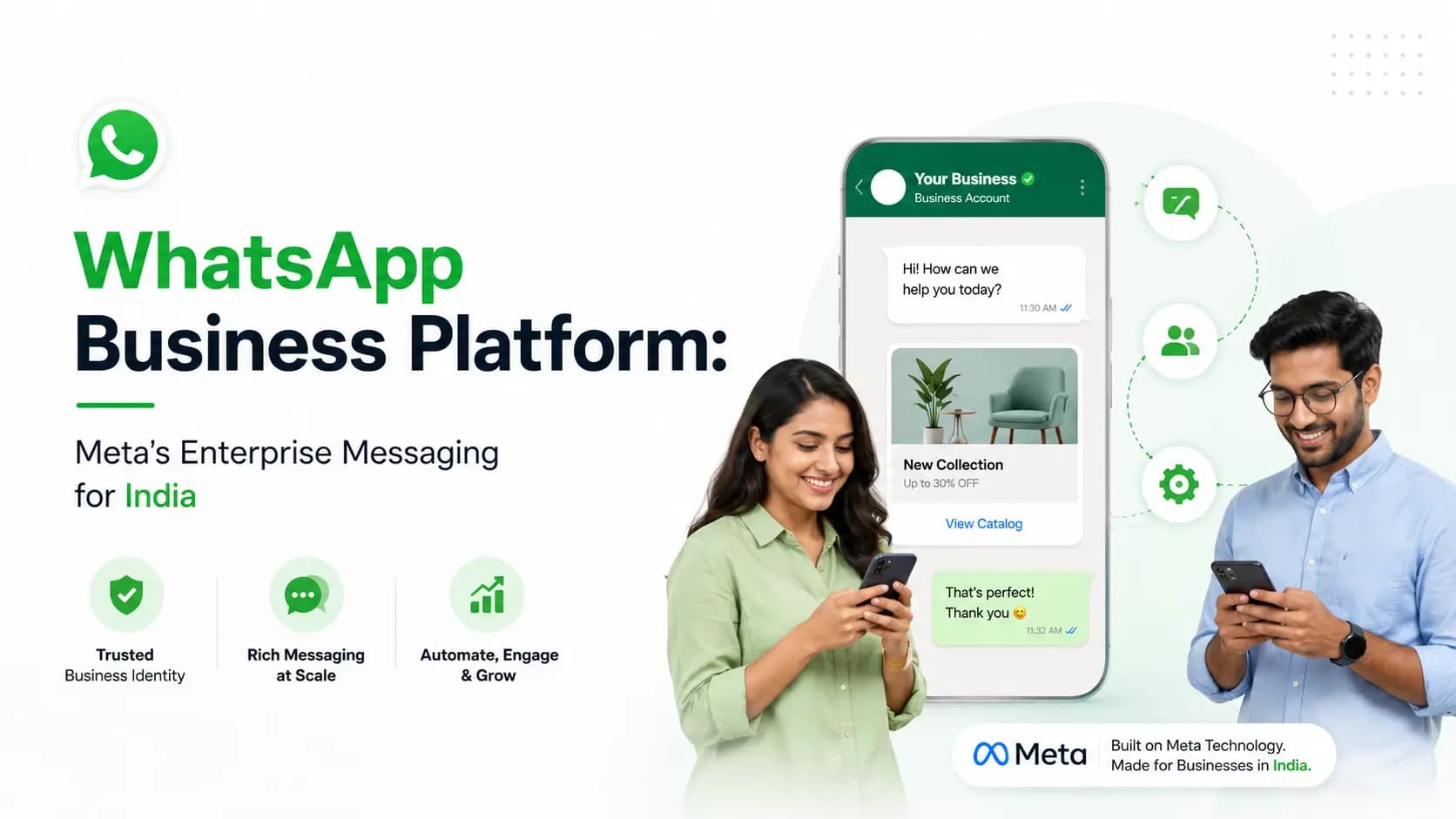
WhatsApp Business Platform, formerly WhatsApp Business API, is Meta's enterprise messaging infrastructure that enables businesses to communicate with customers at scale through WhatsApp. It provides programmatic API access, verified business identity, multi-agent inbox, chatbot automation, broadcast messaging, rich media support, and deep integrations with CRM and business systems. Get Click Media is an official Meta Business Solution Provider offering WhatsApp Business Platform access to Indian businesses.
Meta recently rebranded WhatsApp Business API as WhatsApp Business Platform- a name change that reflects the broader set of capabilities the platform now offers beyond raw API access. The platform encompasses the full Meta business messaging ecosystem: Cloud API, On-Premise API (deprecated), WhatsApp Flows, WhatsApp Commerce, and the growing set of AI-powered messaging tools Meta is adding.
For Indian businesses evaluating enterprise messaging, understanding where WhatsApp Business Platform sits in the Meta ecosystem- and how it differs from the WhatsApp Business App- is essential for choosing the right solution. This page explains the platform architecture, its components, how it compares to the free WhatsApp Business App, and how Get Click Media provides access.
Get Started on WhatsApp Business Platform- Official Meta BSP · Full API access · Enterprise-grade · India support · Go live in 5 days. Get Platform Access · Request an Enterprise Demo · Talk to Sales
WhatsApp Business Platform vs WhatsApp Business App- The Full Picture
Meta offers three WhatsApp products for businesses. Understanding which one applies to your business is the first step.
WhatsApp (Consumer)- for individuals, not for business. Personal messaging only, with no business features: no catalog, no verified name, no API. It cannot be used for business communication at scale and violates Meta's terms if used for bulk messaging. Messaging limit: N/A, personal use only. API access: none.
WhatsApp Business App- free download for small businesses. A free app for Android and iOS with a business profile (address, hours, description), a catalog for up to 500 products, quick replies and away messages (basic auto-reply only), and broadcast to up to 256 saved contacts. It runs on a single device with one user at a time, has no API access, no CRM integration, and no advanced automation. Suitable for businesses handling under 50 WhatsApp conversations per day. Messaging limit: 256 broadcast contacts maximum. API access: none- manual management only.
WhatsApp Business Platform (formerly WhatsApp API)- for medium to large businesses, accessed via a BSP. Full programmatic API access via REST API and webhooks, unlimited contacts and message volume on a tiered scale, verified business identity with Green Tick option, a multi-agent shared inbox with unlimited simultaneous agents, full chatbot automation with AI and rule-based flows, CRM integration (Salesforce, HubSpot, Zoho, custom), WhatsApp Catalog and Commerce with unlimited products, WhatsApp Flows for interactive in-chat forms, Click-to-WhatsApp Ads integration, and real-time analytics. Requires a Meta-authorised BSP- Get Click Media handles onboarding. Messaging limit: 1,000 per day (Tier 1) scaling to unlimited. API access: full REST API + webhooks + Catalog API + Flows API.
WhatsApp Business Platform- Key Components
The WhatsApp Business Platform comprises several interconnected components. Understanding each helps you plan your implementation.
- WhatsApp Cloud API. Meta's cloud-hosted API infrastructure- the primary way most businesses access the Platform today. Messages route through Meta's servers, it's always on the latest version, and there's no infrastructure maintenance or setup cost. Get Click Media uses Cloud API exclusively for all client onboarding; On-Premise API was deprecated by Meta for new accounts.
- WhatsApp Business Account (WABA). The business entity registered on Meta's platform. Your WABA holds your business name, phone number, brand assets, and template library. You own your WABA- it's registered under your Meta Business Manager. Get Click Media is listed as the BSP on your WABA but doesn't own it. If you switch BSPs, your WABA- with all its templates and history- transfers with you.
- Phone number and sender identity. Your Platform account is tied to a dedicated phone number, not shared with other businesses, displaying your verified business name on every message. You can use a mobile number, landline, or VoIP number. The number cannot be simultaneously active on WhatsApp Business App or consumer WhatsApp.
- Message templates. Business-initiated messages must use Meta-approved templates- pre-approved message formats with variable placeholders for personalisation. Categories: Marketing (campaigns), Utility (transactional alerts), and Authentication (OTPs). Get Click Media manages template submission and approval, with most templates approved in 1–3 business days.
- WhatsApp Flows. An interactive in-chat form builder enabling multi-screen forms inside WhatsApp for address capture, appointment booking, lead qualification, feedback collection, and checkout- no external URL required. Flows integrate natively with the Platform API and deliver structured JSON data to your backend. Available to all WhatsApp Business Platform accounts.
- WhatsApp Commerce and Catalog. A product catalog and in-chat shopping cart built into the Platform. Connect to your product database via Catalog API for automatic sync- customers browse, add to cart, and send orders, all within WhatsApp, with payment via a payment link (Razorpay, PayU, UPI) or WhatsApp Pay. See the full WhatsApp Catalog and WhatsApp Commerce breakdowns.
- Business Manager integration. Your Platform account lives inside Meta Business Manager alongside your Facebook and Instagram assets. This enables Click-to-WhatsApp Ads- Facebook or Instagram ads that open WhatsApp conversations- shared audience targeting, and unified Meta billing for all marketing spend.
- Webhooks and real-time events. Every message event- sent, delivered, read, button tap, reply, opt-out- is pushed to your webhook endpoint in real time as a JSON payload. Your CRM, analytics system, or custom application receives these events and acts on them immediately, enabling true real-time conversation intelligence.
WhatsApp Business Platform Capabilities- Full Feature Matrix
| Capability | WhatsApp Business App | WhatsApp Business Platform |
|---|---|---|
| Message volume | Manual- limited practical use | 1,000 to unlimited (tiered) |
| Outbound marketing messages | Broadcast to 256 saved contacts | Broadcast to unlimited opted-in contacts via approved templates |
| Automated responses | Quick replies (manual trigger) | Full automation- trigger-based workflows and AI chatbot |
| Multiple agents | 1 device only | Unlimited agents via shared inbox |
| Verified business name | Business name shown (unverified) | Verified business name (Green Tick available) |
| CRM integration | Not supported | Salesforce, HubSpot, Zoho, Freshdesk, custom |
| API access | None | Full REST API + webhooks + Catalog API + Flows API |
| Product catalog | Up to 500 products- manual | Unlimited- auto-synced from product database |
| Interactive buttons | Limited | Up to 3 CTA buttons or 10 quick-reply chips per message |
| WhatsApp Flows | Not available | Available- multi-screen in-chat forms |
| Analytics | Basic message status | Full delivery, read, click, conversion tracking |
| Click-to-WhatsApp Ads | Not available | Full integration with Meta Ads Manager |
| Payment integration | Not available | Razorpay, PayU, UPI, WhatsApp Pay |
| OTP and authentication | Not available | Authentication message category with OTP templates |
| Multi-language support | Manual language switching | AI language detection and response in same conversation |
| Cost | Free | Conversation-based pricing |
WhatsApp Business Platform- Messaging Tiers
The Platform uses a tiered messaging system to ensure quality and prevent spam. New accounts start at Tier 1 and progress automatically based on quality metrics.
| Tier | Daily limit | How to reach it | Quality requirement |
|---|---|---|---|
| Tier 1 (new account) | 1,000 business-initiated conversations per 24 hours | Automatic on account creation | Maintain quality score above threshold |
| Tier 2 | 10,000 conversations per 24 hours | Send 1,000+ conversations in 7 days at quality threshold | Maintain quality- no unusual opt-out or block spikes |
| Tier 3 | 1,00,000 conversations per 24 hours | Send 10,000+ conversations in 7 days at quality threshold | Same quality requirements |
| Tier 4 (Unlimited) | Unlimited | Send 1,00,000+ conversations in 7 days | Sustained quality and volume |
Tier progression tip: Get Click Media actively monitors your account quality score and messaging tier. We guide new clients through a structured warm-up plan- gradually increasing send volume over the first 2–4 weeks- to reach Tier 2 or Tier 3 quickly without triggering quality score drops.
WhatsApp Business Platform vs Other Enterprise Messaging Platforms
| Dimension | WhatsApp Business Platform | Twilio (SMS + WA) | RCS Business Messaging | Email marketing platform |
|---|---|---|---|---|
| India user reach | 500M+ WhatsApp users | 1.1B mobile numbers (SMS) | 350–450M Android + iOS 18 | 300M+ internet users with email |
| Open rate | 98% | 30–35% (SMS) | 70–80% | 20–25% |
| Rich media | Full- images, video, buttons, carousels | SMS: text only. WA: full | Full- rich cards, carousels | HTML email- partial |
| Verified sender | Yes- Green Tick | SMS: Sender ID. WA: BSP verified | Yes- Google verified brand | DKIM/SPF- limited trust |
| Two-way conversations | Native | SMS: limited. WA: full | Partial | Thread-based only |
| Chatbot | Native WhatsApp chatbot | External chatbot required | Native RCS bot | Not native |
| India pricing | ₹0.14–0.91 per conversation | WA: same. SMS: ₹0.12–0.18/msg | ₹0.10–0.25 per message | ₹0.05–0.30 per email |
| API maturity | High- full REST API | High- industry standard | High but fewer providers | High- many vendors |
| Regulatory | Meta ToS + DPDP | TRAI (SMS) + DPDP | Meta + TRAI + DPDP | CAN-SPAM + DPDP |
For a deeper look at the other channels in this comparison, see our guides on RCS messaging and bulk SMS service in India.
How Get Click Media Provides WhatsApp Business Platform Access
Businesses cannot access the WhatsApp Business Platform directly from Meta- access requires an authorised Business Solution Provider (BSP). Get Click Media is an official Meta BSP providing complete platform access to Indian businesses.
| What GCM provides | Detail |
|---|---|
| WABA registration | Creates your WhatsApp Business Account under your Meta Business Manager with full business verification |
| Phone number setup | Registers your business phone number on the platform- mobile, landline, or VoIP |
| Template management | Drafts, submits, tracks, and manages all message templates throughout your account lifecycle |
| Platform access | Campaign dashboard for marketing teams + REST API credentials for developers |
| BSP-level infrastructure | India-hosted message routing with redundancy- 99.9% uptime SLA for enterprise clients |
| Onboarding support | Dedicated onboarding manager from day 1 to go-live- typically 3–5 business days |
| Ongoing account management | Monthly reviews, tier progression monitoring, quality score management, new feature guidance |
| Compliance support | Template compliance review, DPDP guidance, Meta policy updates communicated proactively |
| Migration support | Full WABA migration from any other BSP- templates and history preserved, 1–3 business days |
Ready to get started? See how to get WhatsApp Business API, compare us as a WhatsApp Business API provider in India, or read about WhatsApp Green Tick verification if a verified badge is a priority. For technical teams, our WhatsApp API integration guide and WhatsApp automation overview cover implementation in depth.
Frequently Asked Questions- WhatsApp Business Platform India
What is the difference between WhatsApp Business Platform and WhatsApp Business API? They are the same product under different names. Meta rebranded WhatsApp Business API to WhatsApp Business Platform in 2023 to reflect the expanded capabilities beyond raw API access- including WhatsApp Flows, WhatsApp Commerce, and AI-powered tools. All documentation, pricing, and technical specifications remain the same.
Who can use the WhatsApp Business Platform? Any legitimate business with a Meta-verified business identity can access the Platform through an authorised BSP. There is no minimum company size or revenue requirement. The practical requirement is a registered business entity, a business website, and a GST certificate or company registration document for Meta verification.
Can I use the WhatsApp Business Platform if I already have WhatsApp Business App? Yes- they are separate products and can coexist, but not on the same phone number. Your WhatsApp Business App number cannot be simultaneously active on the Platform; it must first be deregistered from the App. Most businesses use a separate dedicated number for the Platform to keep manual and automated communication cleanly separated.
Does WhatsApp Business Platform work across all industries in India? Yes, with minor restrictions. Most industries can use all Platform features. Regulated industries- banking, insurance, pharmaceuticals, medical devices- have additional template compliance requirements and cannot promote certain products without regulatory disclaimers. Adult content, gambling, and illegal products are prohibited across all industries.
What is Meta Business Manager and do I need it? Meta Business Manager, now called Meta Business Suite, is Meta's central platform for managing your Facebook Page, Instagram account, Ad account, WhatsApp Business Account, and Commerce catalog. Yes, you need it- the Platform requires a verified Meta Business Manager account. Get Click Media guides you through setup, or links your new WABA to an existing account.
What is the difference between the WhatsApp Cloud API and On-Premise API? Cloud API is hosted on Meta's servers- no infrastructure management, always on the latest version, lower latency. On-Premise API required businesses to host the API themselves, with more control but significant operational overhead. Meta deprecated On-Premise API for new accounts in 2023. Get Click Media exclusively uses Cloud API.
How does WhatsApp Business Platform pricing work? Pricing is conversation-based- you pay per 24-hour conversation window, not per message. There are four categories: marketing (₹0.79–0.91 per conversation), utility and authentication (₹0.14–0.17 per conversation), and service conversations, free for the first 1,000 per month. Get Click Media charges a platform fee in addition to Meta's conversation rates. Full breakdown on our pricing page.
Can I switch from one BSP to Get Click Media without losing my account? Yes. WABA migration between BSPs is supported by Meta. The process transfers your WABA- with all templates, message history, and phone number registration- from your current BSP to Get Click Media, typically in 1–3 business days, with no changes needed on your development side and no downtime.
Get Started
WhatsApp Business Platform is the infrastructure layer that makes everything else in the Meta messaging ecosystem possible- from chatbot automation and CRM integration to Catalog, Commerce, and Click-to-WhatsApp Ads. Get Click Media handles the BSP relationship, template approvals, tier progression, and ongoing compliance so your team can focus on the conversations, not the plumbing.
Get Started on WhatsApp Business Platform- Official Meta BSP · Full API access · Enterprise-grade · India support · Go live in 5 days. Get Platform Access · Request an Enterprise Demo · Talk to Sales
Article topics
Frequently Asked Questions
What is the difference between WhatsApp Business Platform and WhatsApp Business API?
They are the same product under different names. Meta rebranded WhatsApp Business API to WhatsApp Business Platform in 2023 to reflect the expanded capabilities beyond raw API access- including WhatsApp Flows, WhatsApp Commerce, and AI-powered tools. All documentation, pricing, and technical specifications remain the same. If you see either name used, it refers to the same enterprise messaging product that requires a Meta BSP for access.
Who can use the WhatsApp Business Platform?
Any legitimate business with a Meta-verified business identity can access the WhatsApp Business Platform through an authorised BSP. There is no minimum company size or revenue requirement. Get Click Media works with D2C startups, mid-market companies, and enterprise brands across all industries. The practical requirement is a registered business entity, a business website, and a GST certificate or company registration document for Meta verification.
Can I use the WhatsApp Business Platform if I already have WhatsApp Business App?
Yes- they are separate products and can coexist, but not on the same phone number. Your WhatsApp Business App number cannot be simultaneously active on the Platform. If you want to use the Platform on the same number, it must first be deregistered from the App. Most businesses use a separate dedicated number for the Platform to maintain clean separation between manual and automated communication.
Does WhatsApp Business Platform work across all industries in India?
Yes, with minor restrictions. Most industries can use all Platform features. Regulated industries- banking, insurance, pharmaceuticals, medical devices- have additional template compliance requirements and cannot promote certain products without regulatory disclaimers. Adult content, gambling, and illegal products are prohibited across all industries. Get Click Media's compliance team reviews templates for regulated industry clients before submission.
What is Meta Business Manager and do I need it?
Meta Business Manager, now called Meta Business Suite, is Meta's central platform for managing all your Meta assets- Facebook Page, Instagram account, Ad account, WhatsApp Business Account, and Commerce catalog. Yes, you need it, since the WhatsApp Business Platform requires a verified Meta Business Manager account. Get Click Media guides you through Business Manager setup and verification, or links your new WABA to an existing one.
What is the difference between the WhatsApp Cloud API and On-Premise API?
WhatsApp Cloud API is hosted on Meta's servers- no infrastructure management, always on the latest version, lower latency for most use cases. On-Premise API required businesses to host the API on their own servers- more control but significant operational overhead. Meta deprecated On-Premise API for new accounts in 2023 and is migrating existing On-Premise accounts to Cloud API. Get Click Media exclusively uses Cloud API for all client accounts.
How does WhatsApp Business Platform pricing work?
WhatsApp Business Platform uses conversation-based pricing- you pay per 24-hour conversation window, not per individual message. There are four categories: marketing (₹0.79–0.91 per conversation), utility and authentication (₹0.14–0.17 per conversation), and service conversations, which are free for the first 1,000 per month. Get Click Media charges a platform fee in addition to Meta's conversation rates.
Can I switch from one BSP to Get Click Media without losing my account?
Yes. WhatsApp Business Account migration between BSPs is supported by Meta. The process transfers your WABA- with all templates, message history, and phone number registration- from your current BSP to Get Click Media. Migration typically takes 1–3 business days, requires no changes on your development side, and there is no downtime while it happens.
About the author
Get Click Media creates practical resources for businesses using messaging, automation, analytics, and digital communication to improve customer engagement. This article was published on .