
In this article
Explore the key concepts, practical considerations, and frequently asked questions related to whatsapp webhooks- setup, events, and integration guide.
Key takeaways
- Webhooks are mandatory for any two-way flow- without one, your app can send messages but never receive replies or delivery status.
- Meta retries a failed webhook delivery up to 5 times over 24 hours with exponential backoff before dropping the event permanently.
- Endpoints must verify the HMAC-SHA256 signature on every request and return HTTP 200 immediately, processing logic asynchronously via a queue.
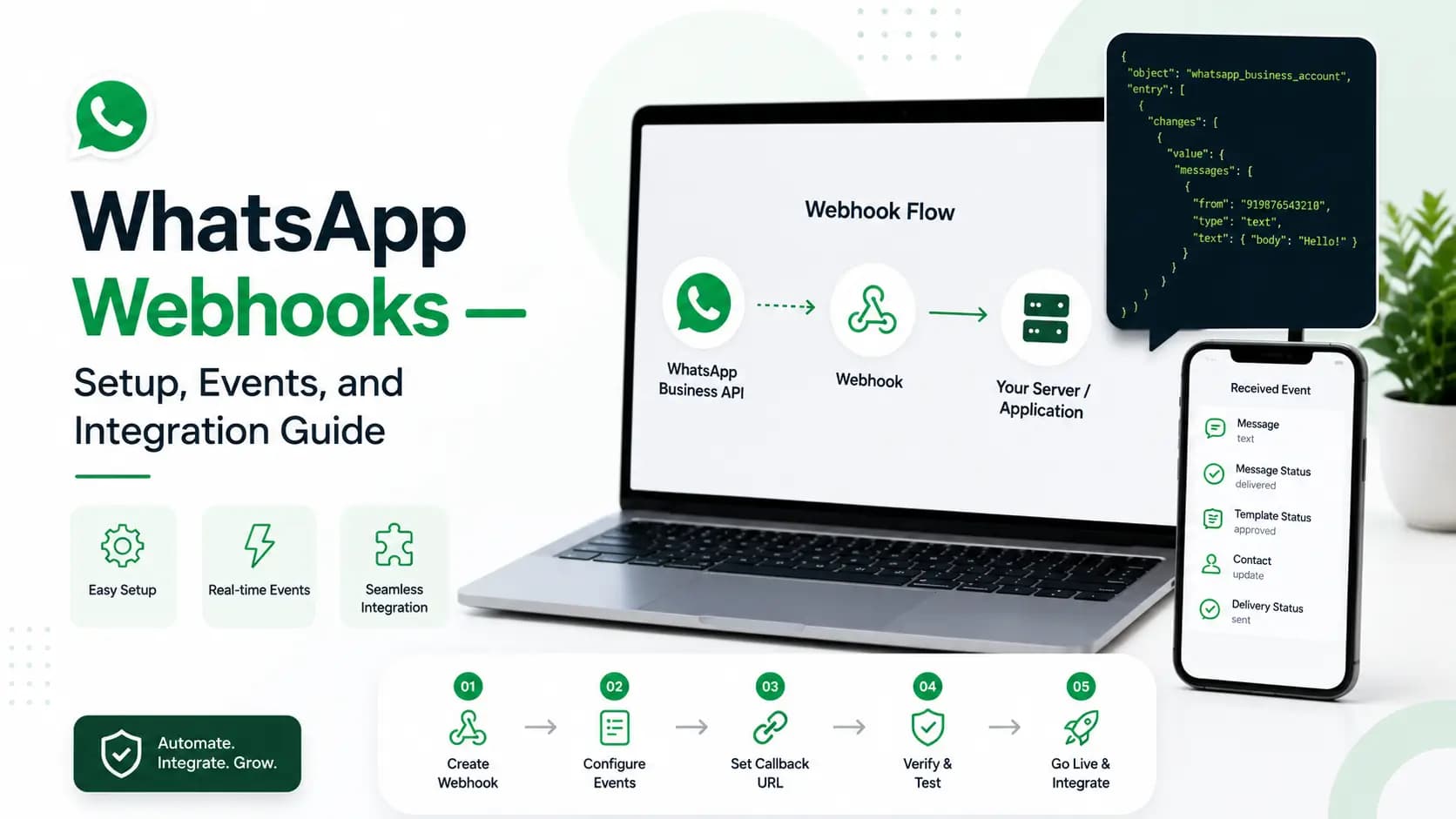
WhatsApp webhooks are HTTP callbacks that Meta sends to your server in real time when events occur in your WhatsApp Business API account- including inbound messages, delivery receipts, read receipts, button taps, and message status updates. To use webhooks, you register an HTTPS endpoint URL in your Meta App settings. Get Click Media provides webhook documentation, signature verification code samples, and integration support for Node.js, Python, PHP, and Java.
Webhooks are the inbound channel of WhatsApp Business API. The API has two directions: outbound (you call the REST API to send messages) and inbound (Meta calls your webhook when something happens). Without webhooks, your application is blind to what customers send you and whether your messages are being delivered and read. This guide is written and maintained by Get Click Media's integration engineering team, drawing on webhook deployments across hundreds of live WhatsApp Business API accounts.
What Events WhatsApp Webhooks Deliver
| Event type | When it fires | JSON field | Use case |
|---|---|---|---|
message | Customer sends a message to your business | type: text/image/button/interactive | Chatbot response, CRM update, agent routing |
message_status- sent | Your outbound message was sent to Meta | status: sent | Logging, audit trail |
message_status- delivered | Message reached customer's device | status: delivered | Delivery confirmation, SLA tracking |
message_status- read | Customer opened the message | status: read | Engagement tracking, follow-up timing |
message_status- failed | Delivery failed permanently | status: failed + error object | Alert team, retry logic, invalid number cleanup |
button_reply | Customer tapped a quick-reply button | type: interactive, button_reply | Chatbot routing, CRM field update |
list_reply | Customer selected from a list menu | type: interactive, list_reply | Service routing, product selection |
reaction | Customer reacted to a message with emoji | type: reaction | Sentiment tracking |
unsupported | Message type not supported by API version | type: unsupported | Error handling- respond with fallback |
Webhook Setup- Step by Step
1. Build Your Webhook Endpoint
Your endpoint must accept POST requests, verify the inbound signature, and acknowledge immediately- before any business logic runs.
const express = require('express');
const crypto = require('crypto');
const app = express();
app.use(express.json());

const GCM_WEBHOOK_SECRET = process.env.GCM_WEBHOOK_SECRET;

// Verify webhook signature on every inbound event
function verifySignature(body, sigHeader) {
  const expected = crypto
    .createHmac('sha256', GCM_WEBHOOK_SECRET)
    .update(JSON.stringify(body))
    .digest('hex');
  return expected === sigHeader;
}

app.post('/webhook/whatsapp', async (req, res) => {
  const sig = req.headers['x-gcm-signature'];
  if (!verifySignature(req.body, sig)) {
    return res.status(401).send('Unauthorized');
  }

  // Acknowledge IMMEDIATELY- process async
  res.status(200).send('OK');

  const { type, from, message, status, timestamp } = req.body;
  switch (type) {
    case 'message':
      await handleInbound(from, message, timestamp);
      break;
    case 'status':
      await updateStatus(status.message_id, status.status);
      break;
    case 'button_reply':
      await handleButton(from, message.button_reply.id);
      break;
  }
});

app.listen(3000, () => console.log('Webhook listening on :3000'));
2. Verify Your Endpoint With Meta
Before Meta will deliver events, it sends a one-time GET request to confirm you control the endpoint. Your handler must echo back the hub.challenge value.
// Meta sends a GET request to verify your webhook endpoint
// You must return the hub.challenge value
app.get('/webhook/whatsapp', (req, res) => {
  const mode = req.query['hub.mode'];
  const token = req.query['hub.verify_token'];
  const challenge = req.query['hub.challenge'];

  if (mode === 'subscribe' && token === process.env.WEBHOOK_VERIFY_TOKEN) {
    console.log('Webhook verified by Meta');
    return res.status(200).send(challenge); // Must return as plain text
  }
  res.status(403).send('Forbidden');
});

// Register this URL in Meta App Dashboard:
// Webhooks > Edit > Callback URL: https://yourapp.com/webhook/whatsapp
// Verify Token: same value as WEBHOOK_VERIFY_TOKEN env var
Inbound Message Payload- Structure Reference
{
  "type": "message",
  "from": "+919876543210",
  "timestamp": "1720000000",
  "message": {
    "id": "wamid.xxx",
    "type": "text",
    "text": { "body": "What is the status of my order?" }
  }
}
{
  "type": "button_reply",
  "from": "+919876543210",
  "message": {
    "type": "interactive",
    "interactive": {
      "type": "button_reply",
      "button_reply": { "id": "btn_track_order", "title": "Track Order" }
    }
  }
}
Webhook Best Practices
| Practice | Implementation | Why it matters |
|---|---|---|
| Acknowledge immediately | Return HTTP 200 before processing | Meta retries if no 200 within 5 seconds- causes duplicate events |
| Process asynchronously | Push event to queue (Redis/SQS), process in background | Prevents timeout on complex processing logic |
| Verify signature | HMAC-SHA256 check on every request | Rejects spoofed requests pretending to be from GCM |
| Idempotent processing | Check message_id before processing | Meta may send duplicate events- idempotency prevents double-processing |
| Handle all event types | Switch/case on type field | Unknown types cause unhandled errors if not caught |
| Log all events | Store raw payload with timestamp | Essential for debugging delivery issues and audit trails |
| Monitor endpoint uptime | External uptime monitor (Pingdom, UptimeRobot) | Missed webhooks = missed customer messages |
| Retry failed processing | Dead letter queue for processing failures | Business-critical events must not be silently dropped |
Common Webhook Issues and Fixes
| Issue | Cause | Fix |
|---|---|---|
| Webhook not receiving events | URL not registered or HTTPS not valid | Register URL in Meta App Dashboard. Ensure valid SSL cert (not self-signed). |
| Duplicate events received | Processing not idempotent | Store processed message_ids. Skip if already processed. |
| Signature verification failing | Wrong secret or body serialisation issue | Ensure secret matches exactly. Use the raw body buffer for HMAC- not parsed JSON. |
| Webhook timing out | Processing inside the webhook handler | Return 200 immediately. Push to an async queue for processing. |
| Missing delivery receipts | Quality score issues or number restrictions | Check WhatsApp Manager quality rating. Contact GCM if status shows restricted. |
Frequently Asked Questions- WhatsApp Webhooks
What is a WhatsApp webhook? A WhatsApp webhook is an HTTPS endpoint on your server that Meta calls when events occur- customer messages, delivery receipts, read receipts, button taps. You register your URL in the Meta App Dashboard. Meta sends POST requests with event data as JSON payloads in real time.
Is a webhook required for WhatsApp Business API? Webhooks are required to receive inbound customer messages and delivery status events. Without a webhook, your application can only send messages- it cannot receive replies, track delivery, or respond to customer button taps. For a chatbot or two-way conversation flow, webhooks are mandatory.
What happens if my webhook goes down? Meta retries failed webhook deliveries with exponential backoff- up to 5 attempts over 24 hours. After that, undelivered events are dropped. For production deployments, use a queue between the webhook receiver and your processing logic so the webhook receiver always responds quickly with 200.
Can I test webhooks locally during development? Yes- use ngrok or Cloudflare Tunnel to expose your local server with a public HTTPS URL. Register this temporary URL in your Meta App Dashboard during development. Get Click Media's sandbox environment also fires test webhook events for integration testing.
Why do I need to verify the webhook signature? Signature verification (HMAC-SHA256) confirms that an inbound request genuinely came from Meta or Get Click Media's platform, not an attacker spoofing your endpoint. Without it, anyone who discovers your webhook URL could inject fake messages or fake delivery confirmations into your system.
Get Started
Once your webhook is live, connect it to the rest of your stack: see WhatsApp API documentation for the full endpoint reference, WhatsApp API integration for CRM and platform connectors, and WhatsApp API security for hardening your endpoint before go-live.
Get WhatsApp Business API- Read API Docs · Get API Access · Talk to Technical Team
Article topics
Frequently Asked Questions
What is a WhatsApp webhook?
A WhatsApp webhook is an HTTPS endpoint on your server that Meta calls when events occur- customer messages, delivery receipts, read receipts, button taps. You register your URL in the Meta App Dashboard. Meta sends POST requests with event data as JSON payloads in real time.
Is a webhook required for WhatsApp Business API?
Webhooks are required to receive inbound customer messages and delivery status events. Without a webhook, your application can only send messages- it cannot receive replies, track delivery, or respond to customer button taps. For a chatbot or two-way conversation flow, webhooks are mandatory.
What happens if my webhook goes down?
Meta retries failed webhook deliveries with exponential backoff- up to 5 attempts over 24 hours. After that, undelivered events are dropped. For production deployments, use a queue between the webhook receiver and your processing logic so the webhook receiver always responds quickly with 200.
Can I test webhooks locally during development?
Yes- use ngrok or Cloudflare Tunnel to expose your local server with a public HTTPS URL. Register this temporary URL in your Meta App Dashboard during development. Get Click Media's sandbox environment also fires test webhook events for integration testing.
Why do I need to verify the webhook signature?
Signature verification (HMAC-SHA256) confirms that an inbound request genuinely came from Meta or Get Click Media's platform, not an attacker spoofing your endpoint. Without it, anyone who discovers your webhook URL could inject fake messages or fake delivery confirmations into your system.
About the author
Get Click Media creates practical resources for businesses using messaging, automation, analytics, and digital communication to improve customer engagement. This article was published on .