
In this article
Explore the key concepts, practical considerations, and frequently asked questions related to rcs business messaging features: complete guide for indian businesses (2026).
Key takeaways
- A rich card supports up to 4 action buttons per card and up to 11 suggested-reply chips globally across a single message.
- Carousels can hold 2 to 10 swipeable rich cards in one message, each with its own image, title, description, and buttons.
- A conversational session window lasts 24 hours from the last message before a new business-initiated session begins and is billed separately.
When Indian businesses first encounter RCS messaging, the headline is usually the same: 'it is like WhatsApp but delivered via SMS.' That framing captures the spirit of it, but undersells the specifics.
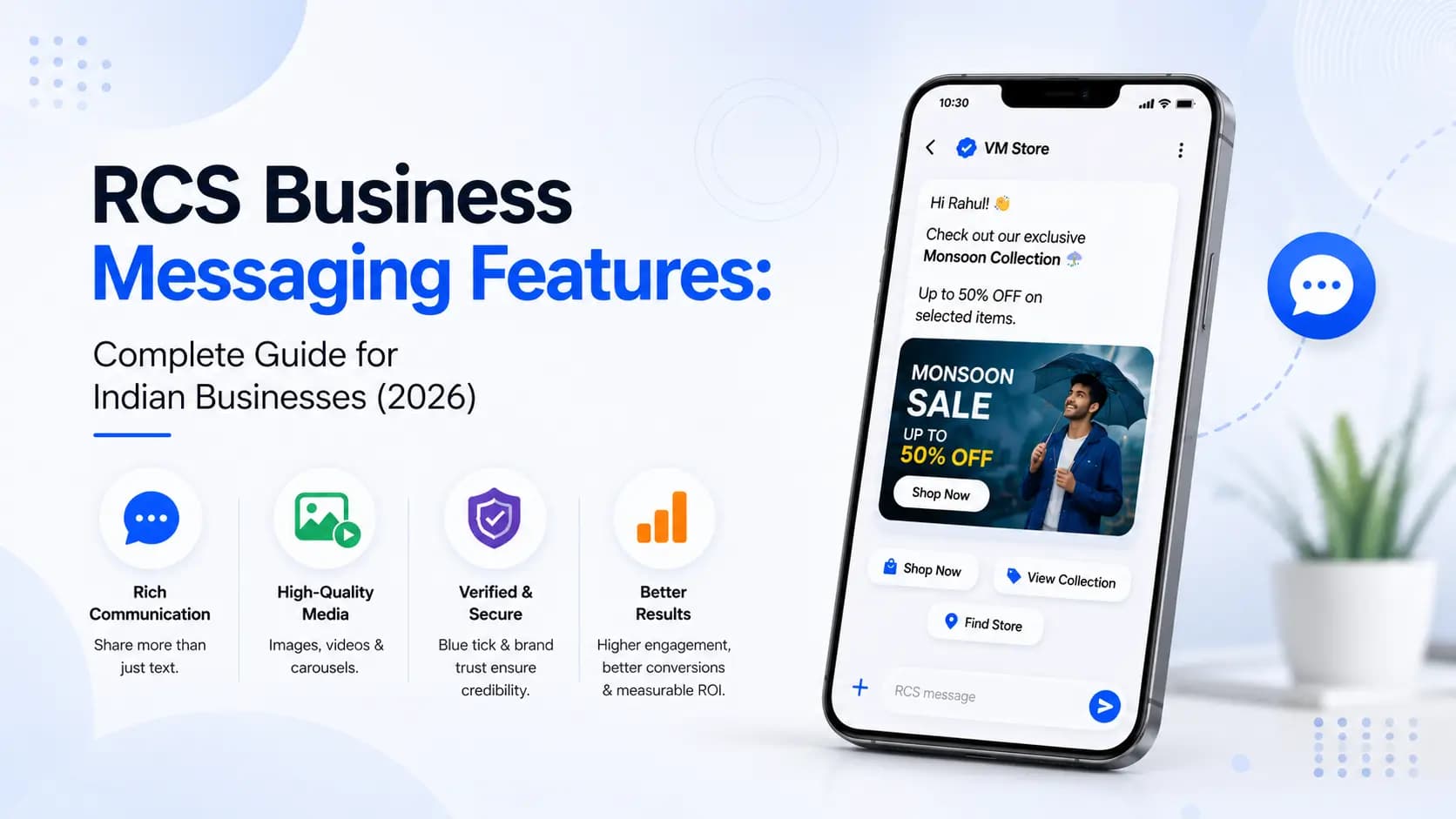
RCS Business Messaging has a precise, well-defined feature set- each component serves a distinct purpose in the business-to-customer communication stack. Understanding what each feature does, how it works technically, and when to use it is what separates campaigns that drive measurable results from campaigns that merely look impressive.
This guide covers every significant RCS Business Messaging feature in depth- with technical specifications, India-specific context, real use case examples, and a clear explanation of why each feature matters for your business.
How to use this guide: Read through all 12 features to get the full picture, or jump directly to the features most relevant to your use case. Each feature section includes a spec table, a real Indian business example, and an SMS vs RCS comparison.
All 12 RCS Business Messaging Features at a Glance
| # | Feature | SMS equivalent | RCS upgrade |
|---|---|---|---|
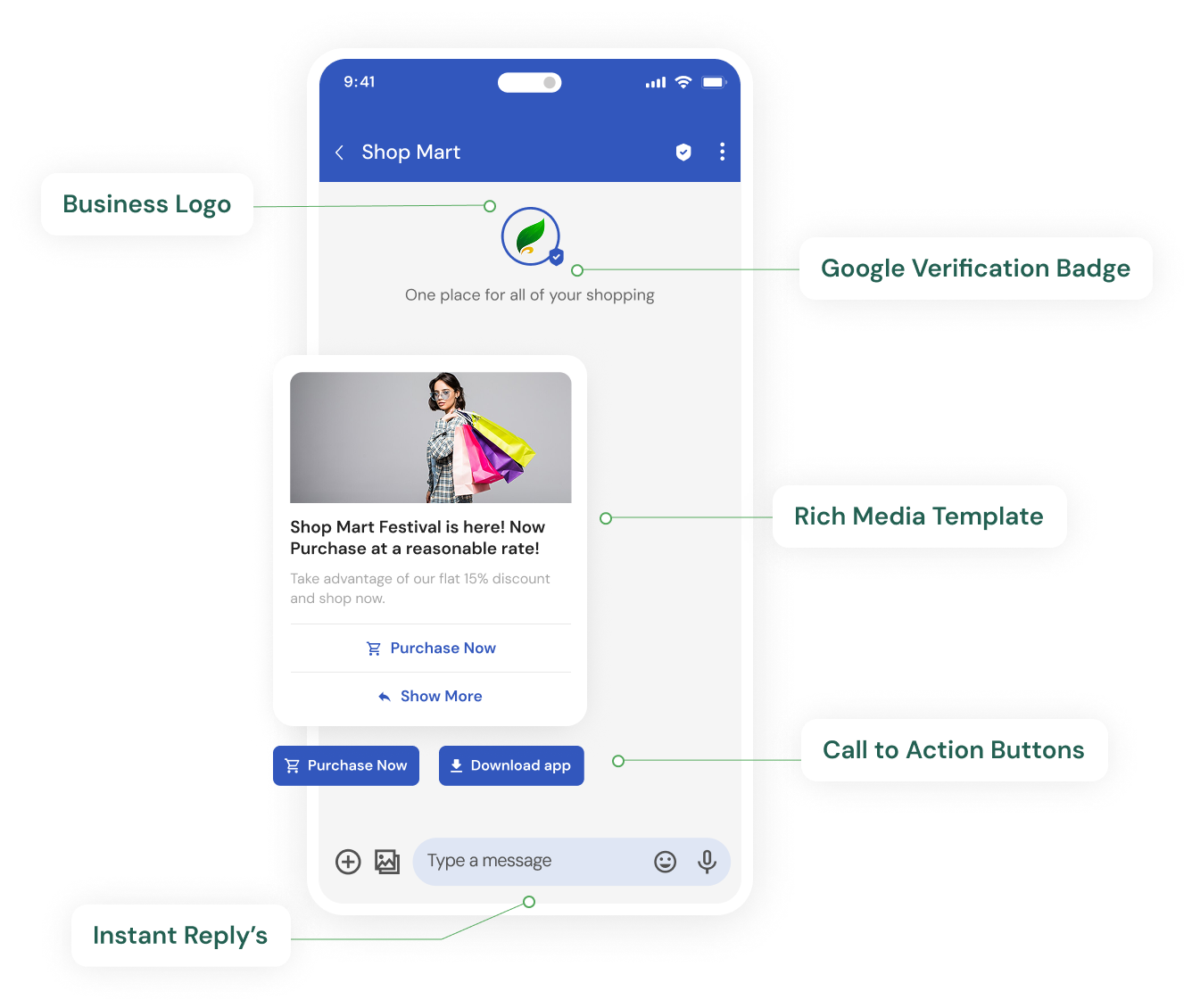
| 1 | Verified sender identity | 6-char Sender ID, unverified | Brand name + logo + Google-verified checkmark |
| 2 | Rich card (standalone) | Plain text message | Image + title + description + buttons in one card |
| 3 | Carousel (multiple cards) | No equivalent | 2–10 swipeable rich cards in one message |
| 4 | Action buttons | Text URL only | Tap-to-URL, tap-to-call, tap-to-map, quick reply |
| 5 | Rich media attachments | Text link to external file | Native images, GIFs, video, audio, PDF in-message |
| 6 | Read receipts | Delivery report only | Delivered + read + interaction timestamps |
| 7 | Two-way messaging | Not supported | Customer can reply via chips or free text |
| 8 | Suggested reply chips | Not supported | Pre-defined quick-reply options in message |
| 9 | No character limit | 160 chars per SMS part | Unlimited text- full context in one message |
| 10 | Conversational sessions | Not supported | Multi-turn conversation in a single thread |
| 11 | Automatic SMS fallback | N/A | Auto-downgrades to SMS when RCS unavailable |
| 12 | Analytics and tracking | Delivery status only | Delivery + read + click + conversion tracking |
For background on how RCS works and what it is, see our complete beginner's guide. For a full channel comparison, see RCS vs SMS and RCS vs WhatsApp.
Feature 1- Verified Sender Identity
| Details | |
|---|---|
| What it is | Google-verified brand name, logo, and verification indicator on every message |
| How it works | Google verifies your business identity during onboarding. Once verified, every message sent via your RBM agent automatically displays your brand name, logo, and a verified checkmark- visible before the customer opens the message. |
| Technical specs | One-time setup. Brand name up to 100 chars. Logo min 1024×1024px. Verification: 3–7 days. Visible on Android (Google Messages) + iOS 18+. |
| Best for | All use cases- every RCS message benefits. Critical for banking, insurance, and fintech where anti-phishing trust is paramount. |
India use case: ICICI Bank sends a credit card offer. The customer sees 'ICICI Bank' with the bank's logo and a verified checkmark before opening the message- exactly like seeing a verified sender on WhatsApp or LinkedIn. No more anonymous 6-character sender IDs.
| SMS | RCS | |
|---|---|---|
| Sender display | ICICIBNK- 6-char code, no logo, no verification, indistinguishable from spam | ICICI Bank- full brand name, verified logo, Google-verified checkmark |
Feature 2- Rich Card (Standalone)
| Details | |
|---|---|
| What it is | A structured message with an image or video thumbnail, headline, description text, and up to 4 action buttons- all in one message unit |
| How it works | The business defines the card template: image URL, title, description, and button configurations. The RBM platform renders this into a standardised card that displays consistently across all supported Android and iOS 18+ devices. |
| Technical specs | Image: JPEG/PNG/GIF/MP4 thumbnail. Title: up to 200 chars. Description: up to 2,000 chars. Buttons: up to 4. Card orientation: vertical (portrait) or horizontal (landscape). |
| Best for | Product launches, offer announcements, order confirmations, appointment reminders, payment requests, property showcases- any single-item communication with a clear CTA. |
India use case: Myntra sends a rich card: product image of a kurta (full colour, high-res), title 'Exclusive Diwali Offer', description '₹499 only- ends midnight tonight', buttons: 'Shop Now', 'View More Offers', 'Remind Me Later'. Customer taps Shop Now and lands directly on the product page.
| SMS | RCS | |
|---|---|---|
| Promotional message | Myntra Diwali Sale! Up to 70% off. Shop now: bit.ly/mntr-d26- plain text, no image, suspicious link | Full product image + headline + price + 3 tap buttons. No visible link- action embedded in button. |
Feature 3- Rich Card Carousel
| Details | |
|---|---|
| What it is | A horizontal, swipeable series of 2 to 10 rich cards in a single message- each independently configurable with its own image, title, description, and buttons |
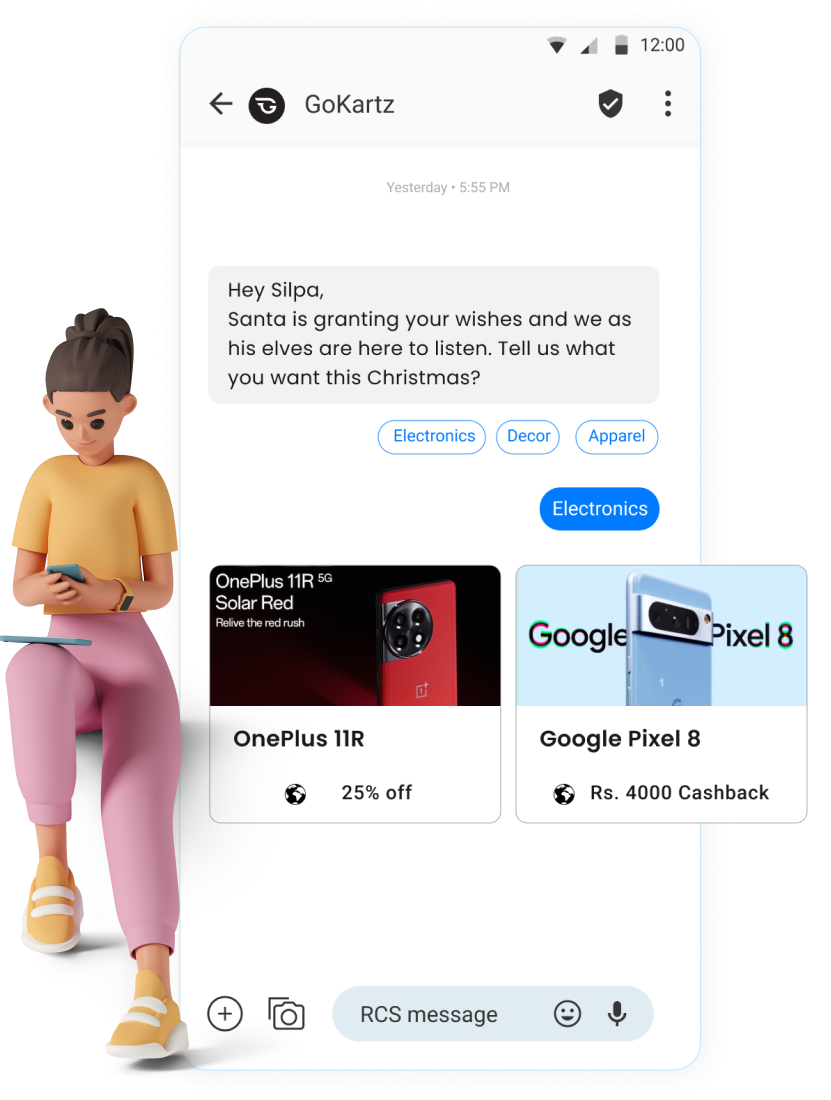
| How it works | The business configures an array of card objects. The RBM platform renders them as a swipeable horizontal deck. The customer scrolls left/right to browse cards and taps the button on whichever card interests them. |
| Technical specs | Cards per carousel: 2–10. Card size: small (100px height) or medium (112px). Each card: image + title (up to 200 chars) + description (up to 2,000 chars) + up to 4 buttons. Global carousel: up to 5 suggested replies below all cards. |
| Best for | E-commerce product listings, property catalogues, course recommendations, travel packages, restaurant menus- any scenario where the customer needs to choose from multiple options. |
India use case: Swiggy sends a carousel: 6 cards, each showing a restaurant- name, cuisine, delivery time, rating, and 'Order Now' button. Customer swipes through options and taps 'Order Now' on their preferred restaurant. No need to open the app first.
| SMS | RCS | |
|---|---|---|
| Multi-product campaign | Check out our top picks! Pizza Palace, Burger Barn & more. Order: sw.gy/top6- no visuals, no differentiation | 6-card carousel: each restaurant with photo, rating, ETA, price range, and Order Now button. Browse and tap. |
Feature 4- Action Buttons
| Details | |
|---|---|
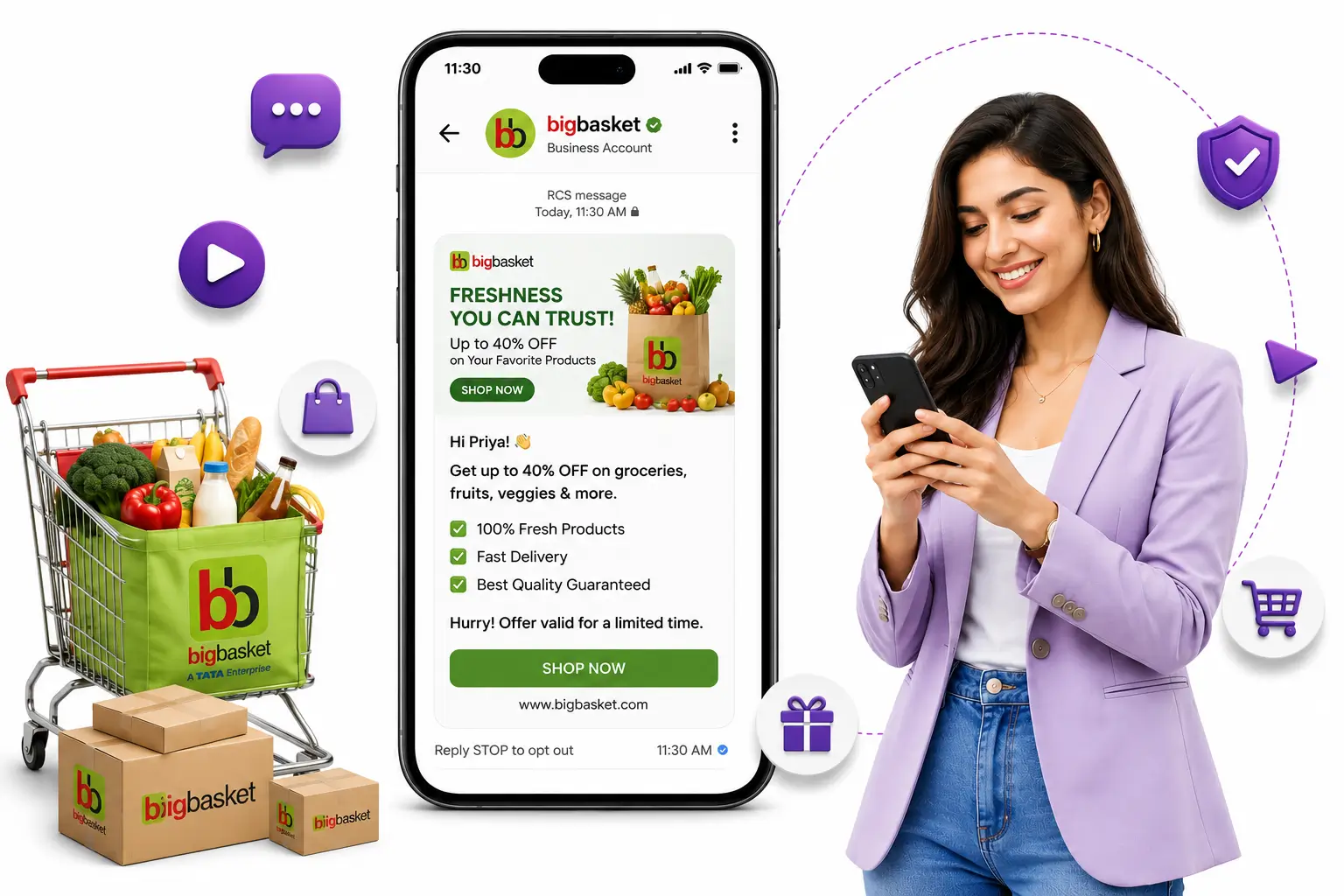
| What it is | Interactive tap buttons embedded directly in the RCS message- up to 4 per card, each triggering a specific action on the customer's device without leaving the messaging app |
| How it works | The business defines the button type, label text, and destination (URL, phone number, coordinates, or reply value) in the message template. Tapping a button fires the configured action immediately. |
| Technical specs | Button types: Open URL · Call phone number · View location (Google Maps) · Quick reply (sends predefined text back). Labels: up to 25 chars each. Max buttons per card: 4. Max global suggested replies: 11. |
| Best for | Any RCS message with a desired customer action. Open URL for web destinations. Call for customer service. Map for physical locations. Quick reply for confirmations, surveys, and conversation triggers. |
India use case: HDFC Bank sends a home loan pre-approval alert with 4 buttons: 'Apply Now' (opens loan application URL), 'Call Us' (dials HDFC helpline), 'Find Branch' (opens Google Maps to nearest branch), 'Not Interested' (quick reply that triggers opt-down flow). One message, four possible customer journeys.
| SMS | RCS | |
|---|---|---|
| CTA delivery | Apply for home loan: hdfc.co/loan-apply- customer must copy-paste URL or risk mistyping | 4 tap buttons directly in the message. Customer taps the relevant action with zero typing required. |
Feature 5- Rich Media Attachments
| Details | |
|---|---|
| What it is | Native delivery of images, GIFs, short videos, audio clips, and document files directly inside the RCS message thread |
| How it works | Media files are hosted on a CDN. The RBM platform embeds a media reference in the message. The recipient's device fetches and renders the media natively within Google Messages or iOS Messages- no link tap required. |
| Technical specs | Images: JPEG, PNG, GIF (animated supported). Video: MP4, up to 30 seconds for inline thumbnail. Audio: MP3, AAC, OGG. Documents: PDF. Max file size: 100MB (keep images under 5MB for fast load). Recommended resolution: 1440×720px (landscape) or 720×1440px (portrait). |
| Best for | Product images for e-commerce. Property photos for real estate. Policy documents for insurance. Lab reports for healthcare. Event tickets for entertainment. Educational materials for edtech. |
India use case: Tata AIG sends a motor insurance renewal with a PDF of the policy summary attached to the rich card- customer taps 'View Policy', PDF opens inline. No login required, no email attachment to find.
| SMS | RCS | |
|---|---|---|
| Document delivery | Your policy document is ready. Download: tata.co/policy-dl-2847- customer clicks link, may need to log in | Rich card with 'View Policy' button- PDF opens inline within the message thread. One tap, zero friction. |
Feature 6- Read Receipts and Delivery Intelligence
| Details | |
|---|---|
| What it is | Real-time signals that tell the business when a message was delivered, when it was opened and read, and when the customer interacted with a button- at the individual message level |
| How it works | The RBM protocol exchanges status events between the recipient's device and the RBM platform as the message moves through its lifecycle. Each status event is timestamped and available via webhook or the Get Click Media dashboard. |
| Technical specs | Status events: Sent → Delivered to device → Read → Button tapped (with button ID). Webhook delivery: typically within 1–3 seconds. Dashboard retention: 90 days. Export: available via API. |
| Best for | Campaign optimisation (A/B testing send times). Retargeting (resend to non-openers). Conversion attribution (link button taps to downstream conversions). Support workflows (know whether the customer read the message before escalating). |
India use case: Zomato sends a Zomato Gold renewal reminder at 7:00 PM. Read receipts show 68% of recipients read the message within 15 minutes but did not tap 'Renew'. Zomato retargets non-tappers at 8:30 PM with a different message highlighting a 10% early renewal discount- driving 23% conversion from the retargeted segment.
| SMS | RCS | |
|---|---|---|
| Campaign intelligence | 1,00,000 sent. Delivered: 94,000. Opened: unknown. Clicked: 2,100 (URL shortener only). | 1,00,000 sent. Delivered: 94,000. Read: 71,000 (75%). Button tapped: 18,400 (26% CTR). Retarget the 52,600 readers who did not tap. |
Feature 7- Two-Way Messaging
| Details | |
|---|---|
| What it is | The ability for the customer to reply to an RCS message- via quick-reply chips or free text- and for the business to respond in the same message thread, creating a conversational experience |
| How it works | When a customer taps a quick-reply chip or types a free-text reply, the response is delivered to the business's webhook endpoint in real time. The business's chatbot or live agent sends a reply back via the RBM API- appearing in the same conversation thread as the original message. |
| Technical specs | Customer reply types: quick-reply chip tap or free-text input. Business response latency: typically under 1 second for chatbot responses. Session duration: 24 hours from last interaction. Simultaneous conversations: unlimited (chatbot). |
| Best for | Appointment booking flows. Order status queries. Lead qualification. Satisfaction surveys. Payment confirmation requests. Complaints and support escalation triggers. |
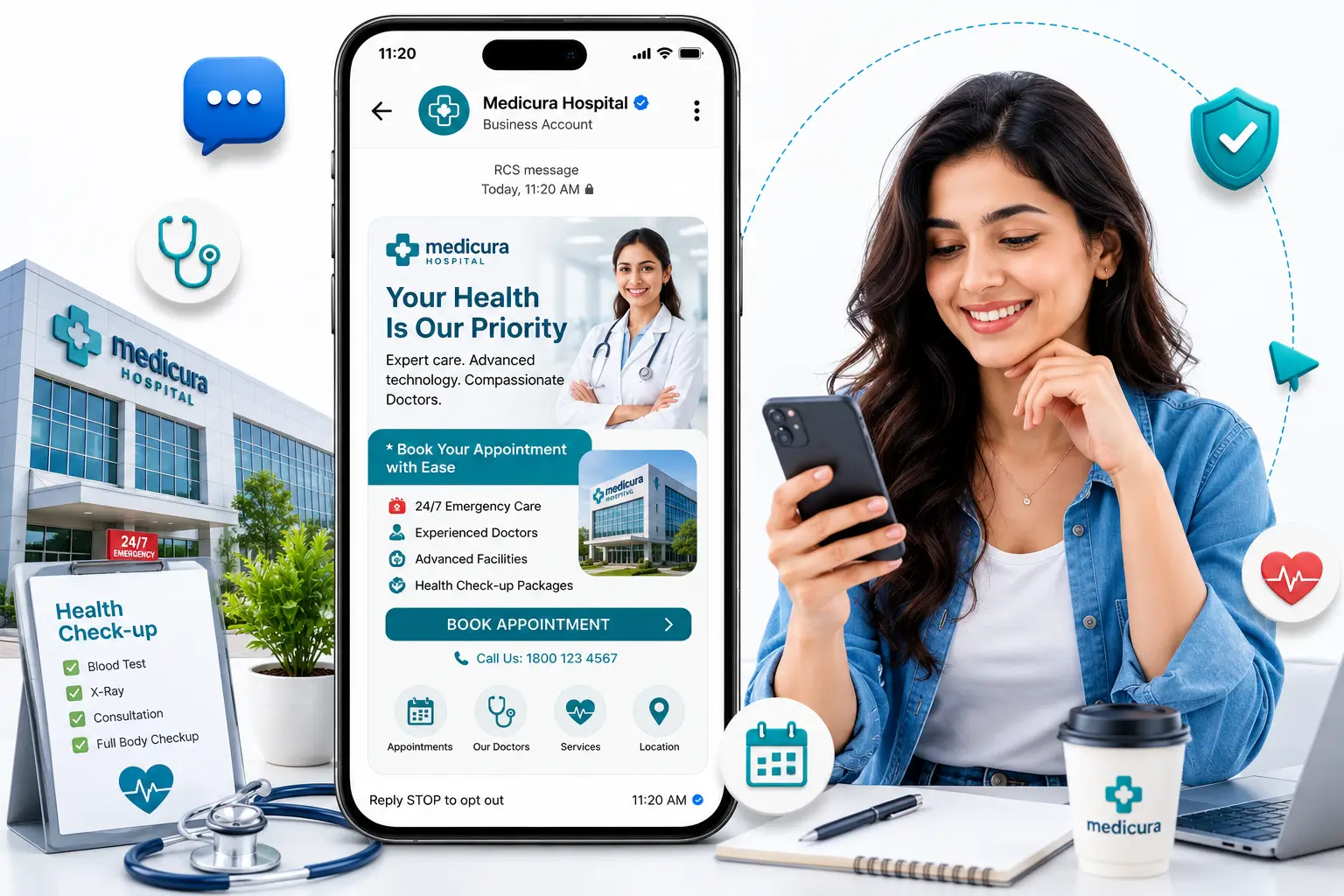
India use case: Apollo Hospitals sends an appointment reminder. Quick-reply chips: 'Yes, I will be there', 'I need to reschedule', 'Cancel appointment'. Patient taps 'I need to reschedule'- chatbot immediately responds with available slots for the next 3 days as a new carousel.
| SMS | RCS | |
|---|---|---|
| Appointment confirmation | Confirm your appointment by calling 1800-XXX-XXXX or visiting apollo.co/confirm- friction-heavy, most customers do not bother | Quick-reply chips in message: patient taps to confirm or reschedule. No call, no website visit. Confirmation rate 4× higher. |
Feature 8- Suggested Reply Chips
| Details | |
|---|---|
| What it is | Pre-defined, tappable response options displayed below the message content- allowing customers to reply with a single tap rather than typing |
| How it works | The business defines an array of suggested reply objects- each with display text (what the customer sees) and a postback value (what is sent to the business webhook when tapped). Chips appear as pill-shaped buttons below the message body. |
| Technical specs | Max chips per message: 11 globally. Display text per chip: up to 25 characters. Postback value: up to 2,048 characters (can include metadata). Chips can appear below text messages, rich cards, or carousels. |
| Best for | Any scenario requiring a structured customer response: confirmations, ratings, preference selection, survey questions, opt-in/opt-out, category choices. |
India use case: BYJU's sends a progress check-in after completing Module 3: 'How confident are you feeling about this topic?' Chips: 'Very confident', 'Need more practice', 'Totally lost'. Student taps 'Need more practice'- the system triggers a supplementary video assignment and notifies the assigned mentor.
| SMS | RCS | |
|---|---|---|
| Customer feedback | Reply 1 for Excellent, 2 for Good, 3 for Average, 4 for Poor- most customers ignore, typing a number feels like unnecessary effort | 4 tap chips below message. Customer taps once. Response rate typically 5× higher than SMS-based rating requests. |
Feature 9- No Character Limit
| Details | |
|---|---|
| What it is | RCS messages have no meaningful character limit for practical business use- unlike SMS which is restricted to 160 characters (or 153 per part for multipart messages) |
| How it works | RCS message text is transmitted as a JSON payload over IP- not through the narrow signalling channel used by SMS. The practical limit for business use is effectively unconstrained. |
| Technical specs | Rich card title: 200 chars. Rich card description: 2,000 chars. Standalone message body: effectively unlimited. Quick reply postback: up to 2,048 chars. Carousel card title: 200 chars. |
| Best for | Any communication that requires context- policy terms, offer details, medical instructions, product specifications, event details. Especially valuable when SMS campaigns have historically been truncated. |
India use case: A travel insurance company sends a pre-trip policy briefing via RCS rich card- full cover summary including medical (₹1 crore), cancellation (₹2 lakh), baggage (₹50,000), 24/7 helpline, and policy number. All in one message. No truncation, no 'continued in next message'.
| SMS | RCS | |
|---|---|---|
| Policy briefing | Your travel insurance is active. For details: tata.co/policy-view [rest truncated- multipart SMS adds cost] | Full policy details in a single rich card- no truncation, no follow-up messages, no external link required for standard information. |
Feature 10- Conversational Sessions
| Details | |
|---|---|
| What it is | A persistent, threaded conversation between the business and the customer- where multiple messages are exchanged in the same thread, with context preserved across the session |
| How it works | A session begins when the first message is delivered. Within the session window, all messages (outbound and inbound) appear in the same conversation thread in the customer's messaging app- exactly like a WhatsApp conversation. |
| Technical specs | Session window: 24 hours from last message. Re-engagement: after 24 hours, a new business-initiated session begins (billed separately). Thread appearance: all messages in one continuous thread. Concurrent sessions: unlimited for chatbot flows. |
| Best for | Multi-step booking flows. Customer support query-to-resolution. Lead qualification. Surveys with multiple question-and-answer exchanges. |
India use case: MakeMyTrip sends a Goa trip suggestion carousel. Customer replies 'Interested- 2 adults, December 15-18'. Chatbot responds with available packages. Customer selects one, then room preference via chips, then confirms price summary- all within a single RCS thread. Booking confirmed without opening the app.
| SMS | RCS | |
|---|---|---|
| Multi-step booking | Multiple separate SMS messages, each requiring a code reply or URL visit- high drop-off at each friction point | Single persistent conversation thread- entire booking flow via taps. No URLs, no code replies, no app switches required. |
Feature 11- Automatic SMS Fallback
| Details | |
|---|---|
| What it is | When a recipient's device or network does not support RCS, the platform automatically delivers a plain SMS version of the message- ensuring 100% message delivery regardless of RCS availability |
| How it works | Before sending each message, Get Click Media's platform queries the carrier's RCS capability API to determine whether the recipient is RCS-capable at that moment. If not, the platform routes the message to the SMS gateway automatically. |
| Technical specs | Capability check: real-time, per-message. Fallback trigger: device not RCS-capable, no internet, or carrier does not support RCS (BSNL). Fallback billing: at standard SMS rates, not RCS rates. Fallback content: business defines SMS version alongside RCS version in one campaign setup. |
| Best for | All RCS campaigns- especially pan-India campaigns targeting diverse geographies, and transactional flows (OTPs, payment alerts) where guaranteed delivery is non-negotiable. |
India use case: An e-commerce brand sends a flash sale to 5,00,000 customers. 3,80,000 receive the RCS rich card carousel. 1,20,000- predominantly BSNL subscribers and rural customers with older devices- receive the SMS fallback: FLASH SALE: 60% off sitewide. Shop: brand.co/sale26. Total delivery: 5,00,000 (100%). See our RCS coverage in India guide for network reach data.
| SMS | RCS | |
|---|---|---|
| Delivery guarantee | SMS delivers to 100% of mobile numbers- but plain text for everyone | RCS delivers rich content to 60–80% of urban audiences. SMS fallback covers the remaining 20–40%. Total reach: 100%. |
Feature 12- Analytics and Campaign Tracking
| Details | |
|---|---|
| What it is | A real-time analytics layer that tracks the full lifecycle of every RCS message- from send to delivery to read to button interaction- providing actionable campaign intelligence that SMS cannot offer |
| How it works | Status events from the recipient's device are pushed to Get Click Media's analytics engine via the RBM protocol. Events are aggregated in real time into campaign-level dashboards. Conversion events can be tracked via UTM parameters on action button URLs. |
| Technical specs | Tracked events: Sent, Delivered, Read, Button tapped (by button ID), Replied (by reply text), Session opened. Update frequency: real time (typically under 3 seconds). Dashboard retention: 90 days. API export: available. Conversion tracking: via UTM parameters on CTA URLs. |
| Best for | Campaign performance measurement. A/B testing (send time, message format, button labels). Retargeting (non-openers, non-tappers). Attribution modelling (RCS vs SMS vs other channels). ROI reporting. |
India use case: Policy Bazaar runs an A/B test- Version A sends a health insurance renewal card at 10:00 AM, Version B at 6:30 PM. Analytics show Version B has 34% higher read rate and 41% higher CTR. Policy Bazaar shifts all future renewal campaigns to evening send times, improving overall campaign ROI by 38%.
| SMS | RCS | |
|---|---|---|
| Campaign measurement | Delivered: 94,000 / 1,00,000. Clicks: 2,100 (URL shortener only). Read: unknown. | Delivered: 94,000. Read: 71,000 (75%). Button A tapped: 12,400. Button B tapped: 6,000. Reply received: 1,200. Full funnel visible. |
All 12 Features: RCS vs SMS vs WhatsApp Side-by-Side
| Feature | RCS | SMS | WhatsApp Business API |
|---|---|---|---|
| Verified sender | Yes- Google-verified | No- Sender ID only | Yes- Meta-verified green tick |
| Rich card | Yes | No | Yes |
| Carousel | Yes- up to 10 cards | No | Yes- up to 10 cards |
| Action buttons | Yes- 4 types | No | Yes- 3 types |
| Rich media | Yes- image/video/PDF | No | Yes- image/video/PDF/sticker |
| Read receipts | Yes | No | Yes |
| Two-way messaging | Yes | No | Yes- core strength |
| Suggested reply chips | Yes- up to 11 | No | Yes- up to 3 |
| No character limit | Yes | No- 160 per part | Yes |
| Conversational sessions | Yes- 24hr window | No | Yes- 24hr window |
| SMS fallback | Yes- automatic | N/A | No fallback |
| Campaign analytics | Full funnel tracking | Delivery only | Full funnel tracking |
| DND restriction India | No | Yes (promotional) | No |
| App install required | No | No | Yes |
For a full breakdown of RCS messaging costs in India and how to budget for these features, see our dedicated pricing guide. For technical integration details, see the RCS API integration guide. To explore Google RCS Business Messaging and the verification process in depth, see our Google RCS guide.
Ready to put these features to work for your business? Request a free RCS demo from Get Click Media →
Article topics
Frequently Asked Questions
What rich media formats does RCS Business Messaging support?
RCS Business Messaging supports JPEG and PNG images, animated GIFs, MP4 video thumbnails (up to 30 seconds for inline preview), MP3 and AAC audio files, and PDF documents. All media is delivered natively inside the message thread- no link, no app switch, no login required. Recommended image resolution is 1440x720px (landscape) or 720x1440px (portrait).
How many action buttons can I add to an RCS message?
You can add up to 4 action buttons per rich card. There are four button types: Open URL (takes customer to a web page), Call (dials a phone number), View Location (opens Google Maps), and Quick Reply (sends a predefined response back to your webhook). In addition to card-level buttons, you can add up to 11 suggested reply chips globally per message for structured response flows.
What is the character limit for RCS messages?
For practical business use, RCS has no character limit. Rich card titles support up to 200 characters, and rich card descriptions support up to 2,000 characters. Standalone message body text supports even more. This is in sharp contrast to SMS, which is limited to 160 characters per message part- with longer messages split into multiple parts and charged per part.
Do RCS messages have read receipts?
Yes. RCS provides read receipts at the business level- you receive a status event when the message is delivered to the device, when the customer opens and reads it, and when they tap a button. This data is available in real time via the Get Click Media dashboard and via webhook for CRM integration.
Can customers reply to RCS Business Messages?
Yes. RCS supports two-way messaging- customers can reply via quick-reply chips (predefined options that appear as tappable buttons) or via free-text input. Replies are delivered to your webhook in real time, enabling chatbot automation or live agent response within the same conversation thread.
What happens to RCS features when the message falls back to SMS?
When an RCS message falls back to SMS, only the text content is delivered. All RCS-specific features (image, carousel, buttons, read receipts, two-way replies) are not available in the SMS fallback. You define a separate SMS fallback version in the campaign setup- typically a concise text version with a URL for the key CTA. Get Click Media handles the routing automatically.
Can I track conversions from RCS campaign button taps?
Yes. When you configure an Open URL action button, you include UTM parameters in the destination URL. Get Click Media's analytics tracks the button tap event, and your web analytics (Google Analytics, etc.) attributes the resulting session to the RCS campaign via the UTM parameters, allowing full RCS-to-conversion attribution across the funnel.
About the author
Get Click Media creates practical resources for businesses using messaging, automation, analytics, and digital communication to improve customer engagement. This article was published on .