

In this article
Explore the key concepts, practical considerations, and frequently asked questions related to what is rcs business messaging? a complete guide for indian businesses.
Key takeaways
- RCS reaches an estimated 350-450 million capable devices in India across Android on Jio/Airtel/Vi and iOS 18+ iPhones, still smaller than SMS or WhatsApp reach.
- Unlike SMS, RCS runs over IP data rather than the cellular signalling channel, so it needs an active internet connection and SMS fallback for full coverage.
- Banks report RCS credit card campaigns generating 4x to 6x higher application rates than equivalent SMS campaigns, driven by verified sender branding and rich cards.
If you have heard the term RCS being discussed in digital marketing circles or seen it mentioned alongside WhatsApp and SMS, you may be wondering: what exactly is RCS messaging, and does it matter for my business?
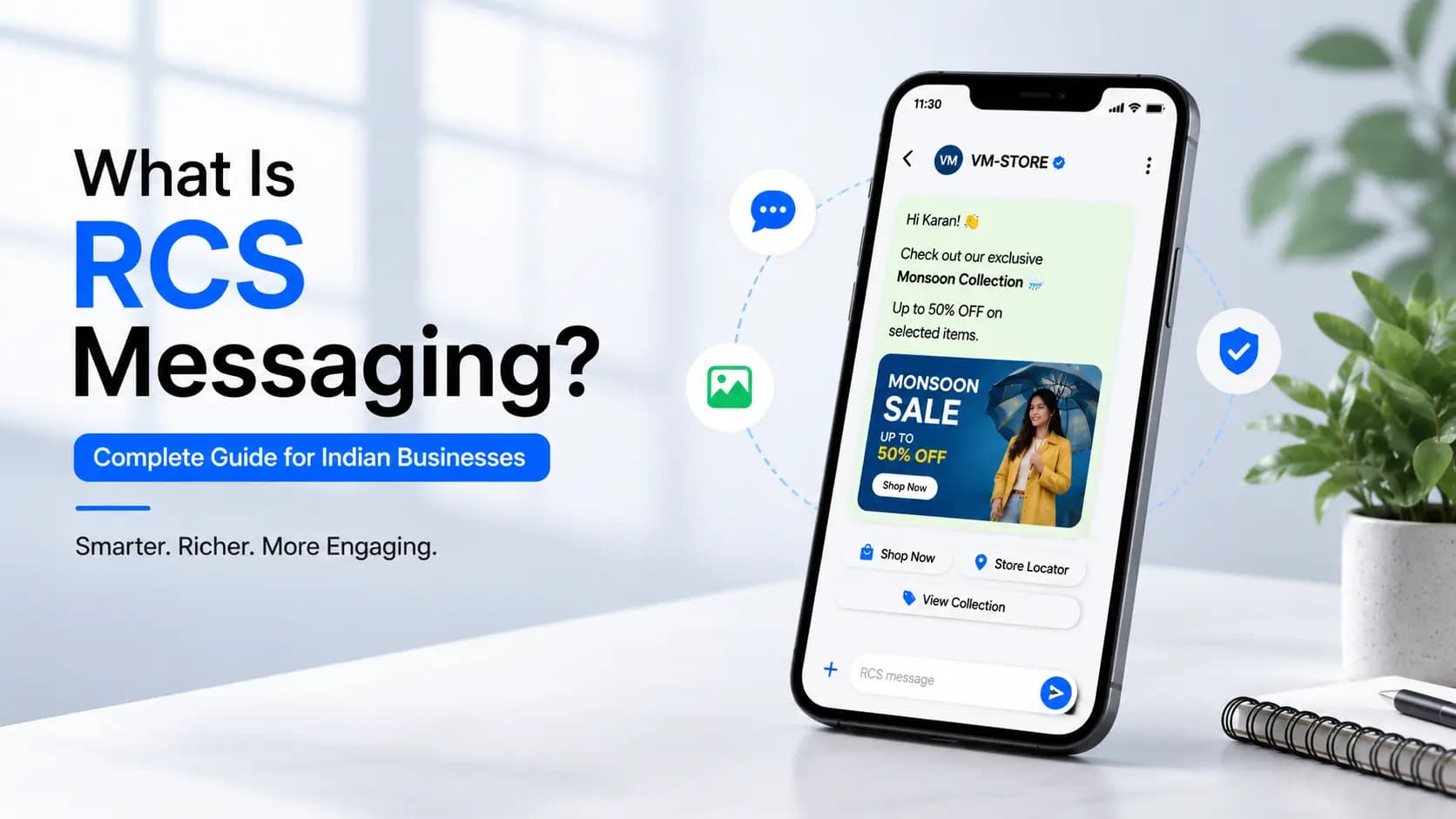
The short answer is that RCS- Rich Communication Services- is the most significant upgrade to business messaging in two decades. It transforms the plain, unbranded text message that Indian businesses have relied on since the early 2000s into a rich, interactive, verified brand experience- delivered inside the customer's native messaging app, without requiring any app download.
This guide explains everything you need to know about RCS messaging- what it is, what RCS stands for, how it works technically, what features it offers, how it compares to SMS and WhatsApp, and how Indian businesses are using it today. This page is the general explainer- if you specifically want the deeper technical walkthrough of Google's implementation (the RBM platform, Google Messages, and how Google's infrastructure fits in), see our companion guide, Google RCS Business Messaging.
Quick definition: RCS (Rich Communication Services) is the next-generation successor to SMS. It lets businesses send messages with images, carousels, action buttons, and verified sender branding- all inside the customer's default messaging app, on Android and iOS 18+, with no app download needed.
RCS in 2026: Where Things Stand
RCS in India has moved from "emerging channel" to a standing part of the messaging mix for a growing number of mid-size and large businesses. A few things are worth calling out about where the channel has landed:
- Reach is broad but still smaller than SMS or WhatsApp. Industry-typical estimates put RCS-capable devices in India at roughly 350-450 million- covering Android on Jio, Airtel, and Vi plus iOS 18+ iPhones. That is a meaningful audience, but it is not universal coverage the way SMS is, which is why SMS fallback remains a standard part of any serious RCS deployment. See RCS statistics India for a fuller set of adoption and performance figures, framed as planning ranges rather than precise counts.
- Adoption is concentrated in a handful of use-case-driven industries. Banking, e-commerce, insurance, and edtech account for most of the visible RCS activity in India- largely because these sectors have high-frequency transactional messaging (order updates, renewal reminders, OTPs) where a verified, rich message clearly beats plain SMS.
- iOS support closed a real gap. Apple's addition of RCS in iOS 18 removed the "Android-only" objection that held some businesses back- iPhone users on iOS 18+ can now receive RCS in the native Messages app, though Apple's implementation still lags Android's Google Messages on some richer features.
- The channel is maturing, not replacing anything. RCS is not displacing SMS or WhatsApp for Indian businesses- it is typically added alongside them, used for the outbound, rich-media campaigns it is best suited for, while SMS keeps handling universal-reach and OTP use cases and WhatsApp keeps handling opted-in conversational engagement.
RCS Full Form and Meaning
RCS stands for Rich Communication Services.
Each word in the name is meaningful:
- Rich- the messages are visually and functionally rich, unlike plain SMS. They can contain images, carousels, buttons, and branded identity.
- Communication- RCS is a communication protocol, not an app. It is built into the messaging infrastructure of mobile networks.
- Services- it is a set of services defined by the GSMA (Global System for Mobile Communications Association), the international body that sets standards for mobile networks worldwide.
RCS is sometimes also referred to as:
- RCS Messaging- the general term for the channel
- RCS Business Messaging (RBM)- the enterprise/commercial version used by businesses
- Rich Business Messaging- an older Google-specific term for the same concept
- Advanced Messaging- a term some carriers have used
- Google Messages RCS- referring to Google's implementation via the Google Messages app
For the purposes of Indian businesses, RCS Business Messaging (RBM) is the relevant term- the commercial, enterprise-grade version of RCS that allows verified brands to send rich, interactive messages to their customers at scale.
Where Did RCS Come From? A Brief History
RCS was first defined as a standard by the GSMA in 2007. The idea was simple: upgrade SMS with the features that internet-based messaging apps were starting to offer- typing indicators, read receipts, group chats, file sharing- but do it at the carrier level, so it would work for everyone without an app.
For most of the 2010s, RCS existed mostly on paper and in limited carrier trials. The major obstacle was fragmentation- different carriers implemented different, incompatible versions of the standard.
Google changed this. In 2018, Google took over the rollout strategy for RCS, building a single universal RCS client- Google Messages- and working directly with Android device manufacturers and carriers to deploy it globally. Google's approach bypassed the fragmentation problem by providing a single, consistent RCS implementation that worked across all participating carriers.
In India, the key milestones were:
| Year | Milestone |
|---|---|
| 2019 | Jio becomes one of the first Indian carriers to enable RCS on its network |
| 2020 | Airtel enables RCS; Google Messages begins shipping as default on more Android devices in India |
| 2021 | TRAI's DLT framework for SMS launches- RCS positioned as the premium alternative |
| 2022–23 | First major Indian enterprise RCS campaigns by banks and e-commerce brands |
| 2024 | Apple adds RCS support in iOS 18- iPhone users can now receive RCS for the first time |
| 2025–26 | RCS volumes in India grow 35–50% YoY; mainstream adoption across banking, retail, edtech |
How Does RCS Work? The Technical Explanation (in Plain English)
You do not need to understand the full technical stack to use RCS- but a basic understanding of how it works will help you plan campaigns and set realistic expectations for delivery and fallback.
RCS is IP-based, not circuit-switched
Traditional SMS works over the cellular signalling channel- the same channel your phone uses to register with a tower. It does not require a data connection. This is why SMS works even on 2G with minimal signal.
RCS works over IP- the internet protocol. It requires an active data connection (4G, 5G, or Wi-Fi). This is a fundamental difference with important implications: RCS will not deliver if the recipient has no internet connectivity, which is why SMS fallback is essential for pan-India campaigns.
The RCS delivery chain
Step 1- Business sends message via RCS platform
You trigger an RCS message from Get Click Media's RCS messaging service- either via the campaign builder or the REST API. The message includes rich content: image, text, and action buttons.
Step 2- Platform checks recipient capability
Before sending, Get Click Media's platform queries the carrier's RCS capability API. This tells us whether the recipient's device and network support RCS at that moment.
Step 3- Route decision: RCS or SMS fallback
If RCS-capable: the message is routed as RCS. If not capable: the SMS fallback version is sent automatically. You define both versions once. Routing is automatic.
Step 4- Carrier RCS gateway delivery
The RCS message travels through the carrier's RCS infrastructure (Jio, Airtel, or Vi) to the recipient's device. For full details on RCS coverage in India, see our dedicated guide.
Step 5- Message appears in Google Messages / iOS Messages
The recipient sees the rich message in their default messaging app- no separate app required. Your brand name, logo, and verified checkmark appear at the top.
Step 6- Interaction tracked in real time
Every delivery, read, and button tap is reported back to Get Click Media's dashboard in real time. You see engagement data as it happens.
RCS Features: What Makes It Different from SMS
Here is a complete breakdown of every meaningful feature RCS offers that SMS does not. For a deeper look, see our guide to RCS Business Messaging features.
Rich media- images, GIFs, video thumbnails
Send high-resolution product images, promotional banners, GIFs, and video thumbnails natively in the message. The customer sees your visual content without tapping a link.
Carousels- multiple cards in one message
A horizontal carousel lets you present 2 to 10 rich cards in a single message. Each card has its own image, title, description, and action button. Ideal for product listings, travel options, and promotional offers.
Action buttons- click-to-URL, call, map, reply
Add up to three interactive buttons to any message: Open URL, Call Now, View Location on Maps, or Quick Reply. The customer acts without leaving the messaging app.
Verified sender- brand name, logo, checkmark
Every RCS message you send shows your brand's verified name and logo instead of an anonymous Sender ID. Google verifies your identity before you can send. Customers trust verified senders. Learn more about the RCS verified sender guide.
Read receipts and delivery confirmation
Unlike SMS, RCS tells you when the message was delivered, when the customer opened it, and which button they tapped. This data drives intelligent retargeting and campaign optimisation.
Two-way messaging- conversational flows
RCS supports interactive two-way conversations. A customer can reply via quick-reply buttons or free text. Your chatbot or agent responds in the same thread- making RCS suitable for bookings, support, and surveys.
Automatic SMS fallback
For recipients whose devices do not support RCS, the message is automatically delivered as SMS. You never lose reach- every customer gets your message in the best format their device supports.
RCS vs SMS vs WhatsApp: How They Differ
Indian businesses considering RCS typically want to understand how it fits alongside the two channels they already know- SMS and WhatsApp. Here is the key distinction for each:
| Dimension | RCS | Bulk SMS | WhatsApp Business API |
|---|---|---|---|
| What it delivers | Rich, branded, interactive messages | Plain text only | Rich messages + chat |
| Requires app | No- uses default messaging app | No | Yes- WhatsApp installed |
| Verified sender | Yes- Google-verified brand identity | No | Yes- Meta-verified |
| DND rules India | Not applicable | Yes- TRAI DLT required | Not applicable |
| Device reach India | Android + iOS 18+ | All phones | WhatsApp users only |
| Two-way messaging | Yes | No | Yes- core strength |
| Read receipts | Yes | No | Yes |
| Works offline | No- needs internet | Yes | No- needs internet |
| Best use case | Outbound rich campaigns | OTPs, universal reach | Customer support, chat |
The strategic insight for Indian businesses: these three channels are not competitors- they are complementary. RCS is the strongest channel for outbound rich campaigns to a broad audience. WhatsApp Business API is the strongest channel for two-way conversations and support. Bulk SMS is the strongest channel for guaranteed universal delivery.
Get Click Media supports all three channels from a single platform, which means you can run the right channel for each use case without managing multiple vendor relationships. For a detailed head-to-head, see our full RCS vs SMS comparison.
What Is Google RCS? And Why Google Matters
When people talk about Google RCS, they are referring to Google's specific role in making RCS work in practice- not just on paper.
The GSMA defined the RCS standard, but for most of the 2010s it was poorly adopted. Different carriers built different, incompatible versions. Google stepped in with a different approach:
- Google built Google Messages- a single, universal RCS messaging app that works consistently across all Android devices and all participating carriers
- Google negotiated directly with Android device manufacturers to ship Google Messages as the default messaging app
- Google built the RCS Business Messaging (RBM) platform- the enterprise-grade version businesses use to send verified, rich messages at scale
- Google manages the brand verification process- every business that wants to send RCS messages must be verified by Google
What this means in practice: when your business sends an RCS message through Get Click Media, Google is the infrastructure backbone that verifies your brand identity and ensures the message is delivered correctly to Android devices.
This is also why the term 'Google RCS' is used interchangeably with 'RCS Business Messaging' in India- Google's implementation is the dominant and effectively universal standard.
Apple's role: Apple added RCS support to iOS 18 in 2024. Apple did not build a separate RCS infrastructure- instead, iPhones on iOS 18+ can now receive RCS messages sent through the standard carrier RCS network, appearing in the native iPhone Messages app.
Which Industries Are Using RCS Messaging in India?
RCS adoption in India is no longer a pilot or an experiment. Multiple industries have deployed RCS at scale, and the early results are driving rapid expansion.
Banking and financial services
India's major private banks- HDFC, ICICI, Axis, Kotak- have been early adopters of RCS. Common use cases include credit card offer campaigns with 'Apply Now' buttons, loan pre-approval messages with rich product cards, payment reminder messages with 'Pay Now' CTA, and fraud alert confirmations with quick-reply verification.
Banks report that RCS campaigns for credit card offers generate 4x to 6x higher application rates than equivalent SMS campaigns. The verified sender identity is particularly valuable in banking, where customers have become conditioned to distrust unverified SMS from unknown senders.
E-commerce and retail
E-commerce is the highest-volume RCS category in India. Flash sale carousels, abandoned cart recovery messages, order tracking updates with map links, and post-purchase review requests are among the most common campaign types. Leading Indian e-commerce platforms report that RCS abandoned cart recovery generates 3x to 5x more add-to-cart completions than SMS.
Insurance
Insurance companies use RCS for policy renewal reminders with premium breakdowns, health insurance upsell campaigns, and claims status updates. The ability to show a policy summary card with a 'Renew Now' button in a single message significantly reduces the friction in renewal flows.
Edtech and education
Edtech platforms use RCS for course recommendation carousels, trial expiry reminders, batch start notifications, and result announcements. The ability to show a course image, a short description, and a 'Enroll Now' button in a carousel format has driven significant improvements in conversion from discovery to enrollment.
Travel and hospitality
Travel brands use RCS for booking confirmation cards with check-in details and map links, upgrade offer carousels, and check-in reminder messages. The map button feature is particularly useful- customers can tap to navigate directly to the hotel or airport without copying an address.
How to Get Started with RCS Messaging for Your Business
Getting started with RCS for your business involves three key requirements.
1. Google brand verification
Before sending RCS Business Messages, your company must be verified by Google. This is a one-time process that establishes your brand's identity on the RCS network. Verification requires submitting your company registration documents, brand logo, a verified business website, and sample message content.
Get Click Media manages the entire Google verification process on your behalf. Most clients complete verification within 5 to 7 business days. See our RCS verified sender guide for the full walkthrough.
2. An RCS-capable sending platform
You need a platform with direct carrier connectivity to Jio, Airtel, and Vi for RCS delivery, intelligent fallback to SMS for non-RCS devices, a campaign builder or API for creating and sending RCS messages, and analytics for tracking delivery, reads, and clicks.
Get Click Media's platform provides all of this. You can build your first RCS campaign using our visual editor- no developer required. For technical teams, our RCS API integration guide covers full programmatic RCS message delivery.
3. Your message content and contact list
For RCS campaigns, you will need: a clean, opted-in contact list, your brand assets (logo, brand colours), and your message content- the rich card design, copy, and action button destinations.
If you are migrating from SMS to RCS, your existing DLT-registered contact list can be used. The platform handles the RCS-vs-SMS routing automatically.
For details on RCS pricing in India, see our dedicated pricing guide. To begin your RCS setup with Get Click Media, request a free demo.
Article topics
Frequently Asked Questions
What does RCS stand for?
RCS stands for Rich Communication Services. It is the next-generation upgrade to SMS, allowing businesses to send interactive messages with images, carousels, action buttons, and verified sender identity- all inside the customer's native messaging app.
What is RCS messaging in simple terms?
In simple terms, RCS is what SMS would be if it were invented today. Instead of a plain text message with a character limit and no branding, RCS lets businesses send a visual, branded message with a product image, a short description, and a 'Buy Now' button- all in one message, inside the customer's existing messaging app, with no app download required.
What is the difference between RCS and SMS?
The key differences are: RCS supports rich media (images, carousels, buttons) while SMS is plain text only; RCS shows your verified brand name and logo while SMS shows only a 6-character Sender ID; RCS provides read receipts and click tracking while SMS provides delivery reports only; RCS is not subject to TRAI DND rules while promotional SMS is restricted to 9 AM–9 PM.
What is Google RCS?
Google RCS refers to Google's implementation of the RCS standard through Google Messages and the RCS Business Messaging (RBM) platform. Google built the universal RCS client, negotiated carrier integrations, and manages the brand verification process that businesses must complete before sending RCS messages. Google's implementation is the dominant standard globally and in India.
Is RCS available in India?
Yes. RCS is available in India on Jio, Airtel, and Vi networks for Android devices with Google Messages. Apple iPhone users on iOS 18 and above can also receive RCS. Estimated RCS-capable devices in India: 350 to 450 million as of 2026.
Does RCS work on iPhone in India?
Yes, on iPhones running iOS 18 or above. Apple added RCS support to iOS 18 in 2024. RCS messages appear in the native iPhone Messages app- not a separate app. iPhones on iOS 17 and earlier cannot receive RCS.
Do I need a special app to receive RCS messages?
No. RCS messages are received in the default messaging app on your device- Google Messages on Android, or the native Messages app on iPhone (iOS 18+). No additional app installation is required by the customer. This is one of the key advantages of RCS over OTT messaging apps like WhatsApp.
How is RCS different from WhatsApp?
The core difference is that RCS uses the carrier network and works in the default messaging app- no app installation required. WhatsApp requires the WhatsApp app to be installed and the customer to have an active WhatsApp account. RCS can reach all Android users and iOS 18+ iPhone users without any opt-in app requirement. WhatsApp reaches only its installed base of approximately 500 million users in India. RCS is better for broad outbound campaigns; WhatsApp is better for two-way conversations and community building.
How mature is RCS adoption in India as of 2026?
RCS has moved well past the pilot stage in India. Industry-typical estimates put RCS-capable devices at roughly 350 to 450 million, spanning Android on Jio, Airtel, and Vi plus iOS 18+ iPhones- and multiple industries, including banking, e-commerce, and edtech, now run RCS as a standing part of their messaging mix rather than a one-off test. It is still smaller in reach than SMS or WhatsApp, which is why most businesses run RCS alongside those channels rather than as a replacement.
About the author
Get Click Media creates practical resources for businesses using messaging, automation, analytics, and digital communication to improve customer engagement. This article was published on and was last reviewed on .