

In this article
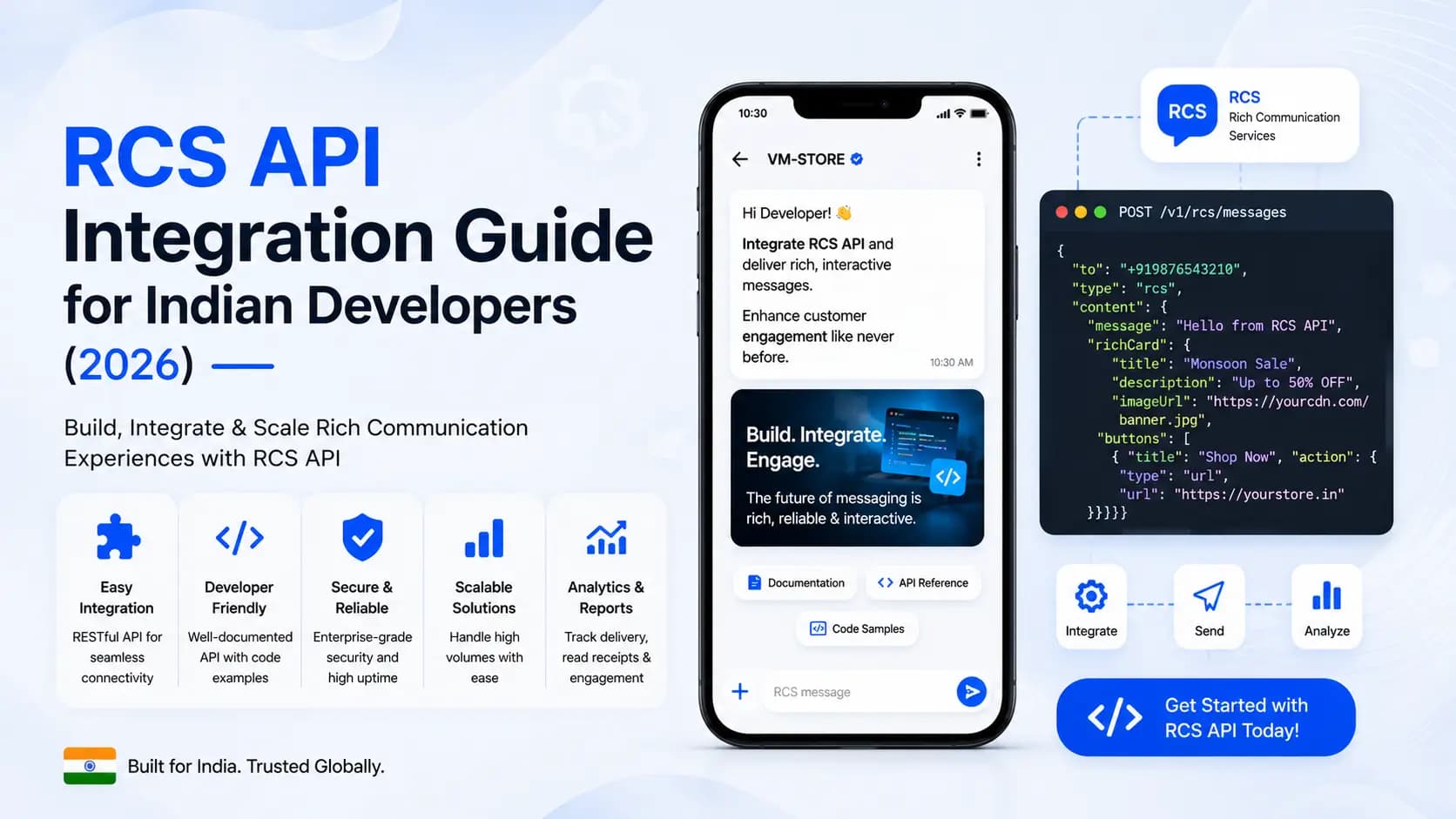
Explore the key concepts, practical considerations, and frequently asked questions related to rcs api integration guide for indian developers (2026).
Key takeaways
- The Growth tier supports 100 messages per second while Enterprise tier handles 1,000+ per second with a custom SLA and dedicated transactional queue.
- Webhook endpoints must return HTTP 200 within 3 seconds of receiving an event, or GCM retries delivery with exponential backoff up to 5 times.
- Campaign carousels should stay capped at 6 cards, since 10-card carousels see diminishing click-through on cards 7 and beyond.
This guide covers everything a developer needs to integrate RCS Business Messaging into an application using Get Click Media's REST API- from authentication and your first message send, through rich card and carousel construction, to webhook handling, SMS fallback configuration, and production best practices.
Whether you are building a triggered transactional flow (order confirmations, OTPs, fraud alerts), a campaign automation system, or a full conversational chatbot on RCS, this guide gives you working code examples in Node.js, Python, and PHP, and explains the design decisions that matter for production reliability.
Prerequisites: Before integrating the RCS API, your business must complete Google brand verification. Get Click Media handles this on your behalf as part of onboarding. API credentials (API key + agent ID) are issued after verification is complete. Typical verification timeline: 5–7 business days.
RCS API Architecture: How the Integration Works
Before writing any code, understanding the architecture helps you design your integration correctly. The Get Click Media RCS API sits between your application and Google's RCS Business Messaging (RBM) platform and the carrier network.
The message flow:
- Your application calls the Get Click Media REST API with the message payload (recipient phone number, message type, content, fallback SMS text)
- Get Click Media's platform performs a real-time RCS capability check against the recipient's carrier
- If RCS-capable: message is routed to the carrier's RCS gateway (Jio, Airtel, Vi) via the Google RCS Business Messaging platform
- If not RCS-capable: message is automatically routed to the SMS gateway and the fallback SMS is delivered
- Status events (delivered, read, button tapped, replied) are pushed to your webhook endpoint in real time
Authentication model
Get Click Media's API uses API key authentication. Every request must include your API key in the Authorization header. API keys are scoped to a specific RCS agent (your verified brand sender) and can be restricted by IP allowlist, rate limit tier, and message type permissions.
Base URL
https://api.getclickmedia.com/v2/rcs
// All endpoints are relative to this base URL
// Content-Type: application/json for all requests
// Authorization: Bearer YOUR_API_KEY
Authentication: Your First API Call
Setting up credentials
After onboarding, Get Click Media issues two credentials:
- API Key- a long-lived secret for server-side use. Never expose in client-side code or public repositories.
- Agent ID- identifies your verified RCS brand sender. Included in all message send requests.
Authorization: Bearer gcm_live_xxxxxxxxxxxxxxxxxxxxxxxxxxxxxxxx
Content-Type: application/json
X-Agent-ID: agent_xxxxxxxx
Test your credentials- capability check
Before sending your first message, verify your credentials are working by calling the capability check endpoint:
const axios = require('axios');

const checkCapability = async (phoneNumber) => {
  const response = await axios.get(
    `https://api.getclickmedia.com/v2/rcs/capability/${phoneNumber}`,
    {
      headers: {
        'Authorization': `Bearer ${process.env.GCM_API_KEY}`,
        'X-Agent-ID': process.env.GCM_AGENT_ID
      }
    }
  );
  return response.data; // { rcs_capable: true, carrier: 'jio', fallback: false }
};

checkCapability('+919876543210').then(console.log);
Note: The capability check is optional- Get Click Media's API performs automatic capability detection before every send. Use explicit capability checks only when your application needs to pre-segment audiences or display channel-specific UI to users.
Sending Your First RCS Message
Basic text message with suggested actions
The simplest RCS message- text with your verified sender identity and optional action buttons:
const sendRCSMessage = async () => {
  const payload = {
    to: '+919876543210',
    message: {
      type: 'text',
      text: 'Your OTP for Get Click Media is 847291. Valid for 10 minutes.',
      suggestions: [
        { type: 'reply', text: 'Resend OTP', postback: 'RESEND_OTP' }
      ]
    },
    fallback_sms: {
      text: 'Your OTP is 847291. Valid 10 min. -GetClickMedia'
    }
  };

  const response = await axios.post(
    'https://api.getclickmedia.com/v2/rcs/messages',
    payload,
    { headers: { 'Authorization': `Bearer ${process.env.GCM_API_KEY}`,
        'X-Agent-ID': process.env.GCM_AGENT_ID } }
  );
  return response.data; // { message_id: 'msg_xxxx', status: 'sent' }
};
import requests, os

def send_rcs_message():
    payload = {
        'to': '+919876543210',
        'message': {
            'type': 'text',
            'text': 'Your OTP is 847291. Valid for 10 minutes.',
            'suggestions': [
                {'type': 'reply', 'text': 'Resend OTP', 'postback': 'RESEND_OTP'}
            ]
        },
        'fallback_sms': {'text': 'Your OTP is 847291. Valid 10 min. -GetClickMedia'}
    }
    headers = {
        'Authorization': f'Bearer {os.environ["GCM_API_KEY"]}',
        'X-Agent-ID': os.environ['GCM_AGENT_ID'],
        'Content-Type': 'application/json'
    }
    resp = requests.post(
        'https://api.getclickmedia.com/v2/rcs/messages',
        json=payload, headers=headers
    )
    return resp.json()
Sending a Rich Card: The Workhorse RCS Format
A rich card is the most commonly used RCS format for business communication- an image or video thumbnail at the top, a title, description text, and action buttons. For a full breakdown of what rich cards can do, see RCS business messaging features.
const sendRichCard = async () => {
  const payload = {
    to: '+919876543210',
    message: {
      type: 'rich_card',
      card: {
        orientation: 'VERTICAL', // or 'HORIZONTAL'
        image_url: 'https://cdn.getclickmedia.com/campaigns/diwali-sale.jpg',
        image_height: 'TALL', // SHORT | MEDIUM | TALL
        title: 'Diwali Flash Sale- 60% Off',
        description: 'Shop our biggest Diwali sale. Deals on electronics, fashion, home.',
        suggestions: [
          { type: 'action', action: 'open_url',
            text: 'Shop Now', postback: 'SHOP_DIWALI',
            url: 'https://yourstore.com/diwali?utm_source=rcs&utm_campaign=diwali26' },
          { type: 'action', action: 'dial',
            text: 'Call Us', phone_number: '+911800XXXXXX' },
          { type: 'reply', text: 'View All Deals', postback: 'ALL_DEALS' }
        ]
      }
    },
    fallback_sms: {
      text: 'Diwali Sale! 60% off sitewide. Shop: yourstore.com/diwali26 -YourBrand'
    }
  };
  // ... send with axios as above
};
Image hosting requirements:
- Images must be publicly accessible via HTTPS URL- no authentication, no signed URLs that expire
- Recommended formats: JPEG (preferred), PNG, GIF (animated supported), WebP
- Recommended dimensions: 1440×720px (landscape/TALL) or 720×720px (square/MEDIUM)
- Max file size: 5MB for images, 100MB for video- keep images under 500KB for fast mobile load
- Host on a CDN (Cloudfront, Cloudflare, Fastly)- do not host on your application server
Sending a Carousel: Multiple Cards in One Message
A carousel sends 2 to 10 rich cards in a single swipeable message. The payload is an array of card objects:
const sendCarousel = async () => {
  const products = [
    { name: 'Nike Air Max 270', price: '7,499', img: 'https://cdn.example.com/nike.jpg', id: 'SKU001' },
    { name: 'Adidas Ultraboost', price: '8,999', img: 'https://cdn.example.com/adidas.jpg', id: 'SKU002' },
    { name: 'Puma RS-X', price: '5,999', img: 'https://cdn.example.com/puma.jpg', id: 'SKU003' },
  ];

  const payload = {
    to: '+919876543210',
    message: {
      type: 'carousel',
      card_width: 'MEDIUM', // SMALL | MEDIUM
      cards: products.map(p => ({
        image_url: p.img,
        image_height: 'MEDIUM',
        title: p.name,
        description: `₹${p.price}- Free delivery above ₹999`,
        suggestions: [
          { type: 'action', action: 'open_url', text: 'Buy Now',
            url: `https://yourstore.com/product/${p.id}?utm_source=rcs` },
          { type: 'reply', text: 'Add to Wishlist', postback: `WISHLIST_${p.id}` }
        ]
      })),
      suggestions: [
        { type: 'action', action: 'open_url', text: 'View All Footwear',
          url: 'https://yourstore.com/footwear?utm_source=rcs' }
      ]
    },
    fallback_sms: {
      text: 'New arrivals! Shop footwear: yourstore.com/footwear -YourBrand'
    }
  };
};
Carousel best practices: Keep card descriptions under 100 characters for clean rendering on smaller screens. Use consistent image dimensions across all cards. Limit to 6 cards for campaign carousels- 10-card carousels see diminishing CTR on cards 7+. Always include a global 'View All' suggestion button.
Handling Webhooks: Delivery, Read, and Interaction Events
Webhooks are how Get Click Media's API notifies your application of message events in real time. You register a webhook URL during onboarding, and the API posts event objects to it as events occur.
Webhook event types
| Event type | When it fires | Key fields |
|---|---|---|
message.delivered | Message delivered to device | message_id, to, delivered_at, channel (rcs/sms) |
message.read | Message opened by recipient | message_id, to, read_at |
message.suggestion_tapped | Button or chip tapped | message_id, to, postback_value, suggestion_text |
message.reply | Customer sent free-text reply | message_id, to, reply_text, replied_at |
message.failed | Delivery failed | message_id, to, error_code, error_message |
message.fallback | Fell back to SMS | message_id, to, reason (no_rcs_support / offline) |
const express = require('express');
const crypto = require('crypto');
const app = express();
app.use(express.json());

const verifySignature = (payload, signature) => {
  const hash = crypto.createHmac('sha256', process.env.GCM_WEBHOOK_SECRET)
    .update(JSON.stringify(payload))
    .digest('hex');
  return hash === signature;
};

app.post('/webhook/rcs', (req, res) => {
  const sig = req.headers['x-gcm-signature'];
  if (!verifySignature(req.body, sig)) {
    return res.status(401).send('Invalid signature');
  }

  const event = req.body;

  switch (event.type) {
    case 'message.delivered':
      console.log(`Delivered to ${event.to} at ${event.delivered_at}`);
      break;

    case 'message.read':
      console.log(`Read by ${event.to} at ${event.read_at}`);
      break;

    case 'message.suggestion_tapped':
      console.log(`Tapped: ${event.postback_value} by ${event.to}`);
      handleSuggestionTap(event.to, event.postback_value);
      break;

    case 'message.reply':
      console.log(`Reply from ${event.to}: ${event.reply_text}`);
      routeToAgent(event.to, event.reply_text);
      break;

    case 'message.fallback':
      console.log(`Fell back to SMS for ${event.to}: ${event.reason}`);
      break;
  }

  res.status(200).send('OK'); // Always respond 200 quickly
});

app.listen(3000);
Critical: Always return HTTP 200 within 3 seconds of receiving a webhook. If your processing takes longer, acknowledge immediately and process asynchronously (queue the event). GCM retries unacknowledged webhooks with exponential backoff up to 5 times.
SMS Fallback: Configuration and Best Practices
Every RCS API call should include a fallback_sms object. This is the SMS version of your message delivered when the recipient's device does not support RCS. Configuring it correctly ensures 100% message delivery.
Fallback SMS design principles:
- Keep under 160 characters to avoid multipart SMS and extra charges
- Include the core CTA as a URL- use a proper tracking URL (not bit.ly- many Indian users distrust shortened links)
- Always end with your brand name (DLT regulations require it for SMS)
- The fallback SMS must have a DLT-registered template if it is a promotional message
- Do not include sensitive data (card numbers, account details) in the fallback SMS text
// Standard promotional fallback:
fallback_sms: {
  text: 'Order #4782341 confirmed. Delivery by Jun 26. Track: brand.com/track/4782341 -BrandName',
  sender_id: 'BRNDNM',       // Your DLT-registered Sender ID
  template_id: 'tpl_xxxx'   // DLT template ID for this message type
}

// Transactional fallback (OTPs, order alerts)- DND exempt:
fallback_sms: {
  text: 'Your OTP: 847291. Valid 10 min. Do not share. -BrandName',
  sender_id: 'BRNDOTP',
  template_id: 'tpl_otp_registered',
  route: 'transactional'  // Default: 'promotional'
}
Batch Message Sending for RCS Campaigns
For sending campaigns to large contact lists, use the batch send endpoint rather than looping individual message sends. Batch sends are rate-optimised, support personalisation via template variables, and provide campaign-level analytics.
const sendBatchCampaign = async (contacts) => {
  const payload = {
    campaign_name: 'Diwali_Flash_Sale_2026',
    schedule_at: '2026-10-20T19:00:00+05:30', // IST- send at 7 PM
    message_template: {
      type: 'rich_card',
      card: {
        image_url: 'https://cdn.example.com/diwali-banner.jpg',
        title: 'Happy Diwali, {{name}}! Your Deal Is Ready',
        description: '{{product}} at just ₹{{price}}- today only.',
        suggestions: [
          { type: 'action', action: 'open_url', text: 'Shop Now',
            url: 'https://yourstore.com/p/{{sku}}?utm_campaign=diwali26&utm_source=rcs' }
        ]
      }
    },
    fallback_sms_template: 'Happy Diwali {{name}}! {{product}} at Rs.{{price}}. Shop: brand.co/diwali -BrandName',
    contacts: contacts.map(c => ({
      to: c.phone,
      variables: { name: c.name, product: c.product, price: c.price, sku: c.sku }
    }))
  };

  const response = await axios.post(
    'https://api.getclickmedia.com/v2/rcs/campaigns',
    payload,
    { headers: { Authorization: `Bearer ${process.env.GCM_API_KEY}`,
        'X-Agent-ID': process.env.GCM_AGENT_ID } }
  );
  return response.data;
  // Returns: { campaign_id: 'camp_xxxx', total: 50000, scheduled_at: '...' }
};
Get Click Media RCS API- Endpoints Quick Reference
| Method | Endpoint | Description |
|---|---|---|
| POST | /v2/rcs/messages | Send a single RCS message (text, rich card, file) |
| POST | /v2/rcs/campaigns | Create and schedule a batch campaign |
| GET | /v2/rcs/capability/{phone} | Check if a phone number is RCS-capable |
| GET | /v2/rcs/messages/{message_id} | Get status and events for a message |
| GET | /v2/rcs/campaigns/{campaign_id} | Get campaign analytics and delivery report |
| DELETE | /v2/rcs/campaigns/{campaign_id} | Cancel a scheduled campaign (before send time) |
| POST | /v2/rcs/webhooks | Register a new webhook endpoint |
| GET | /v2/rcs/webhooks | List registered webhook endpoints |
| POST | /v2/rcs/conversations/reply | Send a reply in an ongoing conversation thread |
| GET | /v2/rcs/usage | Get monthly usage and billing summary |
Production Best Practices for RCS API Integration
Rate limiting
Get Click Media's API applies rate limits by tier:
| Tier | Messages per second | Batch campaign size | Concurrent API calls |
|---|---|---|---|
| Starter | 10 msg/sec | Up to 10,000 | 5 concurrent |
| Growth | 100 msg/sec | Up to 5,00,000 | 25 concurrent |
| Enterprise | 1,000+ msg/sec | Unlimited | Custom SLA |
For transactional messages (OTPs, fraud alerts), request a dedicated rate limit pool- transactional messages share a separate queue from campaign messages to ensure latency SLAs.
Idempotency
Include an idempotency key in all POST requests to prevent duplicate sends if your application retries a failed request:
headers: {
  'Authorization': `Bearer ${process.env.GCM_API_KEY}`,
  'X-Agent-ID': process.env.GCM_AGENT_ID,
  'Idempotency-Key': `${orderId}_${customerId}_${Date.now()}`
  // Same key = same result; won't send duplicate if retried within 24hr
}
Error handling and retry logic
const sendWithRetry = async (payload, maxRetries = 3) => {
  for (let attempt = 1; attempt <= maxRetries; attempt++) {
    try {
      const response = await axios.post(
        'https://api.getclickmedia.com/v2/rcs/messages',
        payload,
        { headers: authHeaders, timeout: 5000 }
      );
      return response.data;
    } catch (err) {
      const status = err.response?.status;
      // Retry on 429 (rate limit) or 5xx (server error)
      // Do NOT retry on 400 (bad request) or 401 (auth error)
      if (attempt === maxRetries || status === 400 || status === 401) throw err;
      const delay = Math.pow(2, attempt) * 1000; // 2s, 4s, 8s
      console.log(`Retry ${attempt}/${maxRetries} in ${delay}ms`);
      await new Promise(r => setTimeout(r, delay));
    }
  }
};
PHP example- sending a rich card
<?php
function sendRCSRichCard(string $phone, array $card): array {
    $payload = [
        'to' => $phone,
        'message' => [
            'type' => 'rich_card',
            'card' => [
                'orientation' => 'VERTICAL',
                'image_url'   => $card['image'],
                'title'       => $card['title'],
                'description' => $card['desc'],
                'suggestions' => [
                    ['type'=>'action','action'=>'open_url',
                     'text'=>'Learn More','url'=>$card['url']]
                ]
            ]
        ],
        'fallback_sms' => ['text' => $card['sms_fallback']]
    ];

    $ch = curl_init('https://api.getclickmedia.com/v2/rcs/messages');
    curl_setopt_array($ch, [
        CURLOPT_POST           => true,
        CURLOPT_POSTFIELDS     => json_encode($payload),
        CURLOPT_RETURNTRANSFER => true,
        CURLOPT_HTTPHEADER     => [
            'Authorization: Bearer ' . getenv('GCM_API_KEY'),
            'X-Agent-ID: '          . getenv('GCM_AGENT_ID'),
            'Content-Type: application/json'
        ]
    ]);
    $result = json_decode(curl_exec($ch), true);
    curl_close($ch);
    return $result;
}
Security checklist
- Store API keys in environment variables- never hardcode in source code or commit to Git
- Restrict API key by IP allowlist in the GCM dashboard- only your application server IPs should be able to use the key
- Verify webhook signatures on every inbound event using HMAC-SHA256 (see webhook section above)
- Use HTTPS for your webhook endpoint- reject any webhook delivery to an HTTP endpoint
- Log all API calls with
message_idfor debugging and audit- retain for 90 days minimum - Never include full account numbers, card numbers, or passwords in RCS message text
- Rotate your API key every 90 days- GCM supports key rotation with zero downtime via dual-key overlap
Ready to start building? Request a demo and your technical account manager will walk through the integration with your specific stack. For questions on RCS messaging cost India, RCS coverage in India, or how to get a RCS verified sender, see the linked guides. For RCS for banking, RCS for e-commerce, or RCS for education use cases, explore the industry pages or speak to a bulk SMS service provider India specialist on our team.
Article topics
Frequently Asked Questions
What programming languages does Get Click Media's RCS API support?
The RCS API is REST over HTTPS- any language works. Official SDKs are available for Node.js (npm), Python (pip), PHP (Composer), and Java (Maven). For other languages such as Go, Ruby, Rust, or .NET, use the raw REST API with your language's standard HTTP client library.
Do I need to handle SMS fallback in my code?
You define the fallback SMS content in your API payload via the fallback_sms object, but Get Click Media's platform handles the routing automatically. Your application sends one API call; the platform checks RCS capability and routes to RCS or SMS without any additional code from your side. You receive a message.fallback webhook event when a fallback occurs.
What is the maximum throughput of the RCS API?
The Growth tier supports 100 messages per second- sufficient for most Indian business use cases including real-time OTP delivery and mid-size campaign sends. Enterprise tier supports 1,000+ messages per second with a custom SLA. For transactional messages such as OTPs and fraud alerts, request a dedicated transactional queue to guarantee latency SLAs independent of campaign traffic.
Can I test RCS messages without sending to real customers?
Yes. Get Click Media provides a sandbox environment at api-sandbox.getclickmedia.com with the same endpoint structure as production. Sandbox messages are not delivered to real devices but return realistic mock responses and fire simulated webhook events. You can also whitelist your own verified numbers to receive actual RCS messages in development.
About the author
Get Click Media creates practical resources for businesses using messaging, automation, analytics, and digital communication to improve customer engagement. This article was published on .