

In this article
Explore the key concepts, practical considerations, and frequently asked questions related to google rcs business messaging: complete guide for india (2026).
Key takeaways
- Google RCS Business Messaging (RBM) is the commercial layer on top of the RCS protocol- the enterprise equivalent of Gmail for Business over email.
- Full onboarding- Google Business Profile, RBM agent creation, verification, and carrier launch on Jio, Airtel, and Vi- typically takes 7 to 10 business days.
- The rich card carousel supporting 2-10 swipeable cards is the highest-performing format for Indian e-commerce, banking, and real estate campaigns.
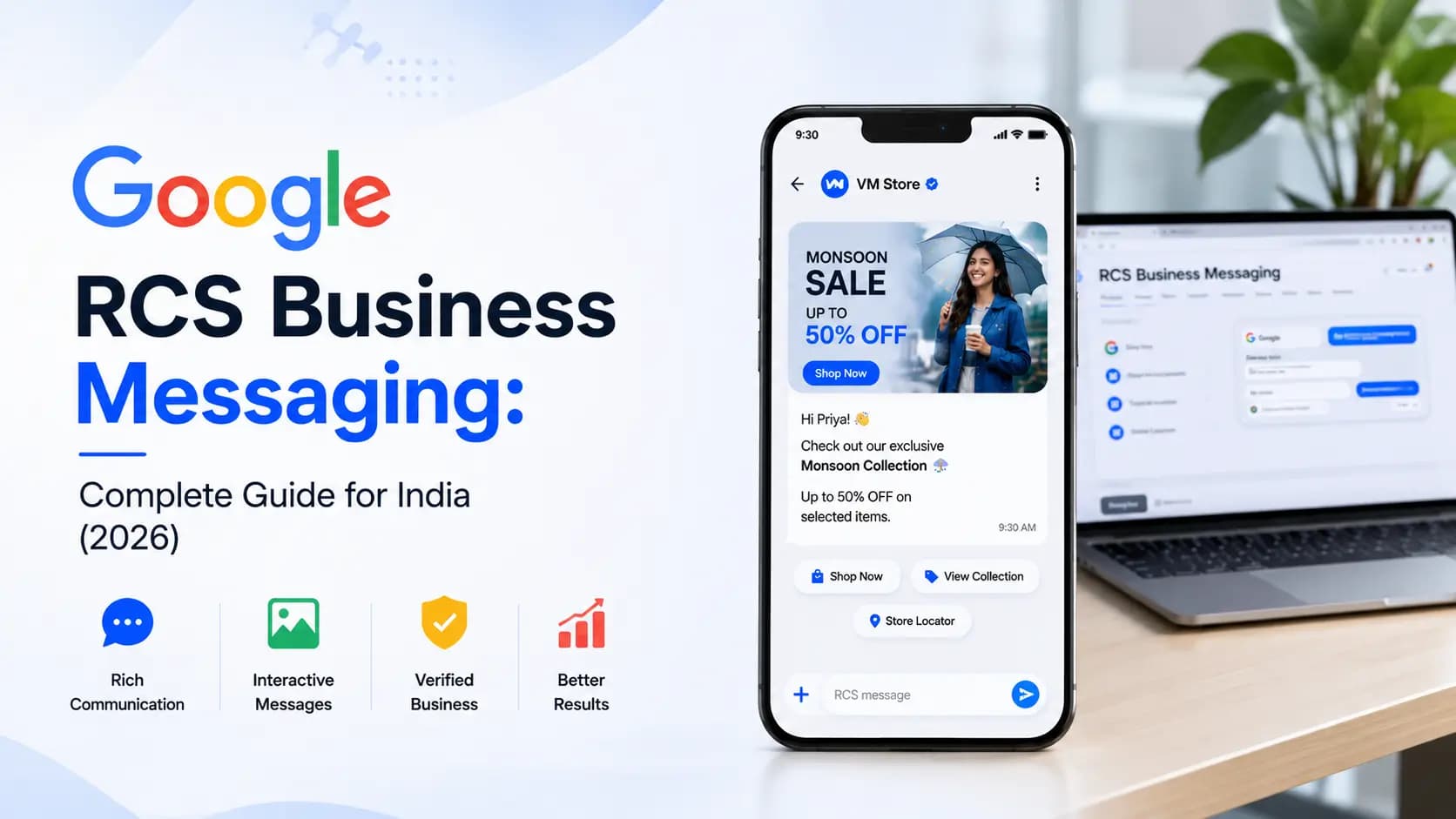
When Indian businesses talk about RCS messaging, they are almost always talking about Google RCS Business Messaging- Google's enterprise implementation of the RCS standard that powers verified, rich, interactive business-to-consumer messaging at scale.
Google's role in RCS is not just technical infrastructure. Google built the universal RCS client (Google Messages), manages the brand verification system that makes verified sender identity possible, maintains the RCS Business Messaging (RBM) platform that enterprises use to send messages, and has driven the adoption agreements with carriers in India and globally.
Without Google, RCS in India would still be a fragmented, incompatible patchwork of carrier-specific implementations. With Google, it is a coherent, enterprise-ready channel available to any business that completes the verification process.
This guide explains what Google RCS Business Messaging is, how it works, how Google's involvement shapes the channel, what the verification process looks like, and how Indian businesses can get started.
Key distinction: Google RCS Business Messaging (also called RBM- Rich Business Messaging) is the commercial, enterprise version of RCS. It is distinct from consumer RCS (person-to-person messaging in Google Messages). This guide focuses on the business version.
What Is Google RCS Business Messaging?
Google RCS Business Messaging (RBM) is the commercial layer built on top of the RCS protocol that enables verified businesses to send rich, interactive messages to customers at scale- through the carrier network, delivered into the Google Messages app on Android devices.
Think of the relationship between RCS and Google RCS Business Messaging the way you think of the relationship between email and Gmail for Business, or between the web and Google Search Console. The underlying protocol (RCS / email / web) is open and standardised. Google's product (RBM / Gmail / Search Console) is the enterprise interface that makes the protocol usable, verifiable, and measurable for businesses.
What Google RCS Business Messaging enables
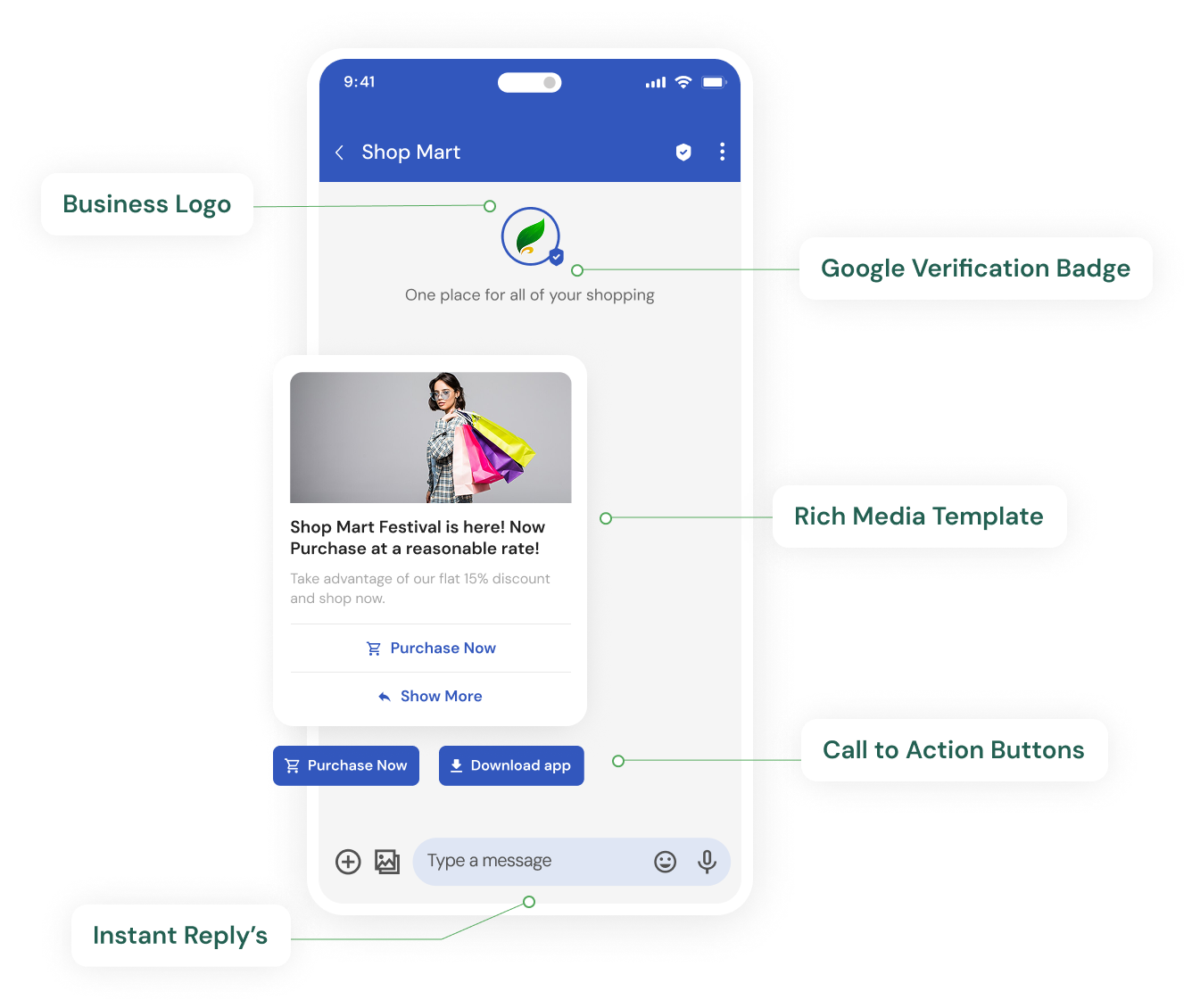
- Verified brand identity- your business name, logo, and a verified checkmark appear on every message
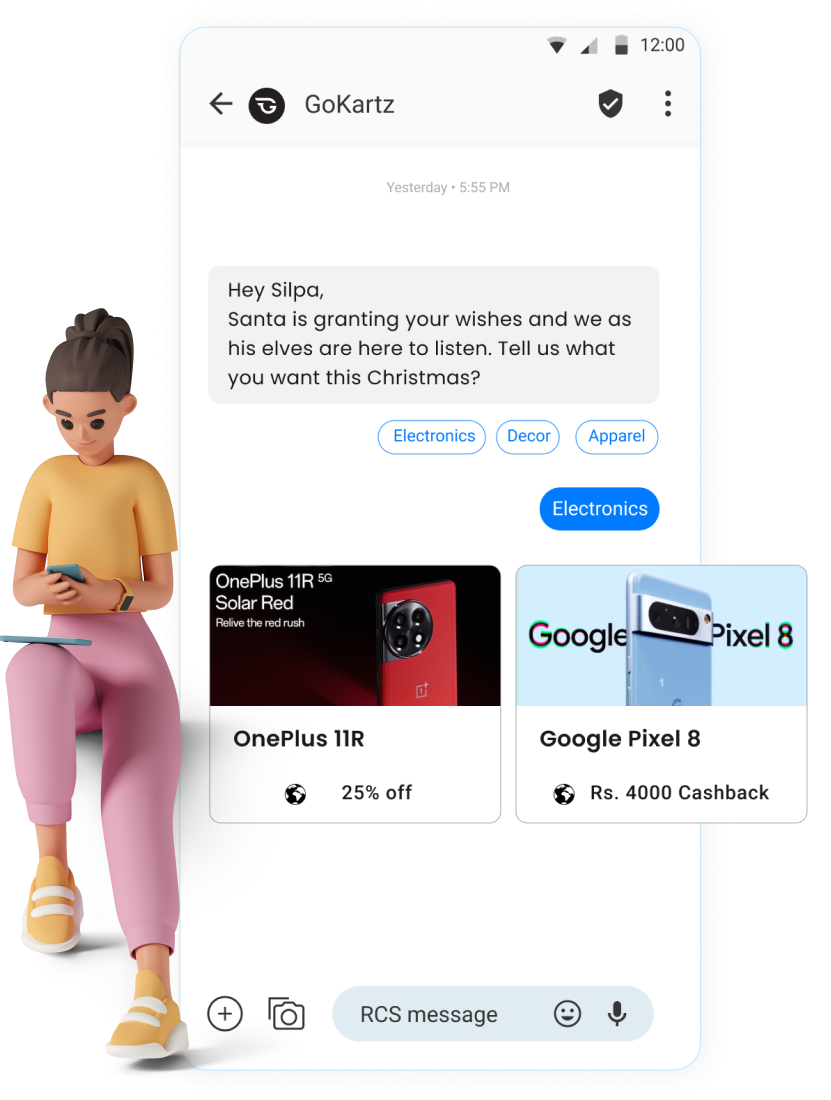
- Rich message formats- rich cards, carousels, suggested replies, action buttons
- Delivery and read receipts- real-time engagement data at the message level
- Two-way conversation support- customers can reply via quick-reply chips or free text
- Fallback to SMS- automatic downgrade when the recipient's device does not support RCS
- Analytics- delivery, read, click, and conversion tracking via the RBM platform
- API access- programmatic message sending for transactional flows and campaign automation
What makes it 'Google' RCS specifically
The RCS standard is defined by the GSMA (Global System for Mobile Communications Association)- an international telecom industry body, not Google. Any carrier or vendor can implement RCS according to this standard.
Google's specific contributions that justify the 'Google RCS' label are:
- Google Messages- the universal RCS client app that Google ships on Android and has negotiated as the default on most Android devices globally
- Universal Profile- Google's technical specification that standardises how RCS works across different carriers, eliminating the fragmentation that plagued early RCS adoption
- RBM Platform- Google's API and dashboard for businesses to send RCS Business Messages
- Brand Verification- Google's identity verification process that authorises businesses to send verified RCS messages
- Carrier Agreements- Google has negotiated RCS enablement agreements with carriers in India and globally, making RCS practically available where it might otherwise have stalled
Apple's separate role: Apple added RCS support in iOS 18 (2024). iPhone users can now receive RCS Business Messages. However, Apple's implementation uses the standard carrier RCS protocol, not Google's specific RBM platform. The business verification and sending process remains the same. For full coverage details, see our guide to RCS coverage in India.
Google's RCS Stack: Four Layers Every Business Should Understand
Google's RCS infrastructure has four distinct layers. Understanding each helps businesses know what they are getting, what Google manages, and where their messaging provider fits in.
| Layer | Name | What it does | Who manages it |
|---|---|---|---|
| L1 | Google Messages | Universal Android RCS client app- the interface where customers receive and read RCS messages. Shipped as default on most Android devices. | Google- shipped via Android OEM agreements |
| L2 | RCS Universal Profile | The technical standard that makes RCS interoperable across carriers and devices. Google pushed adoption of this single standard to eliminate fragmentation. | Google + GSMA- maintained as open standard |
| L3 | RBM Platform | The API and business portal that enterprises use to send, manage, and measure RCS Business Messages. Brand verification happens here. | Google- businesses access via an authorised partner |
| L4 | Carrier Integration | RCS enablement agreements and technical connectivity with Jio, Airtel, Vi, and carriers globally. Messages route through the carrier's RCS gateway. | Google + Carriers (Jio, Airtel, Vi) jointly |
As a business, you interact primarily with Layer 3 (the RBM Platform)- through a Google-authorised RCS provider like Get Click Media. Layers 1, 2, and 4 are managed by Google and the carriers, and are transparent to you as a sender.
Google RCS Business Messaging in India: Key Milestones
| Year | Milestone |
|---|---|
| 2007 | GSMA defines RCS standard- adoption is slow, carriers implement incompatible versions |
| 2015–17 | Google acquires Jibe Mobile- the leading RCS platform provider- and begins building a universal RCS implementation |
| 2018 | Google Messages launches with RCS- the 'Google RCS' era begins |
| 2019 | Jio enables RCS in India- first Indian carrier to enable RCS, unlocking the world's largest 4G network |
| 2020 | Airtel enables RCS · RBM platform opens to Indian businesses- first banks and e-commerce brands begin piloting |
| 2021 | Vi enables RCS · TRAI DLT launches- DLT framework tightens SMS compliance, making RCS an increasingly attractive alternative |
| 2022–23 | Enterprise RCS goes mainstream- major Indian banks, telecom brands, and e-commerce platforms deploy at scale |
| 2024 | Apple iOS 18 adds RCS support- iPhone users in India can receive RCS Business Messages for the first time |
| 2025–26 | RCS volumes grow 35–50% YoY in India- mainstream adoption across banking, retail, insurance, edtech, and healthcare |
Google RCS Business Messaging Formats: What You Can Send
Google RCS Business Messaging supports five distinct message formats. Each is suited to different campaign types and communication needs.
1. Basic message with suggested actions
The simplest RCS format- a text message with your verified sender identity (brand name and logo) plus up to 3 suggested action chips or quick-reply buttons. This is the RCS equivalent of a plain SMS but with verified branding and interactive buttons.
Best for: OTP alternatives, transactional alerts, simple notifications with a single CTA.
- Character limit: effectively unconstrained for practical business use
- Buttons: up to 3 (URL, call, map, quick reply)
- Media: text only- no image in this format
2. Rich card (standalone)
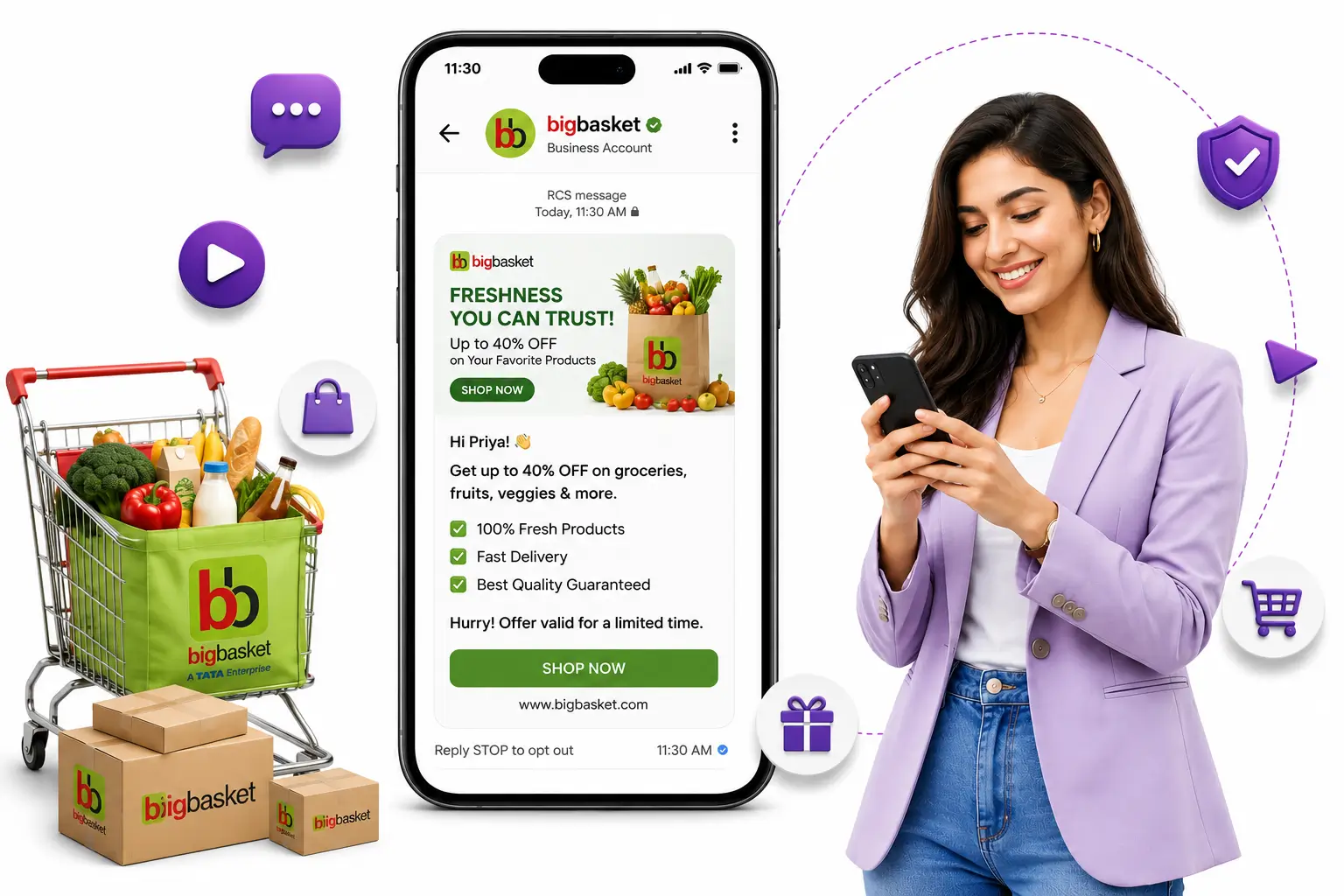
A structured message card with an image or video thumbnail at the top, a title, a subtitle or description, and up to 4 action buttons. This is the workhorse format for most RCS marketing campaigns.
Best for: product launches, offer announcements, appointment reminders, order confirmations.
- Image: up to 1 image (JPEG, PNG, GIF) or video thumbnail
- Title: up to 200 characters
- Description: up to 2,000 characters
- Buttons: up to 4 action buttons
3. Rich card carousel
A horizontal, swipeable series of 2 to 10 rich cards in a single message. Each card has its own image, title, description, and action buttons. The customer can swipe through the cards to browse multiple options.
Best for: product catalogues, offer listings, property showcases, course recommendations, travel options.
- Cards per carousel: 2 to 10
- Card orientation: landscape (wider, shorter) or portrait (taller, narrower)
- Each card: image + title + description + up to 4 buttons
- Overall carousel: up to 5 suggested replies below the carousel
4. Conversational message
A free-text or quick-reply message that is part of a two-way conversation flow. The customer can reply via quick-reply chips (predefined options) or free text. Your chatbot or agent handles the response.
Best for: booking flows, customer support, surveys, lead qualification, appointment confirmation.
- No image required- can be text-only
- Quick-reply chips: up to 11 suggested replies
- Session: conversation continues in the same thread
- Response: can be automated via chatbot or handled by a live agent
5. File and media messages
Standalone files, images, PDFs, or audio clips sent as attachments in the RCS thread.
Best for: policy documents, lab reports, event tickets, voice messages.
- Supported formats: JPEG, PNG, GIF, MP4 (video), MP3/AAC (audio), PDF
- File size limit: up to 100MB depending on carrier
Format selection tip: The rich card carousel is the highest-performing format for most Indian marketing campaigns- particularly e-commerce, banking offers, and real estate. The basic message with buttons is best for transactional use cases where simplicity and speed matter more than visual richness.
Google RCS Brand Verification: Step-by-Step Process
Before any business can send RCS Business Messages via Google's platform, it must complete Google's brand verification process. This is a one-time requirement that establishes your company's identity on the RCS network and authorises your verified sender profile.
Get Click Media manages this entire process on behalf of clients. Here is what the process involves:
Step 1- Google Business Profile (GBP) verification
Your business must have a verified Google Business Profile- the same profile that appears in Google Search and Google Maps. If you do not have one, this is the first step.
Timeline: 1–5 business days depending on verification method chosen (postcard, phone, email, or instant verification for eligible businesses).
Step 2- RBM agent creation
An 'RBM agent' is the business identity that sends your RCS messages- it carries your brand name, logo, description, contact details, and privacy policy URL. Get Click Media creates the agent on your behalf via the RBM platform.
Requirements: brand logo (min 1024×1024px), brand colour, business description (max 100 chars), privacy policy URL, support phone and email.
Step 3- Business verification submission
Your RBM agent is submitted to Google for review. Google verifies that your business is legitimate, that your brand assets are accurate, and that your message content complies with Google's business messaging policies.
Timeline: typically 3–7 business days. Complex cases (regulated industries like banking and pharma) may take longer. Get Click Media's team manages follow-ups with Google on your behalf. See our detailed RCS verified sender guide for the full checklist.
Step 4- Carrier launch
Once Google approves your agent, it must be launched on each carrier network (Jio, Airtel, Vi) separately. Each carrier does a brief technical check before enabling your agent to send to their subscribers.
Timeline: 1–3 business days per carrier. Get Click Media handles carrier launch requests simultaneously to minimise total onboarding time.
Step 5- Test and go live
Before launching your first campaign, your Get Click Media account manager sends test messages to confirm delivery, rich card rendering, and button functionality on Android and iOS 18+ devices.
Timeline: same-day or next-business-day once carrier launch is confirmed. First campaign can launch immediately after testing.
Total onboarding timeline: Most Get Click Media clients complete Google RCS brand verification and go live within 7 to 10 business days from the start of onboarding. The process runs in parallel with your campaign planning.
Google RBM API: What Developers Need to Know
For businesses that want to integrate RCS into their applications- sending OTPs, order confirmations, or personalised campaign messages programmatically- the Google RBM API (accessed via Get Click Media's REST API) is the relevant technical component. See our RCS API integration guide for the full technical reference.
API capabilities
- Send single messages- trigger individual RCS messages programmatically (OTPs, booking confirmations, alert triggers)
- Send batch campaigns- upload contact lists and trigger mass campaign sends via API
- Receive webhooks- get real-time delivery, read, and interaction events pushed to your system
- Manage conversations- handle inbound replies from customers programmatically
- Check capability- query whether a specific phone number is RCS-capable before sending
- Fallback configuration- define SMS fallback content alongside RCS content in a single API call
SDK support via Get Click Media
Get Click Media provides client SDKs for the most common development environments used by Indian engineering teams:
- Node.js- npm package with full TypeScript support
- Python- pip package with async support
- PHP- composer package for Laravel and WordPress integrations
- Java- Maven package for Spring Boot and enterprise Java applications
- REST- language-agnostic HTTP API for any stack
Typical API integration flows for Indian businesses
| Business type | Trigger | RCS API use |
|---|---|---|
| E-commerce platform | Order placed | Send order confirmation rich card with tracking button |
| Bank or NBFC | EMI payment due in 3 days | Send payment reminder with verified sender + Pay Now button |
| Edtech platform | Trial expires tomorrow | Send trial expiry carousel with upgrade options |
| Healthcare app | Appointment in 24 hours | Send reminder with Confirm/Reschedule quick replies |
| Insurance company | Policy renewal in 30 days | Send renewal card with premium breakdown + Renew Now |
| Logistics company | Parcel out for delivery | Send delivery card with driver name + map button |
| Real estate developer | New unit inventory added | Send property carousel with images + Book Visit button |
Google RCS Business Messaging vs Other Google Products
Google has several products in the messaging and business communication space. Here is how they relate to and differ from Google RCS Business Messaging:
| Product | What it is | Relation to RCS Business Messaging |
|---|---|---|
| Google Messages | Android SMS/RCS consumer app | The client app that delivers RCS messages to consumers. RBM messages appear here. |
| Google Business Messages | Chat widget on Google Search / Maps (now sunset) | A separate product- let customers chat with businesses from Google Search. Sunset by Google in July 2024. Not the same as RCS. |
| Google Chat | Workspace team collaboration tool | Internal enterprise messaging (like Slack). Completely separate from RCS. No consumer messaging use. |
| RCS Business Messaging (RBM) | Enterprise API for sending verified RCS messages | This IS Google RCS for businesses- the primary subject of this article. |
| Google Verified SMS | Earlier brand verification for SMS (now merged into RBM) | Allowed brands to verify SMS sender identity. Now deprecated and replaced by full RCS Business Messaging. |
| Gmail | Email product | Completely separate channel. No relation to RCS. |
Important clarification: Google Business Messages was a separate chat product that allowed customers to message businesses from Google Search and Maps. It was sunset by Google in July 2024- it no longer exists. The current Google business messaging product for campaigns and notifications is RCS Business Messaging (RBM). If you encounter references to 'Google Business Messages' in older articles, note that the channel described there is gone.
How to Get Started with Google RCS Business Messaging in India
Google does not sell RCS Business Messaging directly to businesses in India. Access is through authorised RBM partners- messaging platforms that have been authorised by Google to onboard businesses, manage brand verification, and provide sending infrastructure.
Get Click Media is one of India's authorised Google RCS Business Messaging partners. Here is how the process works:
- Contact Get Click Media via getclickmedia.com/rcs-messaging- share your business type, expected monthly message volume, and primary use case
- We begin your RBM agent setup- our team collects your brand assets (logo, colour, description) and begins the Google submission process on your behalf
- Google verification runs in parallel with your campaign planning- you do not need to wait for verification before planning your first campaign
- Carrier launch- once Google approves your agent, we launch on Jio, Airtel, and Vi simultaneously
- Test sends and go live- we run test messages, confirm rich card rendering, and brief your team on the campaign builder or API
- First campaign- typically within 7 to 10 business days of starting the process
All Get Click Media clients get a dedicated onboarding manager, 24×7 technical support, and access to our RCS campaign builder- no developer required for the first campaign.
For context on how RCS compares to SMS, RCS vs WhatsApp, and the cost of RCS messaging in India, see our full guide library.
Start your Google RCS Business Messaging setup with Get Click Media →
Article topics
Frequently Asked Questions
What is Google RCS Business Messaging?
Google RCS Business Messaging (RBM) is Google's enterprise platform for sending verified, rich, interactive messages to customers via the RCS protocol. It enables businesses to send messages with images, carousels, action buttons, and a verified brand identity- delivered to the Google Messages app on Android and the Messages app on iOS 18+. It is the commercial version of RCS, distinct from person-to-person RCS messaging between consumers.
Is Google RCS the same as SMS?
No. Google RCS Business Messaging is the next-generation successor to SMS. Unlike SMS, RCS supports rich media (images, carousels, video thumbnails), interactive buttons (Buy Now, Call, Map), verified sender identity with your brand logo, and read receipts. SMS is plain text only with a 160-character limit and no branding. RCS is delivered via the carrier network like SMS but uses IP (internet protocol) for the actual message transport.
Does Google charge for RCS Business Messaging?
Google does not charge businesses directly for sending RCS Business Messages. The charge is paid to your RCS messaging provider (like Get Click Media), who handles the carrier connectivity and billing. Google's brand verification process itself does not carry a direct fee. Your provider may include verification support in their onboarding fee or bundle it into the per-message rate.
How long does Google RCS brand verification take in India?
Google's brand verification process typically takes 3 to 7 business days for the Google review stage. Carrier launch on Jio, Airtel, and Vi adds another 1 to 3 business days. Total end-to-end onboarding from starting the process to sending the first campaign is typically 7 to 10 business days with Get Click Media managing the process.
What is the difference between Google RCS and Google Business Messages?
These are two distinct Google products. Google Business Messages was a chat widget that allowed customers to message businesses from Google Search and Google Maps- it was sunset by Google in July 2024 and no longer exists. Google RCS Business Messaging (RBM) is the current enterprise messaging product for sending rich, verified messages via the carrier network to Android and iOS 18+ devices.
Can I send Google RCS messages to iPhone users in India?
Yes, to iPhone users running iOS 18 or above. Apple added RCS support in iOS 18 (released September 2024). RCS Business Messages appear in the native iPhone Messages app for iOS 18+ users with full rich card, carousel, and button support. iPhone users on iOS 17 or earlier cannot receive RCS- Get Click Media's platform automatically sends an SMS fallback to those users.
Do I need a developer to use Google RCS Business Messaging?
No. Get Click Media's no-code campaign builder allows your marketing team to design and send RCS campaigns without writing any code. For businesses that want to integrate RCS into their applications (transactional OTPs, order confirmations, personalised campaign sequences), a REST API with SDKs for Node.js, Python, PHP, and Java is available.
Is Google RCS Business Messaging available across all of India?
Google RCS Business Messaging is available to businesses across India. On the recipient side, coverage depends on the customer's mobile network and device- Jio, Airtel, and Vi all support RCS. BSNL's RCS support is limited. For customers whose devices do not support RCS, Get Click Media's platform automatically delivers an SMS fallback.
About the author
Get Click Media creates practical resources for businesses using messaging, automation, analytics, and digital communication to improve customer engagement. This article was published on .