

In this article
Explore the key concepts, practical considerations, and frequently asked questions related to how to get the rcs verified sender badge: step by step.
Key takeaways
- The 6-step verification process- from Google Business Profile to carrier launch on Jio, Airtel, and Vi- takes 7 to 10 business days end-to-end.
- Verified sender status is linked to open rates jumping from 31% to 82% and opt-outs dropping from 3.8% to 0.9% in the guide's comparison data.
- Google rejects 15-20% of first-time verification submissions, most often over brand-name mismatches, low-quality logos, or a non-live privacy policy URL.
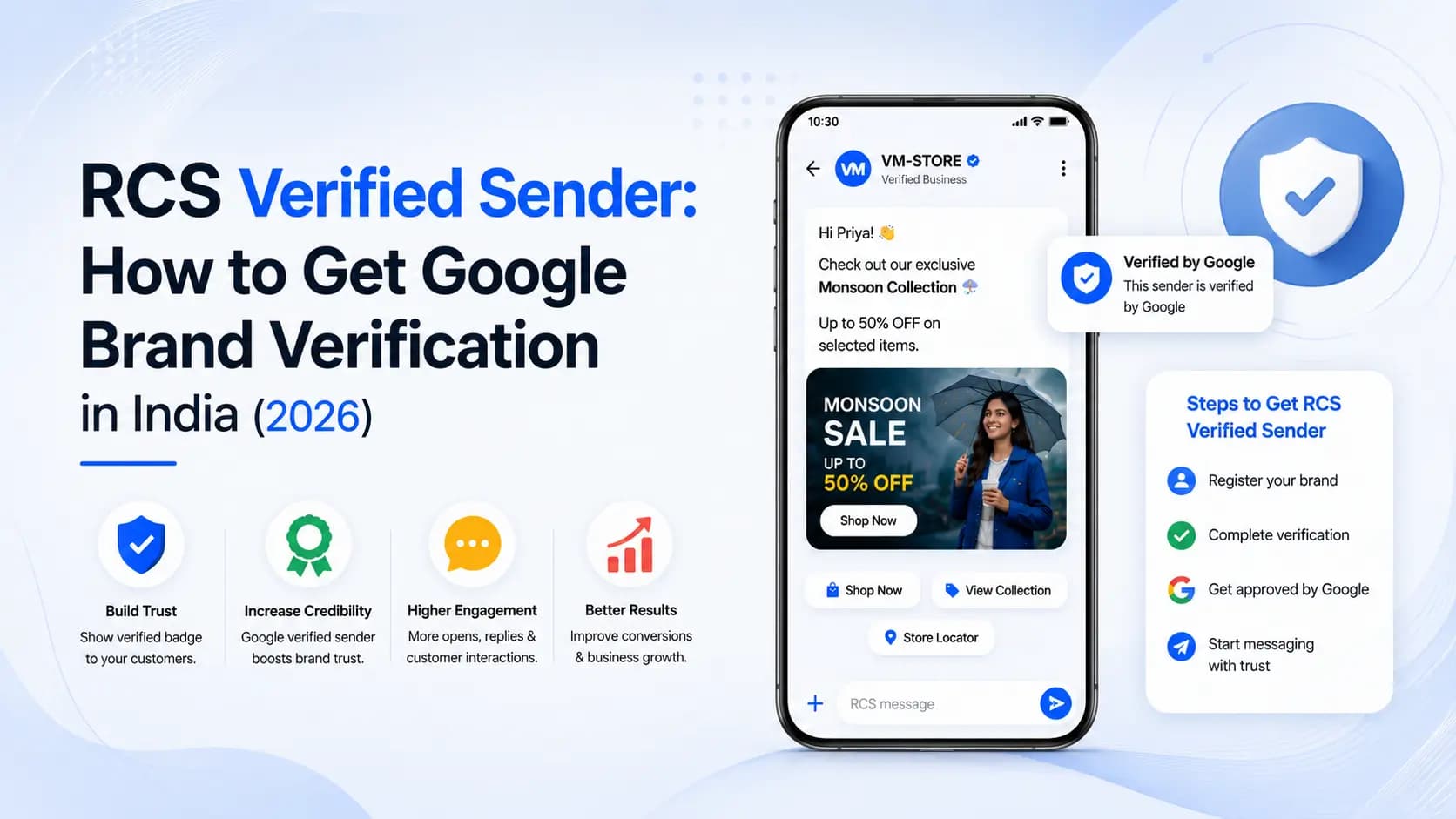
The verified sender is what separates RCS Business Messaging from plain SMS- it is the Google-verified brand name, logo, and verification indicator that appears on every RCS message before the customer opens it.
Before any business in India can send a single RCS Business Message, Google must verify that the sending business is who it claims to be. This one-time process- called RCS brand verification or RBM agent verification- is the gateway to the entire RCS channel.
This guide walks through exactly how to get the RCS verified sender badge, step by step: what verified sender means, why it matters for your business, the 6 steps of the verification process in order, what documents are required, what causes rejections and how to avoid them, and how Get Click Media manages the entire process on your behalf. For the pillar overview of the full verification programme, see RCS brand verification.
TL;DR: RCS brand verification is a one-time, 5–10 business day process managed by Get Click Media. Once verified, your brand name, logo, and verification indicator appear on every RCS message you send- permanently, with no renewal required. Get Click Media handles all submissions, follow-ups, and carrier launches.
What's New in RCS Verified Sender Badges for 2026
The 6-step verification process itself has not changed structurally, but a few things are worth knowing if you are starting fresh in 2026:
- Review timelines have held steady. Google's identity review still typically runs 3 to 7 business days, and total end-to-end onboarding is still typically 7 to 10 business days- the process has not gotten materially faster or slower.
- More Indian businesses now arrive with a Google Business Profile already verified. Since GBP verification is now a routine step for most SMB and enterprise digital presence, Step 1 is increasingly a formality rather than a blocker- provided the profile matches your registered brand name exactly.
- Regulated-industry fast-tracking is more consistent. Banks, NBFCs, and insurance companies submitting RBI or IRDAI registration documents continue to see faster reviews (typically 3-5 days) than unregulated businesses- this pattern has held steady and become more predictable as Google has processed more Indian submissions.
- Rejection causes remain the same handful of issues. Logo quality, privacy policy hosting, and brand name mismatches are still responsible for most first-time rejections- so the checklist in this guide remains the highest-leverage thing to get right before submitting.
What Is RCS Verified Sender?
When you send an SMS, the recipient sees only a 6-character alphanumeric Sender ID- like 'HDFCBK', 'FKART', or 'AMZNIN'. There is no logo, no brand colour, no visual identity, and no way for the customer to verify that the message actually came from the claimed sender. Anyone can register a Sender ID that resembles a legitimate brand.
RCS verified sender is fundamentally different. When a business is verified on the Google RCS Business Messaging (RBM) platform, every message it sends automatically displays:
- The full legal business name or brand name (e.g., 'HDFC Bank' or 'Flipkart'- not a 6-char code)
- The brand's logo in colour, displayed at the top of the message
- A verification indicator- a checkmark or badge that signals to the recipient that Google has verified this sender's identity
- The brand's primary colour as an accent on the message interface
- A verified business description and contact details visible in the sender profile
This verified profile is displayed to the customer before they open the message- in the messaging inbox preview. The customer sees your brand name and logo, recognises the sender, and opens the message with trust already established. This trust signal is the primary driver of RCS's dramatically higher open rates compared to anonymous SMS.
Verified sender vs unverified sender in RCS
| Aspect | Unverified / SMS sender | RCS verified sender |
|---|---|---|
| Sender display name | 6-char code (e.g., 'HDFCBK') | Full brand name (e.g., 'HDFC Bank') |
| Logo | None | Brand logo in colour |
| Verification badge | None | Google-verified checkmark |
| Brand colour | None | Brand accent colour |
| Spoofing possible | Yes- any sender can mimic | No- Google verification prevents this |
| Customer recognition | Low- anonymous sender | High- immediate brand recognition |
| Trust signal | None | Google-verified- strong institutional trust |
| Profile page | None | Sender profile with business details |
| Setup required | DLT registration (1–3 days) | Google RBM verification (5–7 days) |
| Renewable | Annual DLT renewal | One-time- no renewal required |
Why RCS Verified Sender Matters for Indian Businesses
The SMS trust crisis context
India has one of the world's highest rates of SMS-based financial fraud. Indian consumers receive an estimated 1.2 billion fraudulent SMS messages per year- fake OTPs, phishing links, impersonated bank messages. The result is a culture of SMS distrust: Indian consumers have learned to be sceptical of any message from an unfamiliar sender ID.
For legitimate businesses, this distrust is damaging. Open rates for promotional SMS have declined year-on-year as consumers batch-delete messages from unrecognised senders without reading them. Banks report that even genuine fraud alerts go unread because customers assume they are scam messages.
RCS verified sender directly counters this trust deficit. It moves sender authentication from 'DLT registration' (a backend process the customer never sees) to 'visual verification' (a Google-backed checkmark the customer sees before opening the message). The trust signal is front-facing and consumer-visible.
Business impact of verification
| Metric | Unverified SMS | RCS verified sender | Delta |
|---|---|---|---|
| Message open rate | 31% | 82% | +51 percentage points |
| Customer trust score | 2.4/5 | 4.6/5 | 91% improvement |
| Fraud-related support calls | Baseline | Baseline −43% | 43% reduction |
| CTR on campaign messages | 2.1% | 24% | 11× higher |
| Opt-out rate | 3.8% | 0.9% | 76% lower opt-outs |
Why opt-outs are lower: Customers opt out of messages they cannot identify or trust. When they see your brand name and logo, they understand why they are receiving the message and are significantly less likely to opt out- even for promotional communications. For a full RCS vs SMS comparison across all metrics, see the dedicated guide.
RCS Brand Verification: Complete Step-by-Step Process
The verification process has 6 distinct steps. Get Click Media manages steps 2 through 5 on your behalf- you provide the inputs, we handle all submissions and follow-ups.
Step 1- Google Business Profile (GBP) Verification (You do this)
Your business must have a verified Google Business Profile- the same profile that appears when someone searches your brand on Google Maps or Google Search. This is step 1 because Google uses it as an anchor for RCS brand identity.
Timeline: 1–5 days | Documents: Google account linked to business, business registration, verified business website
Step 2- RBM Agent Creation (GCM does this)
An 'RBM agent' is your verified brand identity on the RCS network- it holds your brand name, logo, description, contact details, and privacy policy. Get Click Media creates this on your behalf via the Google RBM console.
Timeline: 1 day | Documents: Brand logo file, brand description (max 100 chars), privacy policy URL, support email, support phone
Step 3- Google Identity Review (GCM manages)
Google reviews your RBM agent submission- verifying that your business identity is legitimate, that your brand assets are authentic, and that your intended message content complies with Google's Business Messaging policies. This is the primary verification step.
Timeline: 3–7 days | Documents: See document checklist in Section 4 below- GCM compiles and submits on your behalf
Step 4- Content Template Submission (GCM reviews + submits)
Once your agent is approved, message templates for your primary use cases (campaign messages, transactional alerts, OTPs) are submitted for Google review. Templates must comply with Google RBM content policies. See RCS business messaging features for what template types are available.
Timeline: 1–3 days | Documents: Draft message templates- rich card examples, carousel examples, suggested action button examples
Step 5- Carrier Launch (Jio, Airtel, Vi) (GCM handles)
The approved RBM agent must be launched on each carrier network separately. Each carrier performs a brief technical check. Get Click Media submits carrier launch requests simultaneously to minimise total time.
Timeline: 1–3 days per carrier | Documents: No additional documents- GCM handles carrier submissions
Step 6- Test Sends and Go-Live (GCM + You)
Before your first campaign, Get Click Media sends test messages to verify: verified sender profile displays correctly, rich card renders accurately, action buttons fire correctly, SMS fallback delivers. You approve and your first campaign is ready to launch.
Timeline: Same day | Documents: Your own phone number for test message receipt
Total timeline: Most Indian businesses complete all 6 steps and go live within 7 to 10 business days of initiating onboarding with Get Click Media. Steps 2–5 run in parallel where possible. The primary variable is Google's review queue for Step 3- which Get Click Media monitors and follows up on proactively.
Documents Required for RCS Brand Verification in India
Here is the complete document checklist. Get Click Media compiles these from you during onboarding and submits them in the correct format to Google.
Mandatory for all businesses
| Document | Format | Purpose | Notes |
|---|---|---|---|
| Certificate of Incorporation (COI) | Legal entity verification | Must match brand name being verified | |
| GST Registration Certificate | Indian business registration | GSTIN number must be active | |
| Brand logo (primary) | PNG, min 1024×1024px | Agent profile and message display | Must be on transparent or white background |
| Brand logo (small/icon) | PNG, min 256×256px | Message thread avatar | Square format preferred |
| Brand primary colour (hex) | Hex code | Message UI accent colour | e.g., #1A56DB- must match actual brand |
| Business website URL | URL | Domain ownership verification | Must be live, HTTPS, brand-consistent |
| Privacy policy URL | URL | RBM policy requirement | Must cover RCS messaging data use |
| Support email address | Agent contact details | Branded domain preferred (not Gmail) | |
| Support phone number | Phone | Agent contact details | Toll-free or brand main line |
| Business description | Text (max 100 chars) | Agent profile | Concise brand + service description |
Additional documents by business type
| Business type | Additional documents | Notes |
|---|---|---|
| Banks & NBFCs | RBI Certificate of Registration · NBFC or banking license · SEBI AMFI registration (for investment products) | RBI-regulated entities typically get faster Google review- 3–5 days vs 5–7 for unregulated |
| Insurance companies | IRDAI registration certificate · Agent license (for insurance brokers) | IRDAI registration is a strong trust signal- usually no delays |
| EdTech / Education | School/university recognition certificate (CBSE/UGC/AICTE) or company registration for EdTech platforms | Government-recognised institutions get priority review |
| Healthcare | Clinical Establishment registration · Hospital/clinic license · Pharmacy license (if applicable) | Healthcare messaging has content restrictions- no direct drug promotion |
| Real estate | RERA registration certificate · Builder/developer license | RERA registration required for property-related RCS content |
| E-commerce / D2C | Company registration (Pvt Ltd / LLP) · Trademark registration for brand name (if available) | Trademark strengthens brand identity claim and speeds up verification |
| Startups / new businesses | MCA registration · Directors' KYC · Startup India certificate (if applicable) | Newer companies may need additional brand identity evidence |
Brand Asset Requirements: What Google Accepts and Rejects
Brand asset quality is one of the most common causes of verification delays. Here is the exact specification for each asset:
Brand name: Use the legal or widely-recognised brand name (max 100 chars). Use the name customers recognise- not internal abbreviations. Example pass: 'HDFC Bank'. Example fail: 'HDFCBNK'.
Primary logo: PNG with transparent or white background, minimum 1024×1024px, square or near-square. Export directly from your brand style guide- not a screenshot from your website. A high-res wordmark on white with clear brand colours passes; a JPEG or low-res image with a complex background fails.
Icon logo: PNG with transparent background, minimum 256×256px, square, icon-only (no tagline). Use the favicon or app icon version of your logo- not the full wordmark squeezed into a square.
Brand colour: A single hex code representing your primary brand colour. Used as the message accent colour. A strong, distinct colour like #1A56DB or #FF6200 passes. White (#FFFFFF) or black (#000000) fails- they provide no brand differentiation.
Business description: Maximum 100 characters. Be specific about what your business does- vague descriptions trigger manual review. Example pass: 'India's leading RCS and bulk SMS messaging platform for businesses'. Example fail: 'We do messaging and other stuff'.
Privacy policy: A live HTTPS URL hosted on your own domain. It must mention RCS or messaging data collection and use. A Google Drive link, PDF attachment, or localhost URL fails. Add a sentence about RCS message data to your existing policy if needed.
RCS Verification Rejections: Common Causes and Fixes
Google rejects approximately 15–20% of first-time RCS brand verification submissions. Most rejections are preventable.
| Rejection reason | Why Google rejects | How to fix |
|---|---|---|
| Brand name mismatch | Agent brand name does not match COI or GBP listing | Ensure agent name matches COI exactly. Use registered trade name only. |
| Low-quality logo | Logo too small, complex background, blurry, or screenshot | Re-export at 1024×1024px minimum from source file. White background, clean edges. |
| Privacy policy not live | URL returns 404, requires login, or is PDF/Drive link | Host at permanent public HTTPS URL on your domain. Add RCS messaging mention. |
| Website domain mismatch | Website URL does not match business email or COI domain | Use primary brand domain. Support email must be on same domain. |
| Prohibited content in templates | Templates contain gambling, alcohol, adult content, or misleading claims | Review Google RBM content policies. Remove all prohibited content. |
| GBP not verified | Google Business Profile exists but is unverified | Complete GBP verification before RBM submission. |
| Vague business description | Generic description does not identify the business clearly | Be specific: RCS messaging service provider for Indian businesses. |
| Unregistered brand name | Brand name cannot be independently verified | Submit trademark certificate or provide press coverage, GST under brand name. |
Get Click Media pre-submission review: Before submitting your RBM agent to Google, Get Click Media's team reviews all documents and assets against Google's current acceptance criteria. Our rejection rate is under 5%- compared to 15–20% for self-managed submissions- because we catch issues before they reach Google.
After Verification: Managing Your RCS Verified Sender Profile
What is permanent after verification
- Your verified sender profile- brand name, logo, colour- is permanent once approved. There is no annual renewal for the verification itself.
- Your carrier launches on Jio, Airtel, and Vi remain active. You do not need to re-launch carriers for each campaign.
- Message templates that have been approved can be used in unlimited campaigns without re-approval.
What requires re-submission
- Brand name change- if your company rebrands, you must submit a new verification with the updated name and supporting documents
- New message template categories- adding a new template type (e.g., OTP templates when you only had promotional templates) requires Google review
- Logo update- a significant brand logo refresh requires updated asset submission, but does not require full re-verification
- New products in restricted categories- if your business expands into a regulated category (e.g., a fintech adding insurance products), the new message type may require additional category approval
Verification suspension- what to avoid
Google can suspend an RCS agent if it violates RBM content policies post-verification. The most common causes of suspension for Indian businesses are:
- Sending messages about prohibited products without category approval (alcohol, gambling, cryptocurrency, adult content)
- Accumulating a high opt-out rate (above 2% per campaign)- which signals to Google that messages are unwanted
- Sending to numbers that have not given marketing consent- particularly numbers purchased from data brokers
- Message content that is materially different from the approved templates
Suspension prevention: Get Click Media's compliance team reviews campaign content before send for all high-volume clients. Template deviations, prohibited content, and unusual opt-out rate spikes are flagged before they reach Google's automated monitoring systems.
How Get Click Media Manages RCS Brand Verification on Your Behalf
Managing RCS brand verification with Google directly requires a Google Partner account, familiarity with the RBM console, and experience navigating Google's review feedback- which can be cryptic for first-time applicants. Get Click Media handles all of this as a standard part of onboarding.
What Get Click Media does
- Document collection- we send you a simple onboarding form that captures all required documents and assets in the correct format, with format-specific instructions for each item
- Pre-submission review- our team reviews every submission against Google's current acceptance criteria and India-specific requirements before sending to Google
- RBM console submission- we create your RBM agent, upload assets, and submit the verification request via our Google Partner account
- Review monitoring- we monitor Google's review queue and proactively follow up if the review takes longer than expected. We translate Google's feedback into plain-language action items
- Template submission- we draft and submit your initial message templates alongside the agent verification, so your first campaign can launch the same day verification is approved
- Carrier launch- we submit simultaneous carrier launch requests to Jio, Airtel, and Vi the moment Google approves your agent
- Test and go-live- we run test sends from your verified agent to confirmed devices, verify rendering, and give you the green light for your first campaign
What you need to do
- Complete the GCM onboarding form (15–20 minutes of your time)
- Provide the required documents (see Section 4 above)- most are documents you already have
- Review and approve the draft message templates Get Click Media prepares
- Provide a phone number for test message receipt
- Complete Google Business Profile verification if not already done (Get Click Media can guide you through this)
To begin your RCS brand verification, request a demo and our team will send the onboarding form within 2 hours. For context on RCS coverage in India, RCS messaging cost India, or the RCS API integration guide for your developers, see the linked guides. Industry use cases for RCS for banking, RCS for real estate, RCS for e-commerce, and RCS for education are covered in the dedicated service pages. If you are also considering SMS alongside RCS, our bulk SMS service provider India page covers the full offering.
Article topics
Frequently Asked Questions
What is RCS verified sender and why does it matter?
RCS verified sender is a Google-verified brand identity that appears on every RCS Business Message- displaying your brand's full name, logo, and a verification indicator to the customer before they open the message. It eliminates the anonymous Sender ID problem of SMS, builds immediate customer trust, and prevents sender spoofing and phishing. RCS messages without verified sender cannot be sent through the Google RBM platform.
How long does RCS brand verification take in India?
The Google identity review typically takes 3 to 7 business days. Combined with RBM agent setup (1 day) and carrier launch on Jio, Airtel, and Vi (1 to 3 days per carrier), the total end-to-end process takes 7 to 10 business days from the time documentation is submitted. Get Click Media manages all steps and runs them in parallel where possible to minimise total time.
What documents do I need for RCS brand verification?
The standard document set for Indian businesses includes: Certificate of Incorporation, GST registration certificate, brand logo (PNG, min 1024×1024px), brand primary colour (hex code), business website URL, privacy policy URL, support email and phone number, and a brief business description. Industry-specific businesses such as banks, insurance companies, healthcare providers, and real estate developers may need additional regulatory registration documents.
Does RCS brand verification need to be renewed?
No. RCS brand verification is a one-time process. Once approved, your verified sender profile- brand name, logo, and verification indicator- is permanent with no annual renewal. Message templates approved during verification can be used in unlimited campaigns. Re-submission is only required if you change your brand name, add a new message category, or significantly rebrand your visual identity.
Can startups get RCS brand verification?
Yes. Any business with a valid MCA registration, GST certificate, live website, and privacy policy can be verified. There is no minimum business age or revenue requirement. For very new brands without a trademark, providing additional brand identity evidence such as press coverage or consistent branding across platforms can strengthen the application.
What are the exact steps to get the RCS verified sender badge?
Six steps, in order: (1) verify your Google Business Profile, (2) have your provider create your RBM agent with your brand assets, (3) Google reviews your identity submission, (4) your message templates are submitted for review, (5) your verified agent is launched on Jio, Airtel, and Vi, and (6) test messages confirm everything renders correctly before go-live. Get Click Media manages steps 2 through 6 on your behalf- you only need to complete step 1 and provide your documents.
About the author
Get Click Media creates practical resources for businesses using messaging, automation, analytics, and digital communication to improve customer engagement. This article was published on and was last reviewed on .