
In this article
Explore the key concepts, practical considerations, and frequently asked questions related to ivr system setup guide: from number provisioning to call flow design.
Key takeaways
- Setting up IVR is two jobs- provisioning a local, toll-free, or virtual number, then building the greeting, menu, and routing in a drag-and-drop flow designer.
- Most IVR flows go live within 3 to 5 days, with number provisioning typically same-day to next-day and the rest spent on design and testing.
- Keep menus to 2-3 levels at most- IVR path data consistently shows abandonment climbing at deeper menu levels as callers give up and hang up.
Setting up an IVR system means two distinct pieces of work: getting a number provisioned and activated, and then designing the actual call flow- the greeting, menu, key-press routing, and fallback paths- that runs on top of it. This guide walks through both, from choosing a number type to publishing a tested flow. For the plain-English overview of what an IVR system does day to day, or if you'd rather have this handled end-to-end, see IVR service provider in India.
What Gets Set Up
| Component | What it is | Setup owner |
|---|---|---|
| Number (local / toll-free / virtual) | The phone number callers dial- local for a regional business, toll-free (1800-prefix) for a free-to-call national line, virtual for internet-routed flexibility | Business chooses- GCM provisions |
| Greeting / Welcome Message | The first thing every caller hears, before any menu option is presented | Business scripts- GCM records or configures text-to-speech |
| Menu Structure | The set of prompts and key options ("Press 1 for Sales, 2 for Support") laid out on the call tree | GCM builds in the flow designer |
| Routing Actions | Where each key press actually sends the caller- a department queue, an agent, voicemail, or a self-service lookup | GCM configures per business logic |
| Fallback & Timeout Paths | The default route when a caller presses nothing, an invalid key, or the line times out | GCM configures- business confirms destination |
| Analytics Dashboard | Visibility into menu usage, drop-off points, and call-path data once the flow is live | GCM provides access |
Step-by-Step IVR System Setup
1. Choose a Number Type
The number decision comes first because it shapes the rest of the flow. A local number suits a business serving one city or region and keeps costs lowest. A toll-free number suits a business with a national audience, since removing the caller's cost from the equation matters more once you're advertising across markets- it also reads as a more established, national-scale brand than a number tied to one city. A virtual number is the flexible middle option: it routes over the internet to whichever device or team you configure, without being tied to a SIM card or a physical desk phone.
Choosing toll-free? Confirm your audience is genuinely national first- toll-free inbound rates run higher than local or virtual, so it's worth paying for only when the free-to-call benefit actually moves the needle.
2. Provision and Activate the Number
Once the number type is decided, Get Click Media provisions it on cloud telephony infrastructure. No new SIM card and no physical line installation is required- the number runs entirely on cloud infrastructure, so activation is typically same-day to next-day rather than the multi-week process a traditional telecom line would involve. This is also the point where the number gets attached to your account for the flow designer to build on top of.
Keep the number itself out of your marketing until activation is confirmed- a number that's provisioned but not yet routed through a tested flow can strand early callers.
3. Record or Write the Greeting Message
The greeting is the first thing every caller hears, before any menu option is presented- it sets the tone for the whole call. You can record a professional voice greeting or write a script for text-to-speech. Keep it short: a caller who has to sit through a long greeting before reaching the menu is more likely to hang up or zone out and miss the key options that follow.
State the business name early in the greeting- callers use it to confirm they've reached the right number, especially on a toll-free or virtual number that isn't tied to a recognizable local area code.
4. Design the Menu Structure and Key-Press Routing
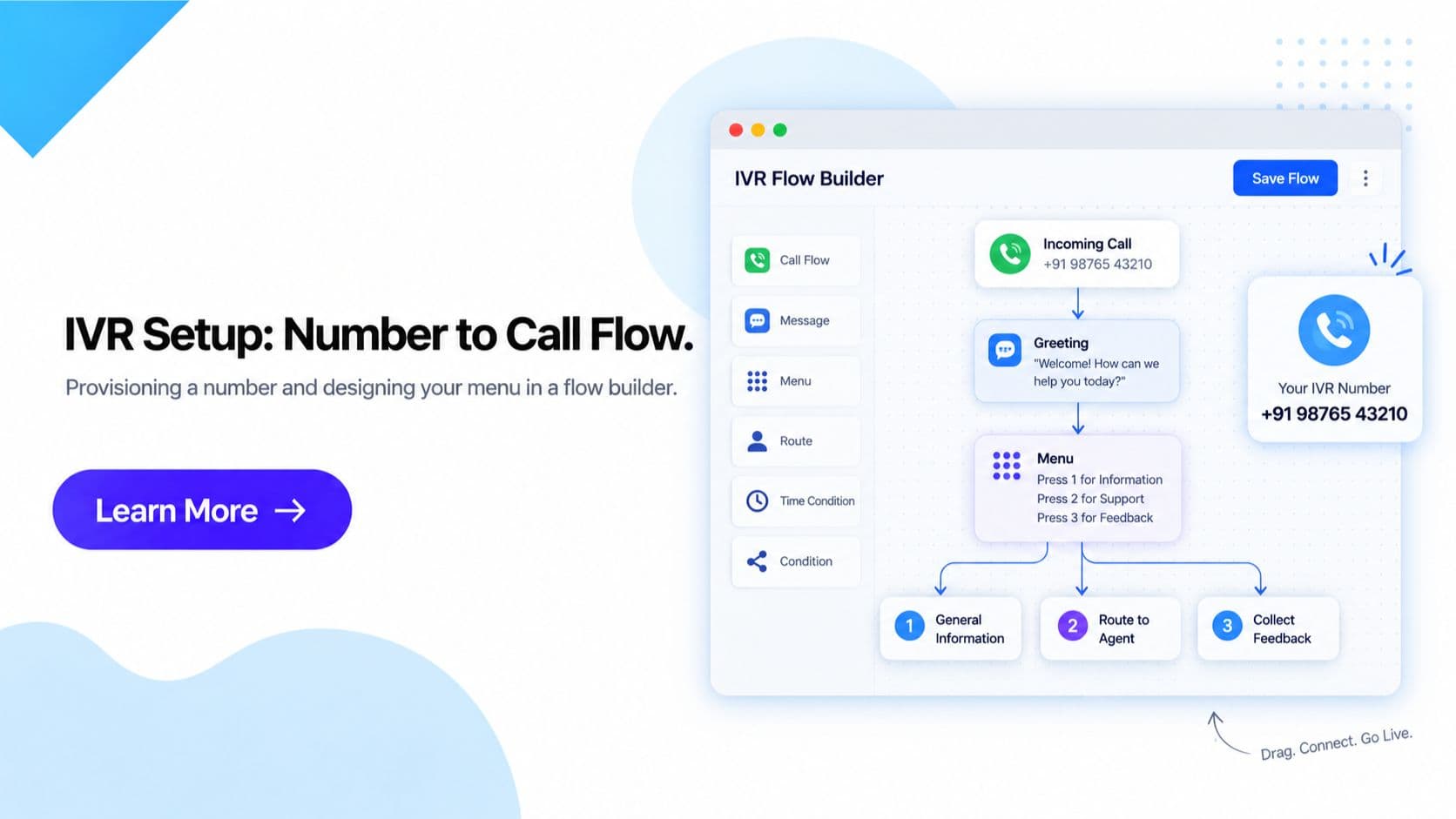
This is where the drag-and-drop flow designer does the real work: you visually place the greeting, menu prompts, and routing destinations on a call tree and connect them, without writing code or filing an engineering ticket. Each key press maps to a destination- a department queue, a specific agent, voicemail, or a self-service option like an order-status lookup- and a menu can nest into a sub-menu where one department, like Support, needs its own second-level options.
Keep menus shallow- 2 to 3 levels at most. A top-level menu routing to Sales, Support, or Billing, with a single sub-menu under Support, is usually enough. Every extra level increases the chance a caller hangs up or mis-presses a key before reaching a person.
5. Configure Fallback, Timeout, and Voicemail Paths
Every flow needs a default path for what happens when a caller presses nothing, presses an invalid key, or the line times out waiting for input. Without one, that caller is simply stuck. The fallback typically routes to a general queue, voicemail, or repeats the menu once before falling through to a default destination- the goal is that no caller is ever left with no way forward, regardless of what they press or don't press.
Set the fallback destination to a live queue during business hours and voicemail after hours, rather than the same destination around the clock- it keeps a genuine miskey from waiting on an unstaffed line.
6. Test the Flow and Go Live
Before publishing, call through the draft flow yourself from an actual phone- not just a dashboard preview- and verify every greeting, menu prompt, and routing path plays and connects correctly. Once every scenario checks out, publish the flow. Changes after go-live, like adding a menu option or rerouting a department, can be published without taking the number offline or interrupting calls already in progress.
Test from a mobile phone and a landline separately if your audience uses both- key-press (DTMF) tone recognition occasionally behaves differently across carriers.
Common Mistakes to Avoid
- Too many menu levels. Nesting sub-menus three or four layers deep tests a caller's patience long before they reach a person- keep it to 2 to 3 levels.
- No fallback path. Skipping a default route for silence, invalid key presses, or timeouts leaves genuinely stuck callers with no way forward.
- Generic hold music or no music-on-hold at all. Dead silence while a caller waits reads as a dropped call- always attach music or a periodic message to any queue.
- Not testing from a real phone before go-live. A flow that looks correct in the dashboard can still play the wrong prompt or misroute a key press- always call through it live first.
Frequently Asked Questions- IVR System Setup
How long does IVR system setup take? With Get Click Media, most IVR flows go live within 3 to 5 days- number provisioning is typically same-day to next-day, and the remaining time covers greeting recording, menu design, and testing. A simple single-level flow can go live faster; a multi-level flow with several sub-menus and self-service lookups takes closer to the full window.
Do I need a developer to set up an IVR system? No. The flow designer is drag-and-drop- you visually place the greeting, menu prompts, and routing actions on a call tree without writing code or filing an engineering ticket. If you want custom integrations, like triggering a CRM lookup from a self-service option, API access is available for a developer to build against.
What number type should a new business pick for its IVR? A local number suits a business serving one city or region and keeps costs lowest. A toll-free (1800-prefix) number suits a business with a national audience where removing the caller's cost matters- it also projects a more established, national-scale brand image. A virtual number is the flexible middle option, routing calls over the internet to any device or team without being tied to a city or a physical line.
How many menu levels is too many for an IVR flow? Keep it to 2 to 3 levels at most. A top-level menu routing to Sales, Support, or Billing, with one sub-menu underneath a busy department like Support, is usually enough. Every extra level a caller has to sit through before reaching a person increases the chance they hang up or mis-press a key, so deeper nesting should be the exception, not the default.
What happens when a caller presses nothing or an invalid key? Every flow needs a fallback or timeout path- without one, a caller who presses nothing or an invalid key gets stuck with no way forward. The fallback typically routes to a general queue, voicemail, or repeats the menu once before falling through to a default destination, so no caller is ever left on a dead end.
What does IVR system setup cost? IVR is priced per minute of call time on a volume-based rate card, starting around ₹0.40 per minute below 10,000 minutes a month and dropping to roughly ₹0.22 per minute at 1,00,000+ minutes, with number rental billed separately by the telecom operator. See IVR pricing in India for the full rate card and plan comparison- number provisioning assistance and the flow builder are included on every plan.
Get Started
Ready to move from number to a live call flow? Explore the drag-and-drop IVR system builder, see the full managed offering on IVR service provider in India, or check exact rates on IVR pricing in India.
Get your IVR system live in days, not weeks- Start Onboarding · Request a Demo · View Pricing
Article topics
Frequently Asked Questions
How long does IVR system setup take?
With Get Click Media, most IVR flows go live within 3 to 5 days- number provisioning is typically same-day to next-day, and the remaining time covers greeting recording, menu design, and testing. A simple single-level flow can go live faster; a multi-level flow with several sub-menus and self-service lookups takes closer to the full window.
Do I need a developer to set up an IVR system?
No. The flow designer is drag-and-drop- you visually place the greeting, menu prompts, and routing actions on a call tree without writing code or filing an engineering ticket. If you want custom integrations, like triggering a CRM lookup from a self-service option, API access is available for a developer to build against.
What number type should a new business pick for its IVR?
A local number suits a business serving one city or region and keeps costs lowest. A toll-free (1800-prefix) number suits a business with a national audience where removing the caller's cost matters- it also projects a more established, national-scale brand image. A virtual number is the flexible middle option, routing calls over the internet to any device or team without being tied to a city or a physical line.
How many menu levels is too many for an IVR flow?
Keep it to 2 to 3 levels at most. A top-level menu routing to Sales, Support, or Billing, with one sub-menu underneath a busy department like Support, is usually enough. Every extra level a caller has to sit through before reaching a person increases the chance they hang up or mis-press a key, so deeper nesting should be the exception, not the default.
What happens when a caller presses nothing or an invalid key?
Every flow needs a fallback or timeout path- without one, a caller who presses nothing or an invalid key gets stuck with no way forward. The fallback typically routes to a general queue, voicemail, or repeats the menu once before falling through to a default destination, so no caller is ever left on a dead end.
What does IVR system setup cost?
IVR is priced per minute of call time on a volume-based rate card, starting around ₹0.40 per minute below 10,000 minutes a month and dropping to roughly ₹0.22 per minute at 1,00,000+ minutes, with number rental billed separately by the telecom operator. See [IVR pricing in India](/ivr-pricing-india) for the full rate card and plan comparison- number provisioning assistance and the flow builder are included on every plan.
About the author
Get Click Media creates practical resources for businesses using messaging, automation, analytics, and digital communication to improve customer engagement. This article was published on .