
IVR Service Provider in India
Multi-level call routing, TRAI-compliant number and infrastructure management, and 24/7 automated customer handling- so your business doesn't have to build or run this system itself.
One account for Voice, SMS, WhatsApp & RCS · 10,000+ Indian businesses
Trusted by 10,000+ businesses across India




















The Infrastructure Behind Your Phone Menu
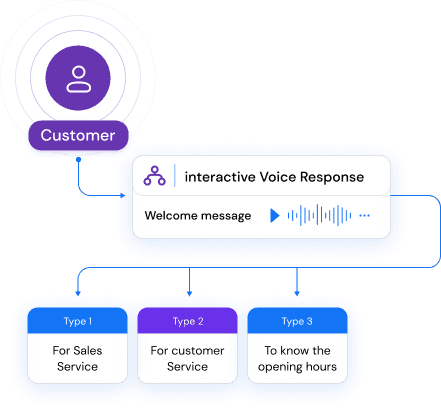
When a customer calls your business number and hears "Press 1 for Sales, 2 for Support," that experience is powered by an IVR (Interactive Voice Response) system- a combination of telecom infrastructure, call-routing logic, and a hosted menu tree. An IVR service provider is the company that designs, hosts, and manages that system on your behalf.
Instead of provisioning phone lines, integrating a call-routing engine, and maintaining uptime yourself, you define what the menu should say and where each option should go- the provider runs the infrastructure underneath it, keeps it available around the clock, and handles the compliance requirements tied to number provisioning and call handling in India.
How a Multi-Level Menu Actually Routes a Caller
Each level narrows down what the caller needs before connecting them to a person or an automated resolution- an illustrative flow through a support call:
| Menu Level | Example Prompt | Outcome |
|---|---|---|
| Level 1 (Main Menu) | Press 1 for Sales, 2 for Support, 3 for Billing | Caller sorted into the right department in one step |
| Level 2 (Within Support) | Press 1 for a new complaint, 2 to check an existing ticket status | Narrows to the exact reason for the call |
| Level 3 (Self-Service) | Enter your order ID to hear its current status | Resolved automatically- no agent needed |
| Fallback (Any Level) | Press 0 to speak with an agent | Clean handoff to a live agent or a callback request |
Level 1 (Main Menu)
- Example Prompt
- Press 1 for Sales, 2 for Support, 3 for Billing
- Outcome
- Caller sorted into the right department in one step
Level 2 (Within Support)
- Example Prompt
- Press 1 for a new complaint, 2 to check an existing ticket status
- Outcome
- Narrows to the exact reason for the call
Level 3 (Self-Service)
- Example Prompt
- Enter your order ID to hear its current status
- Outcome
- Resolved automatically- no agent needed
Fallback (Any Level)
- Example Prompt
- Press 0 to speak with an agent
- Outcome
- Clean handoff to a live agent or a callback request
Answering Calls Even When No Agent Is Available
A well-designed IVR doesn't stop working when your office closes. Self-service options- checking an order status, hearing an account balance, confirming a delivery date- can resolve a caller's need automatically at any hour, without a live agent on the line.
During business hours
The menu hands the caller off cleanly to a live agent for anything self-service can't resolve.
Outside business hours
Self-service options keep working, and callers can leave a callback request instead of an unanswered ring.
What You Can Actually Do With It
Beyond the phone menu itself, here's what runs behind the scenes to keep calls moving and answered.
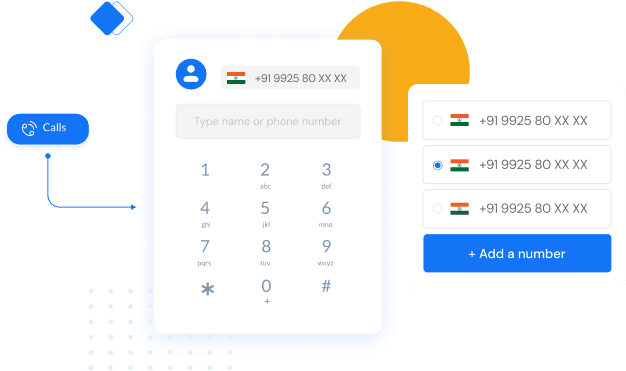
Pick a Number That Fits How You Do Business
- Choose a mobile, toll-free, or local virtual number- no SIM card or telecom hardware required.
- Local numbers build regional trust; toll-free removes the cost barrier for callers.
- Every number routes through the cloud, so it can ring an agent, a queue, or a menu at any time.
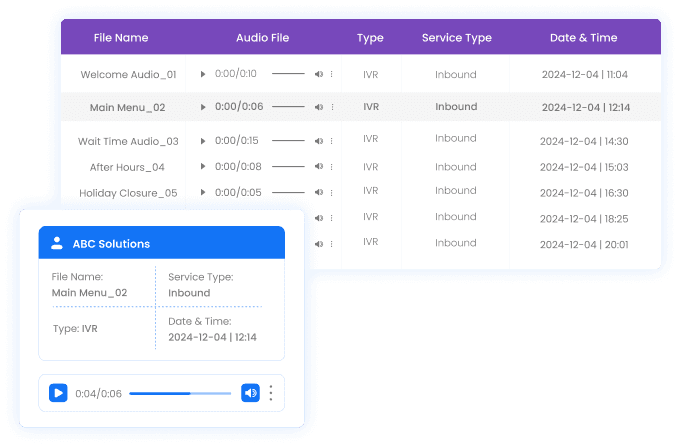
Every Prompt, Stored and Reusable in One Place
- Upload your own MP3 or WAV files, or generate prompts instantly with text-to-speech.
- Keep welcome greetings, hold messages, and after-hours prompts organized in one library.
- Update a prompt once in the library and it updates everywhere it's used- no re-recording.
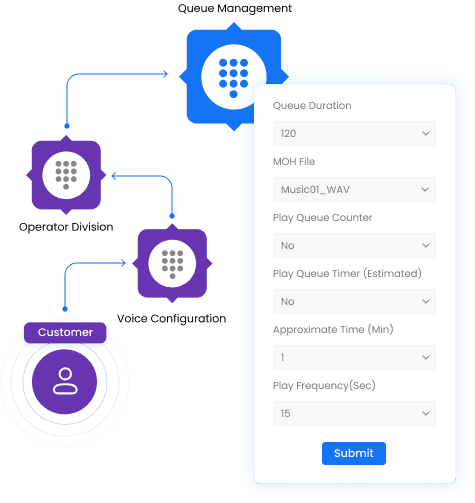
Handle Traffic Spikes Without Losing a Caller
- Callers queue automatically the moment every agent is busy- no dropped or unanswered calls.
- Play hold music or a live queue-position announcement so callers know what to expect.
- Set a maximum wait time and callback option per department to keep queues moving.
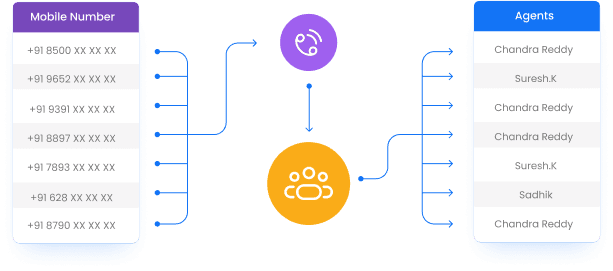
Send Every Call to the Right Agent, Automatically
- Choose round-robin, ring-all, fixed-order, or skills-based distribution for each queue.
- Balance load by an agent's current talk time, so no single agent gets overloaded.
- Auto-reroute to a mobile number if a desk agent doesn't pick up within a set time.
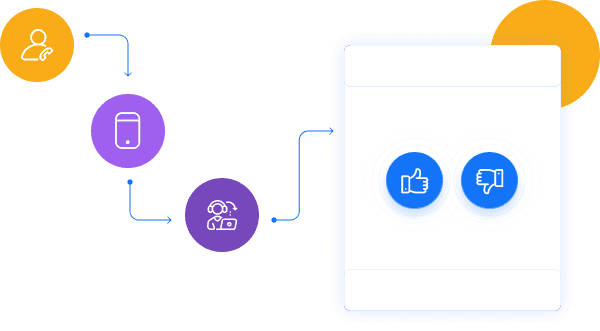
Know How Every Call Went, Right After It Ends
- Trigger a voice, SMS, or missed-call survey the instant a call disconnects.
- Track agent-level and campaign-level satisfaction scores over time.
- Flag low ratings automatically so a manager can follow up the same day.
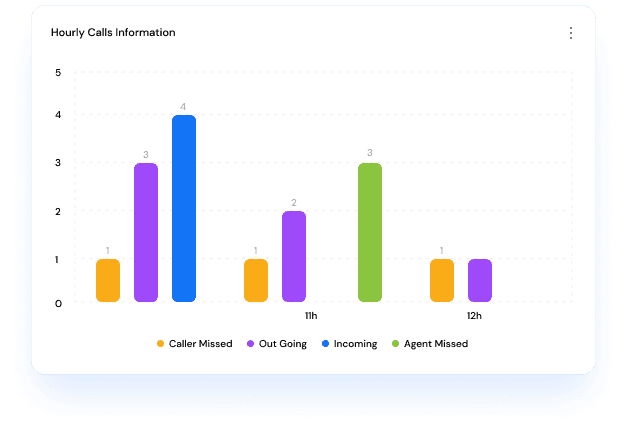
See What's Working Without Guessing
- Live dashboards show call volume, queue length, and agent status in real time.
- Hourly and daily breakdowns of answered, missed, and outgoing calls.
- Exportable reports make it easy to review IVR performance with your team.
Everything Included With Your IVR Service
Routing, distribution, surveys, and reporting- all managed from the same account.

Virtual Number
A cloud number not tied to a SIM- receive and forward calls without new hardware.

Call Forwarding
Forward incoming calls to any agent, team, or mobile number in one click.

Welcome & Greeting Message
Greet every caller with a custom recorded or text-to-speech welcome message.

Multi-Level IVR
Layer menu options so callers self-navigate straight to the right department.

Programmable Extensions
Map DTMF key presses to specific extensions or departments automatically.

Voicemail Integration
Let callers leave a voicemail your agents can retrieve and act on later.

Scheduling / Time-Based IVR
Run different menus and messages by time of day, so hours are handled automatically.

Audio File Upload
Upload your own MP3 or WAV prompts instead of relying on default recordings.

Call Recording
Record every call for training, quality checks, and compliance review.

Text-to-Speech (TTS)
Generate menu prompts from typed text instead of booking a studio recording.

Skills-Based Routing
Send each caller to the agent best matched to their language or skill set.

Priority-Based Routing
Route high-value or urgent callers ahead of the general queue automatically.

Sticky Agent Routing
Reconnect a returning caller with the same agent who handled them last time.

Wait-Time-Based Distribution
Send calls to whichever agent has the shortest current wait time.

In-Queue Position Announcement
Tell waiting callers their position in the queue so they know what to expect.

Music on Hold
Play branded hold music instead of dead air while a caller waits.

Automatic Call Distribution
Distribute inbound calls across agents by number, time, or menu selection.

Fixed-Order Distribution
Route every call through agents in the same set sequence until someone answers.

Round-Robin Distribution
Cycle new calls evenly through the next available agent in line.

Ring-All Distribution
Ring every available agent at once and connect to whoever answers first.

Talk-Time-Based Distribution
Balance call load by sending new calls to your least-busy agents.

Post-Call IVR Survey
Collect a quick voice rating right after the call ends.

Survey via Voicemail
Capture open-ended feedback as a recorded voicemail after the call.

Survey via SMS Link
Send a short-URL survey by SMS the moment the call disconnects.

Survey via Missed Call
Let callers rate the experience with a single free missed call.

Live Dashboards
Monitor call volume, queues, and agent status from one live view.

Detailed Reports
Pull agent- and campaign-level reports to track IVR performance over time.
Why Businesses Choose a Managed IVR Provider
Building this in-house means owning telecom infrastructure most businesses don't need to- a managed provider takes that off your plate.
Faster to launch
No telecom infrastructure to provision or maintain- go live in days on numbers and routing we already manage.
Faster to change
Edit a menu, add a department, or reroute a queue from a dashboard- no engineering ticket or downtime.
Compliance handled
Number provisioning and call-routing setup handled to stay aligned with applicable Indian telecom regulatory requirements.
One platform, not five vendors
IVR sits on the same account as your SMS, WhatsApp, RCS, and other voice services- one bill, one dashboard, one support line.
How Our IVR Service Works
Visual flow builder
Design and edit multi-level call flows by dragging and connecting menu nodes- no code, no engineering dependency.
CRM & helpdesk integration
Connect your IVR to your CRM or helpdesk so routing decisions can use caller history and context, not just a fixed menu tree.
Menu-option analytics
See which options callers pick most, where they hang up, and how long each path takes- so you can fix drop-off points, not guess at them.
Live-agent handoff
Business-hours calls route cleanly to an available agent; after-hours calls can request a callback instead of ringing out.
For a deeper look at the drag-and-drop flow builder itself, see our IVR System feature page.

One message could
change your business.
Big or small, we power communication for all- talk to us today.
Explore Voice & IVR services by city, industry & guide
IVR Service Provider FAQs
An IVR service provider designs, hosts, and manages the automated call-answering system that greets your callers and routes them to the right place- the phone menu, the routing logic, the number provisioning, and the underlying telecom infrastructure. The business configures the menu and department mapping; the provider runs everything behind it.
Multi-level call routing means the IVR menu has more than one layer- a caller's choice at the first level (say, "Press 2 for Support") leads to a second, more specific menu ("Press 1 for a new complaint, 2 to check an existing ticket"), and can go deeper still into self-service options. Each level narrows down what the caller actually needs before connecting them to a person or a resolution.
Yes- that's a core reason businesses use it. Self-service options like balance lookup or order-status checks can resolve a caller's need automatically at any hour, with no agent required. During business hours, the same menu can hand off to a live agent; outside them, it can offer a callback request instead of ringing unanswered.
Building IVR in-house means provisioning telephony infrastructure, integrating a call-routing engine, and maintaining it- work most businesses don't need to own. A managed provider like Get Click Media handles the infrastructure and compliance, so you get a working system in days and can edit menus yourself afterward without an engineering ticket.
Yes- number provisioning and call-routing configuration are handled to align with applicable Indian telecom regulatory requirements, so businesses don't have to research or self-manage that compliance layer separately.
Yes- Get Click Media's IVR can integrate with common CRM and helpdesk tools so routing can use caller context (like an existing ticket or customer record) instead of relying purely on a fixed menu tree, and so call outcomes are logged back into the same system your team already works from.
Yes- menu options, department mappings, and routing rules can be edited through Get Click Media's visual flow builder at any time, without needing a new setup cycle or developer involvement.
IVR pricing depends on call volume, the number type you choose (local, toll-free, or virtual), and which features you need- routing complexity, recording, or analytics. Contact us for a custom quote based on your expected usage.
Most IVR flows include a fallback option- typically "Press 0"- at every level, so a caller can skip straight to a live agent or leave a callback request instead of being forced through the full menu.
This page covers what it means to use a managed IVR service provider- the infrastructure, compliance, and routing concepts. Our IVR System page goes deeper into the visual flow-builder tool itself- how flows are designed, connected, and tested. See the IVR System flow builder.
Ready for an IVR system you don't have to build yourself?
Get Click Media manages the infrastructure, routing, and compliance- you design the menu with our visual flow builder.