
Google RCS Business Messaging Explained
Google RCS Business Messaging is often shortened to Google RBM. It is Google's own implementation of the RCS standard, delivered natively through Google Messages on Android.
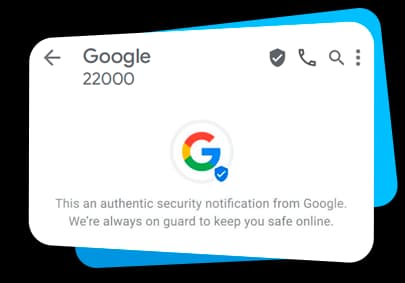
Google brand verification handled as part of onboarding
Trusted by 10,000+ businesses across India




















Google RCS Business Messaging, often shortened to Google RBM, is Google's own implementation of the RCS standard. It is delivered natively through the Google Messages app on Android. Once a business registers and gets verified as an RBM agent through Google's Business Communications Console, its messages carry a verified business name and logo instead of a generic phone number. Messages can also include rich cards, carousels, suggested replies and actions, and read receipts, all inside the customer's default messaging app, with no separate app download.
Indian businesses use Google RBM because it reaches Android devices, the dominant smartphone platform, across major carriers like Jio, Airtel, and Vi. The verified badge also builds trust that a generic SMS sender ID can't. Get Click Media handles RBM agent registration, brand verification, and template setup as part of standard RCS onboarding, so a business doesn't need to manage the Google console relationship separately. Messages fall back to SMS automatically on devices or networks where RCS isn't supported.
From Verified Agent to Customer's Phone
Google Messages app delivery. Once a business is registered and verified as an RBM agent, its messages are delivered natively inside Google Messages, the default messaging app on most Android phones in India. The customer needs no separate app download. Google RBM is built on top of the GSMA's RCS Universal Profile, the open standard that carriers like Jio and Airtel implement on their networks.
Verified sender status. Before a business can send branded messages, Google verifies its identity through the Business Communications Console. Once approved, the business name and logo appear at the top of every message, replacing a generic phone number.
What You Can Send with Google RBM
Agent setup happens once, inside Google's Business Communications Console. After that, every feature below is available to your verified sender identity.
Rich cards
A branded image, headline, description, and up to two action buttons in a single message.
Carousels
Multiple rich cards a user can swipe through horizontally- ideal for showcasing several products or offers.
Suggested replies & actions
Tappable quick-reply chips and action buttons (call, open URL, view location) that cut the funnel from message to action.
Verified sender badge
Your business name and logo appear on every message once brand verification is complete, in place of a generic phone number.
Read receipts
See delivery and read status per message, the way you would in a native chat app- not possible with plain SMS.
Native Google Messages delivery
Messages arrive in the customer's default Android messaging app- no separate app install required.
Reaching Android Users Across India
Google RBM messages reach Android devices running Google Messages, across major Indian carriers including Jio, Airtel, and Vi. For devices or networks where RCS isn't supported, Get Click Media automatically falls back to SMS so delivery is never lost.
Google RBM vs. Apple Messages for Business
| Aspect | Google RBM | Apple Messages for Business |
|---|---|---|
| Platform | Android / Google Messages | iOS / Apple Messages |
| Verification | Business Communications Console | Apple Business Register |
| Rich media | Yes | Yes |
Platform
- Google RBM
- Android / Google Messages
- Apple Messages for Business
- iOS / Apple Messages
Verification
- Google RBM
- Business Communications Console
- Apple Messages for Business
- Apple Business Register
Rich media
- Google RBM
- Yes
- Apple Messages for Business
- Yes
How to Register as a Google RBM Agent
- 1
Submit business verification documents
Business registration documents, brand assets (logo, display name), and contact details are submitted through Google's Business Communications Console.
- 2
Google reviews your agent
Google verifies your business identity before approving your agent for a verified sender badge.
- 3
Go live with a verified sender
Once approved, your messages display your business name and logo instead of a generic phone number.
Get Click Media handles this entire process as part of standard RCS onboarding- see our RCS service provider page for details.


Largest CPaaS partner for Google RBM
Get Click Media enables brands to become a verified Google RBM sender and launch rich card messaging with RCS.

One message could
change your business.
Big or small, we power communication for all- talk to us today.
Google RCS Business Messaging FAQs

It's Google's product implementation of the RCS Business Messaging standard, letting verified businesses send rich, interactive messages through the Google Messages app.
RBM stands for Rich Business Messaging. It's Google's specific branding for its RCS Business Messaging product.
RCS is the underlying open, GSMA-standardised protocol. Google RBM is Google's own product built on that standard and delivered specifically through Google Messages.
Registration happens through Google's Business Communications Console, and requires business verification documents and brand assets such as your logo and business name.
Yes. Verification is required before your messages can display your brand name and logo instead of a generic phone number.
Yes, with coverage on Android devices via Google Messages across major Indian carriers including Jio, Airtel, and Vi. Coverage continues to expand as more devices update to a supporting Google Messages version.
Both offer rich, branded messaging, but they run on separate platforms: Android/Google Messages versus iOS/iMessage. Registration processes also differ (Business Communications Console vs. Apple Business Register).
Yes. Providers like Get Click Media handle Google RBM agent registration as part of standard RCS onboarding, so you don't need to manage the Google console relationship separately.
Rich cards, carousels, suggested replies, suggested actions, and read receipts are all supported natively within Google Messages.
Registration requirements and any associated costs are set by Google and can change. Ask your onboarding contact for the current process when you sign up.
Ready to get Google RBM-ready?
Get Click Media handles Google brand verification, agent setup, and carrier connectivity end-to-end.