
In this article
Explore the key concepts, practical considerations, and frequently asked questions related to whatsapp flows explained: building in-chat forms without a website.
Key takeaways
- Most well-designed Flows land in the 2-4 screen range- fewer screens with focused fields converts better than one long form or too many steps.
- Screens can branch on earlier answers, so picking 'consultation' routes to a different next screen than picking 'repair visit' would.
- A Flow must be tested in draft mode and explicitly published before it can be attached to a live template- an unpublished Flow cannot go live.
If you want the full picture of what a WhatsApp Flow is and why it exists- the use cases, the case for keeping customers in-chat instead of redirecting them to a website, the business impact- we've already written that page in full depth: WhatsApp Flows. This page answers a narrower, more hands-on question: what does building a real Flow actually look like, screen by screen?
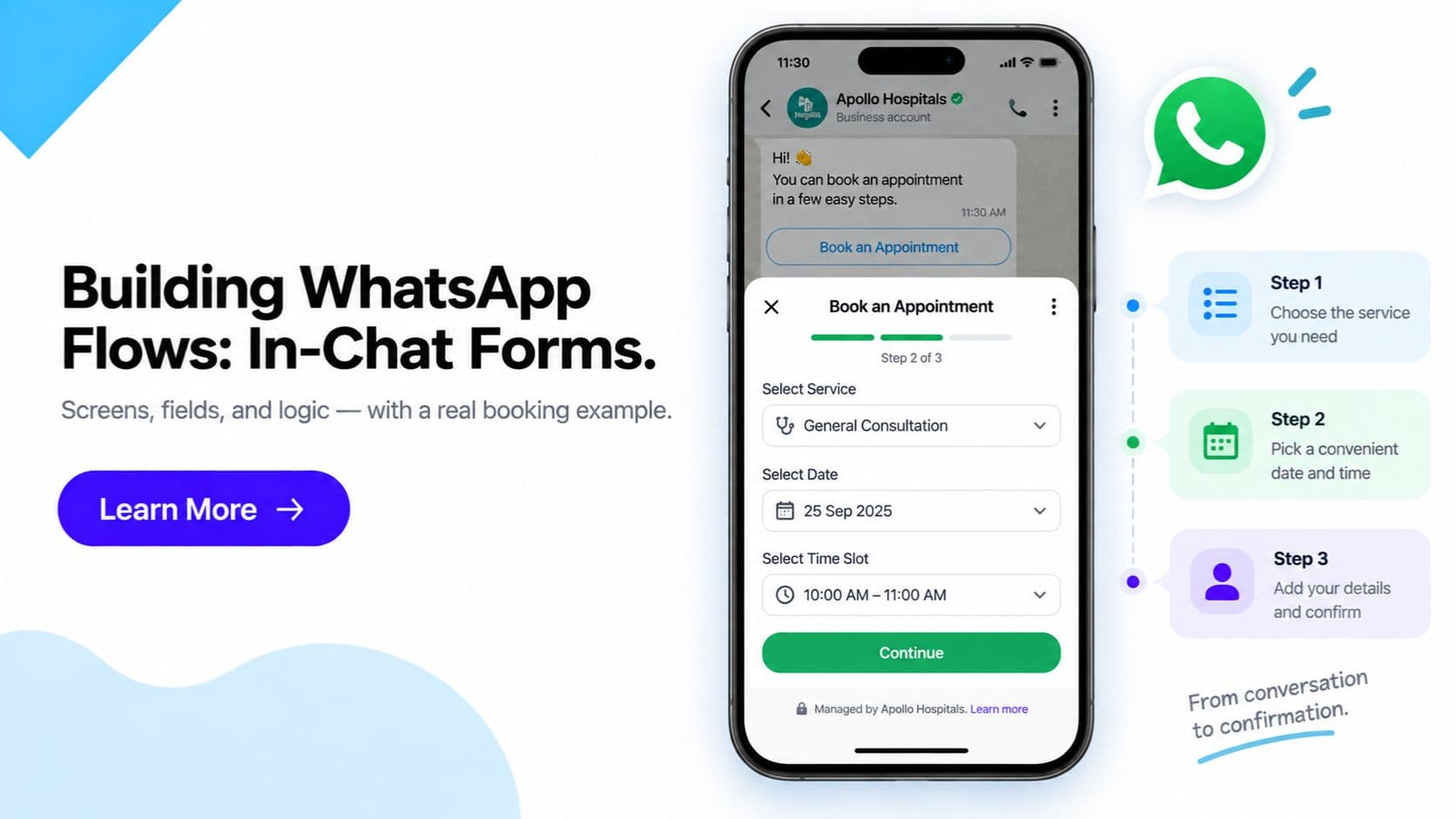
A WhatsApp Flow is a JSON-defined sequence of screens, each holding form fields, that opens natively inside a WhatsApp chat and submits its final answers back to your business through a webhook. Below is a walkthrough of a realistic Flow- a simple appointment-booking form- built the way a business would actually build one.
Quick answer: A WhatsApp Flow is built as a set of screens (each with its own fields and validation), connected by navigation logic, and finished with a completion action that fires a webhook. You test it in draft mode first, then publish it before it can be sent to real customers- an unpublished Flow cannot go live.
Get WhatsApp Business API- Flows · Chatbot · AI Agentic Commerce
A Real Example: Building an Appointment-Booking Flow
Take a salon, clinic, or service business that wants customers to book an appointment directly inside WhatsApp instead of calling in or filling out a website form. Here's how that Flow is typically structured.
Screen 1: Service Selection
The first screen keeps things short- one dropdown field listing the available services (haircut, consultation, repair visit, whatever applies), and optionally a second field for a specific staff member or location if the business has more than one. The goal on screen one is always the same: capture the minimum needed to know what the customer wants, then move on.
Screen 2: Date and Time
The second screen uses a date picker field so the customer taps a calendar instead of typing a date in free text- this alone removes an entire category of input errors ("15/3" vs "March 15" vs "next Tuesday"). Paired with the date picker is a time-slot field, usually a dropdown or radio group populated with the available slots. In more advanced builds, this list of slots is pulled live from the business's booking system via a backend call as soon as the customer picks a date, so they only ever see genuinely open times.
Screen 3: Confirmation and Submission
The final screen shows a read-only summary of what was selected- service, date, time- often alongside a name and phone confirmation field, and an embedded terms/opt-in checkbox if the business needs explicit consent recorded (for example, agreeing to a cancellation policy or to receive reminder messages). A submit button triggers the completion action, which packages the whole set of answers into one structured payload and sends it to the business via webhook- landing directly in a booking calendar or CRM, with no manual re-entry.
The Basic Component Types
Every WhatsApp Flow is built from a small, fixed set of field types, combined differently depending on what's being collected:
| Component | What it's for |
|---|---|
| Text input (single/multi-line) | Free-text answers- name, notes, a short message |
| Dropdown / radio buttons | A single choice from a fixed list- service type, department, plan |
| Checkbox | Multi-select options, or a single opt-in/consent tick box |
| Date picker | Calendar-based date selection with built-in validation |
| Embedded rich text | Terms, policy text, or instructions shown inline, often paired with a consent checkbox |
Design note: Each field type carries its own validation for free- a date picker can't submit an invalid date, a dropdown can't submit an option that isn't on the list. This is a meaningful reliability upgrade over asking the same questions in free-text chat replies, where typos and ambiguous answers are the norm.
Navigation Logic and Branching
Screens don't have to run in a fixed straight line. Navigation logic can branch based on an earlier answer- for example, if screen one's service dropdown selects "consultation," the Flow can route to a screen asking for a preferred doctor, while "repair visit" routes to a screen asking for the item's model number instead. This keeps each customer's path short and relevant instead of showing everyone every possible field.
Testing and Publishing- Don't Skip This Step
A Flow is built and refined in a draft state first. Before it ever reaches a real customer:
- Preview the screen flow. Step through each screen exactly as a customer would see it, checking that fields, labels, and navigation behave as intended.
- Submit test data. Send sample answers through and confirm the webhook payload arrives at your backend in the shape your system expects.
- Check edge cases. Test what happens with a blank required field, an unusual date, or a customer who backs out partway through.
- Publish the Flow. Only once testing is clean does the Flow get published- a Flow that hasn't been published cannot be attached to a live template or triggered for real customers.
Skipping straight to a live send without this cycle is the most common way a Flow ships with a broken webhook connection or a confusing screen order that nobody catches until customers start complaining.
Where Flows Fit Into a Bigger Automated Journey
A booking or lead-capture Flow like the one above is a strong standalone win, but it's also a building block. Once a business has Flows collecting structured data reliably, the natural next step is connecting that data to AI-driven conversations that can carry a customer all the way from "I'm looking for X" to a completed purchase- without a human in the loop for routine cases. That fuller journey, spanning discovery through checkout, is covered on our WhatsApp AI Agentic Commerce page.
Frequently Asked Questions
What is a WhatsApp Flow, in simple terms? A WhatsApp Flow is a structured, multi-screen form that opens and runs entirely inside a WhatsApp chat- with real form controls like dropdowns, date pickers, and checkboxes- so a customer can complete a booking, application, or order without ever leaving the conversation or being redirected to a website.
How many screens can a WhatsApp Flow have? There's no fixed cap that most businesses ever bump into- Flows commonly run anywhere from a single screen to five or six. The practical guideline is fewer screens with focused fields on each one: a Flow that asks for everything on one long screen defeats the purpose, and one with too many screens raises drop-off, so most well-designed Flows land in the 2-4 screen range.
What component types can I use inside a Flow? The common building blocks are single-line and multi-line text inputs, dropdown lists, radio button groups, checkboxes, date pickers, and embedded rich text- often used to show terms and conditions with an opt-in checkbox tied to it. Each field type comes with its own validation, so a date picker only accepts valid dates and a dropdown only accepts one of its listed options.
Do I need a developer to build a WhatsApp Flow? You need someone comfortable with a JSON-based screen definition and, for anything beyond a static form, a small amount of backend work to receive the webhook and to handle dynamic data such as pulling live appointment slots. It's not full application development, but it isn't a pure drag-and-drop exercise either- most businesses have their BSP or a developer build and maintain it.
Can a WhatsApp Flow connect to my booking system or CRM in real time? Yes. A Flow can be configured to call your backend as the customer moves between screens- for example, to fetch real available time slots for the date they picked- and the final submission is delivered to your systems via a webhook, typically landing straight in a CRM, booking calendar, or order database.
Do I need to test a Flow before customers can use it? Yes, and this step shouldn't be skipped. Flows are built and tested in a draft/sandbox state first- you preview the exact screen flow, submit test data, and confirm the webhook payload lands correctly- before the Flow is published for real customers to use.
Does a WhatsApp Flow need to be published before it goes live? Yes. A Flow exists in draft while you're building and testing it, and it has to be explicitly published before it can be attached to a live template message or sent to real customers. An unpublished Flow simply can't be triggered outside of testing.
What happens to the data after a customer submits a Flow? The final screen's completion action packages the full set of answers into a single structured response and sends it back to the business- usually via a webhook- so it can be pushed directly into whatever system needs it, rather than a human having to read and re-type a chat transcript.
Get Started
For the complete case for using Flows- including the full use-case list and why in-chat completion beats an external redirect- read WhatsApp Flows. If you're ready to connect Flow-collected data into a fuller AI-driven buying journey, see WhatsApp AI Agentic Commerce.
Get WhatsApp Business API- Start Onboarding · Request a Demo
Article topics
Frequently Asked Questions
What is a WhatsApp Flow, in simple terms?
A WhatsApp Flow is a structured, multi-screen form that opens and runs entirely inside a WhatsApp chat- with real form controls like dropdowns, date pickers, and checkboxes- so a customer can complete a booking, application, or order without ever leaving the conversation or being redirected to a website.
How many screens can a WhatsApp Flow have?
There's no fixed cap that most businesses ever bump into- Flows commonly run anywhere from a single screen to five or six. The practical guideline is fewer screens with focused fields on each one: a Flow that asks for everything on one long screen defeats the purpose, and one with too many screens raises drop-off, so most well-designed Flows land in the 2-4 screen range.
What component types can I use inside a Flow?
The common building blocks are single-line and multi-line text inputs, dropdown lists, radio button groups, checkboxes, date pickers, and embedded rich text- often used to show terms and conditions with an opt-in checkbox tied to it. Each field type comes with its own validation, so a date picker only accepts valid dates and a dropdown only accepts one of its listed options.
Do I need a developer to build a WhatsApp Flow?
You need someone comfortable with a JSON-based screen definition and, for anything beyond a static form, a small amount of backend work to receive the webhook and to handle dynamic data such as pulling live appointment slots. It's not full application development, but it isn't a pure drag-and-drop exercise either- most businesses have their BSP or a developer build and maintain it.
Can a WhatsApp Flow connect to my booking system or CRM in real time?
Yes. A Flow can be configured to call your backend as the customer moves between screens- for example, to fetch real available time slots for the date they picked- and the final submission is delivered to your systems via a webhook, typically landing straight in a CRM, booking calendar, or order database.
Do I need to test a Flow before customers can use it?
Yes, and this step shouldn't be skipped. Flows are built and tested in a draft/sandbox state first- you preview the exact screen flow, submit test data, and confirm the webhook payload lands correctly- before the Flow is published for real customers to use.
Does a WhatsApp Flow need to be published before it goes live?
Yes. A Flow exists in draft while you're building and testing it, and it has to be explicitly published before it can be attached to a live template message or sent to real customers. An unpublished Flow simply can't be triggered outside of testing.
What happens to the data after a customer submits a Flow?
The final screen's completion action packages the full set of answers into a single structured response and sends it back to the business- usually via a webhook- so it can be pushed directly into whatever system needs it, rather than a human having to read and re-type a chat transcript.
About the author
Get Click Media creates practical resources for businesses using messaging, automation, analytics, and digital communication to improve customer engagement. This article was published on .