
In this article
Explore the key concepts, practical considerations, and frequently asked questions related to whatsapp green tick verification: step-by-step guide.
Key takeaways
- Green tick is only available on WhatsApp Business API accounts, not the free Business App, and typically takes 5-7 business days once submitted correctly.
- Eligibility requires brand recognition Meta can independently confirm- news mentions, app store presence, or an established online footprint- not just paperwork.
- Approval is at Meta's discretion even for fully eligible businesses, and no BSP, including Get Click Media, can guarantee an outcome.
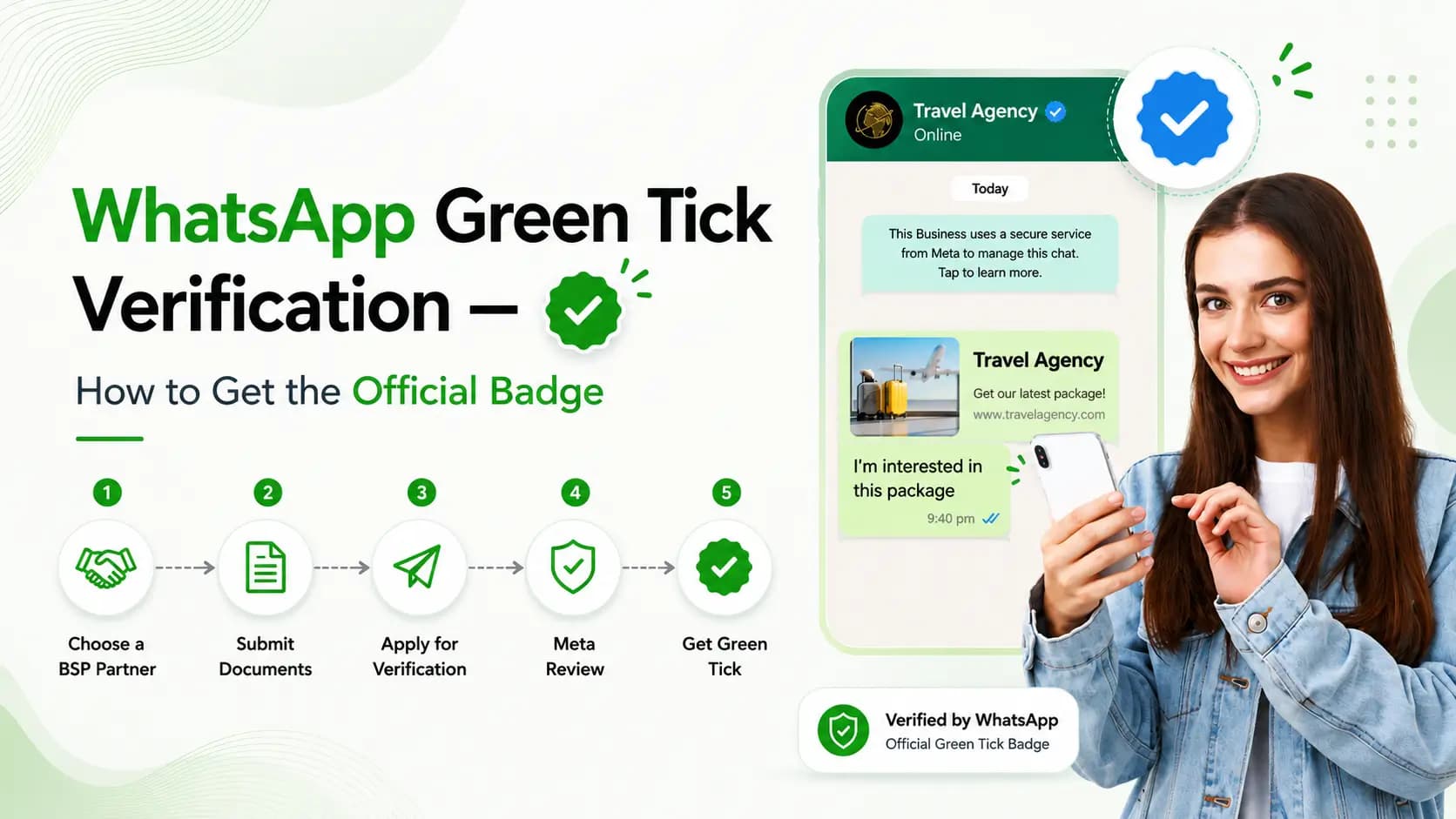
WhatsApp Green Tick is the official verified badge Meta grants to WhatsApp Business API accounts that pass its business verification and "Official Business Account" review. It confirms to customers that they're messaging a genuine, verified business- not an impersonator. The process involves Meta Business Manager verification, brand name matching, and an official business account review, and typically takes 5–7 business days once submitted correctly. Get Click Media, an official Meta Business Solution Provider based in Bengaluru, manages the entire green tick verification process for its clients- from document preparation to Meta submission and follow-up- so businesses don't face rejection due to avoidable errors.
What Is Green Tick Verification?
The green tick (also called the "verified badge") appears next to a business's name in WhatsApp chats once Meta confirms the account belongs to a well-known or officially verified brand. It sits on top of WhatsApp Business API- you cannot get a green tick on the free WhatsApp Business App.
Green tick verification builds trust by signaling to customers that:
- The account is genuinely operated by the business, not a scam or clone
- Meta has independently verified the business's identity
- Messages from this number are safe to trust and act on (payments, KYC, order confirmations)
What Actually Changes Once You're Verified
| Aspect | Regular API Account | Green Tick Verified Account |
|---|---|---|
| Badge visible in chat | No | Yes- green checkmark next to name |
| Customer trust signal | Standard | Higher- confirms official status |
| Eligibility requirement | Business verification only | Business verification + Official Business Account review |
| Typical approval time | N/A | 5–7 business days |
| Best suited for | All businesses | Established/recognizable brands |
Eligibility Requirements
- A verified Meta Business Manager account
- A registered business name matching official documents (GST/incorporation certificate)
- An active, functioning website representing the business
- A WhatsApp Business API number already provisioned
- Brand recognition Meta can independently confirm- news mentions, app store presence, or established online footprint
Note: Green tick approval is at Meta's discretion- even fully eligible businesses can be asked for additional documentation.
How to Get WhatsApp Green Tick
- Set up WhatsApp Business API- Green tick review only applies to API accounts, not the free app.
- Complete Meta Business Manager verification- Submit GST certificate, incorporation certificate, and business PAN.
- Match your brand details- Ensure business name, website, and Meta Business Manager profile are consistent.
- Submit Official Business Account request- Apply via Meta's business verification flow.
- Provide supporting evidence- Share website, app listings, press mentions, or other proof of legitimacy.
- Meta review and approval- 5–7 business days on average; Get Click Media tracks status and handles follow-ups.
Why Green Tick Requests Get Rejected
- Business name mismatch between GST documents, website, and Meta Business Manager
- Incomplete or low-quality business verification documents
- No active website or minimal online presence to confirm legitimacy
- Using a personal WhatsApp number instead of a properly provisioned API number
- Applying before completing standard Meta Business Manager verification
Get Click Media pre-checks all of the above before submission to avoid unnecessary rejection cycles.
Does a WhatsApp chatbot affect green tick approval? Not directly- green tick review is about verifying business identity, not reviewing chatbot content. That said, Meta separately expects automated messaging to stay scoped to concrete business tasks (order status, bookings, FAQs) rather than open-ended AI chat, so it's worth reviewing your bot's scope alongside your application. See our Meta AI chatbot policy compliance guide.
What a Verified Badge Does for Your Business
- Higher customer trust- The verified badge reduces hesitation to click links or share information.
- Lower impersonation risk- Customers can distinguish your official account from fraudulent lookalikes.
- Better campaign performance- Verified accounts often see higher open and response rates on broadcast messages.
- Brand credibility- Signals an established, recognizable business to new customers.
Why Choose Get Click Media
Get Click Media is an official Meta Business Solution Provider headquartered in Bengaluru, managing WhatsApp Business API, Green Tick verification, chatbot automation, and bulk messaging for 10,000+ Indian businesses. We handle document preparation, Meta submission, and status follow-up end-to-end- most clients see faster approval because we pre-screen applications against Meta's common rejection triggers before submitting.
Ready to get your business verified? Get Click Media manages document preparation, Meta submission, and follow-up- start to green tick in 5–7 business days. Apply for green tick, see WhatsApp API pricing in India, or read how to get WhatsApp Business API if you haven't set up your API account yet.
Article topics
Frequently Asked Questions
What is WhatsApp Green Tick?
The official verified badge Meta grants to WhatsApp Business API accounts that pass business verification and Official Business Account review.
How long does WhatsApp Green Tick verification take?
Typically 5–7 business days once all documents are submitted correctly.
Can I get a green tick on the free WhatsApp Business App?
No- green tick verification is only available for WhatsApp Business API accounts.
What documents are needed for green tick verification?
GST certificate, business incorporation certificate, business PAN, and a matching, active business website.
Why do green tick requests get rejected?
Most rejections happen due to business name mismatches, incomplete documents, or lack of an established online presence.
Is green tick approval guaranteed?
No- approval is at Meta's discretion, even for fully eligible businesses. Get Click Media pre-screens applications to reduce rejection risk.
Does green tick verification cost extra?
Verification itself is a Meta review process; Get Click Media manages the process as part of WhatsApp Business API onboarding.
Can an already-active WhatsApp API account apply for green tick later?
Yes- you can apply for Official Business Account review at any point after your API account is active and Meta Business Manager is verified.
Does a WhatsApp chatbot affect green tick approval?
Not directly- green tick review is about business identity verification, not chatbot content. That said, Meta separately expects any automated messaging to stay scoped to concrete business tasks rather than open-ended AI chat, so it's worth reviewing your bot's scope alongside your verification application.
About the author
Get Click Media creates practical resources for businesses using messaging, automation, analytics, and digital communication to improve customer engagement. This article was published on and was last reviewed on .