
In this article
Explore the key concepts, practical considerations, and frequently asked questions related to whatsapp customer support.
Key takeaways
- The system runs on WhatsApp's 24-hour service window, which allows free-form replies with no pre-approved template once a customer messages first.
- Across most Indian deployments, chatbots resolve 60-80% of inbound support volume- mostly order status, FAQs, and basic troubleshooting.
- A multi-agent shared inbox requires WhatsApp Business API, since the free Business App is limited to a single device and one user at a time.
WhatsApp customer support combines an automated chatbot, proactive ticket status updates, and live human escalation into a single conversation thread on the app your customers already use all day. Instead of routing customers to a phone line, an email inbox, or a website chat widget, the entire support journey- from "where is my order?" to a resolved complaint- happens inside WhatsApp. Through WhatsApp Business API, businesses get a support channel that responds instantly to common questions and hands off cleanly to a person when the question is genuinely hard.
For Indian businesses, this matters because WhatsApp is already the default messaging app for the vast majority of smartphone users. Customers don't need to download a support app, remember a portal login, or stay on hold- they send a message the same way they'd message a friend, and get a reply. That familiarity translates directly into more customers actually reaching out instead of giving up.
Support-by-phone and support-by-email both force the customer to wait- on hold for a call, or for hours/days for an email reply- with no visibility into what's happening in between. WhatsApp support removes that blind spot: the customer gets an instant acknowledgement, real-time ticket status pushes when something changes, and a clear path to a human if the chatbot can't help. This is also why WhatsApp increasingly beats a live chat widget and IVR-based phone support on both cost and customer experience.
Get Click Media sets up and manages WhatsApp customer support end-to-end for Indian businesses- chatbot flows, ticket integration, multi-agent inbox, and escalation logic- with no engineering team required on your side.
Set Up WhatsApp Customer Support with Get Click Media- Official Meta BSP · Chatbot + multi-agent inbox + escalation · Go live in 5 days. Set Up WhatsApp Support · Request a Demo · See WhatsApp API Pricing
What Is WhatsApp Customer Support?
WhatsApp customer support is a three-layer system built on top of WhatsApp Business API that handles a customer query from first message to resolution, without the customer ever leaving the chat.
Layer 1- Chatbot for FAQ-style queries. An AI or rule-based chatbot answers common questions instantly and 24x7- order status, business hours, return policy, basic troubleshooting- without waiting for an agent to be available. Most of a support team's inbound volume falls into this category.
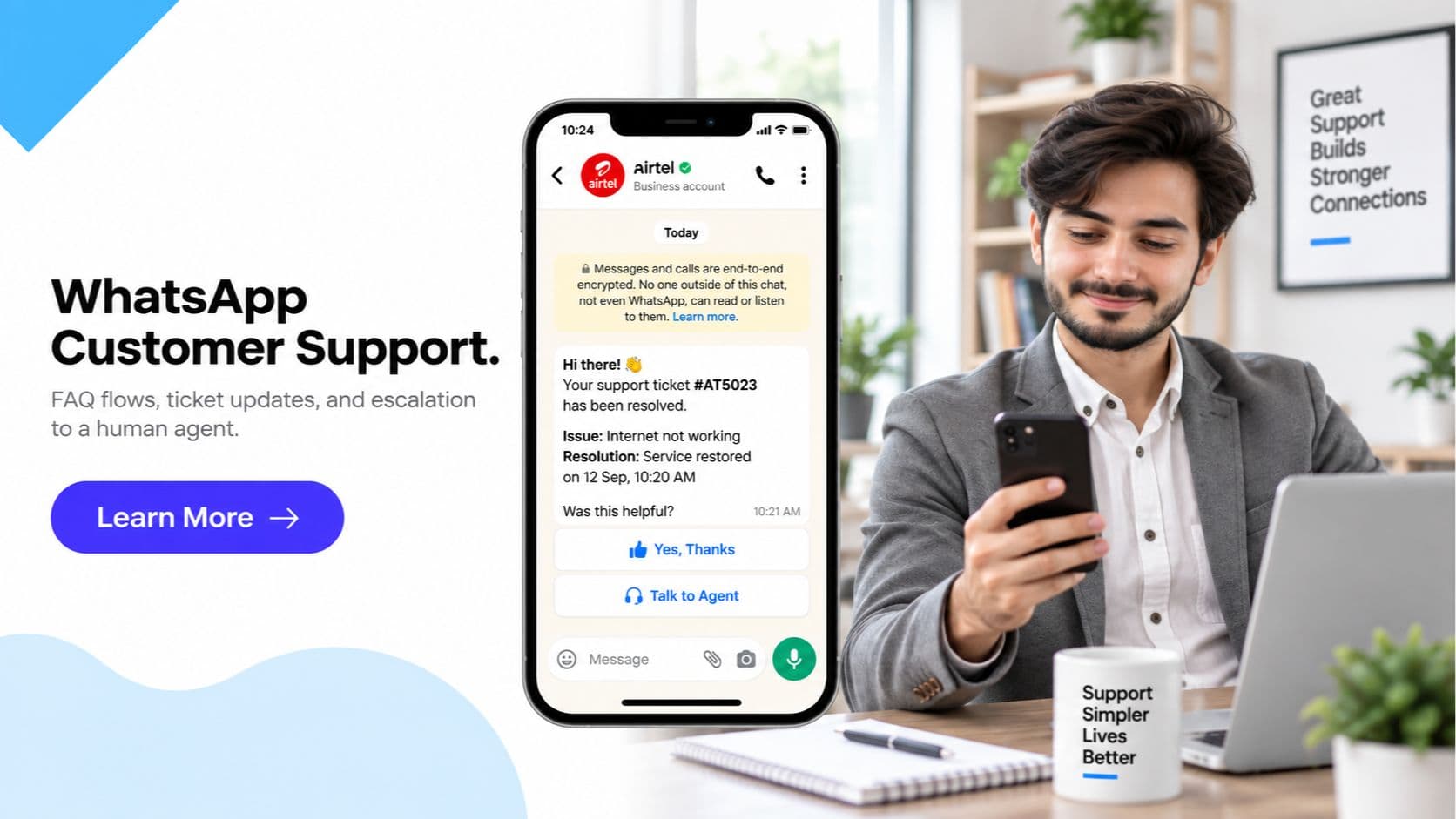
Layer 2- Proactive ticket status updates. When a customer raises an issue that becomes a support ticket, WhatsApp pushes an update the moment the ticket's status changes- "in progress," "assigned to a technician," "resolved"- instead of making the customer log in to a portal or call back to check. The update arrives before the customer even thinks to ask.
Layer 3- Escalation to a live agent. When the chatbot can't resolve a query, it hands off to a human agent within the same conversation thread. The full chat history and any details already collected- order ID, issue type, previous answers- carry over, so the customer doesn't repeat themselves.
This entire system runs on WhatsApp's 24-hour customer service window: once a customer messages your business, you can reply with any free-form content- text, images, documents, voice notes- for 24 hours with no pre-approved template required. That's what makes WhatsApp suited to open-ended, back-and-forth support conversations, in contrast to outbound marketing messages which always require Meta-approved templates to initiate contact.
How WhatsApp Support Resolves a Query- Step by Step
- Customer sends a message. The customer messages your WhatsApp Business number with a question or issue- "Where is my order?", "My app keeps crashing," "What's my account balance?" This opens (or continues) the 24-hour service window.
- Chatbot attempts resolution first. The chatbot identifies the intent- using keyword matching or NLP- and checks whether it's a query it can answer directly, such as order status lookup, FAQ, or a guided troubleshooting flow. For a large share of queries, this step ends the conversation with the customer satisfied.
- A support ticket is created if the issue needs tracking. If the query can't be closed in one reply- a defective product, a billing dispute, a technical fault- the chatbot creates a ticket in your helpdesk or CRM via webhook, tagging it with the customer's WhatsApp number and conversation context.
- Status updates are pushed proactively. As the ticket moves through your support workflow- assigned, in progress, awaiting parts, resolved- each status change triggers an automatic WhatsApp message to the customer. No portal login, no follow-up call needed.
- Escalation to a human agent if unresolved. If the chatbot can't resolve the query, or the customer explicitly asks for a person, the conversation routes into the multi-agent shared inbox. The assigned agent sees the full message history and any ticket data already captured, and continues the same thread- the customer never has to start over.
- Resolution confirmation and closure. Once the issue is resolved, the agent or chatbot sends a closing message confirming resolution, and the ticket is marked closed in the helpdesk. Many businesses follow this with a short CSAT question inside the same chat.
WhatsApp Support vs Phone/Email/Live Chat Widget
| Factor | WhatsApp Support | Phone/IVR | Live Chat Widget | |
|---|---|---|---|---|
| Resolution speed for FAQ queries | Instant, 24x7 | Wait time on hold, agent-dependent | Hours to days | Instant, only while on website |
| Availability | 24x7 via chatbot | Limited to agent shift hours (IVR menus only) | 24x7 to send, slow to resolve | Only while customer is on the site |
| Cost per resolved ticket | Low- chatbot resolves most without an agent | High- agent time + telecom cost | Moderate- agent time, slower throughput | Moderate- requires agent presence |
| Context retention on escalation | Full chat history and ticket data carry over | Customer often repeats issue to each new agent | Thread history preserved, but reply cycle is slow | Lost if the browser tab or session closes |
| Customer effort | Low- message and continue with your day | High- stay on hold, navigate IVR menus | Low to send, high to wait for a reply | Requires staying on the website |
| Proactive status updates | Yes- pushed automatically on ticket change | No- customer must call to check | Rare- customer must email to check | No- no persistent channel after tab closes |
| Multi-device continuity | Yes- WhatsApp syncs across devices | No | Yes | No- tied to one browser session |
| Rich media for troubleshooting | Yes- images, PDFs, voice notes, location | No (voice only) | Yes, but slow round-trip | Limited, poor on mobile |
| Requires app/software install | No- customer already has WhatsApp | No | No | Sometimes, or a page load each time |
| Works on low bandwidth/feature-adjacent phones | Yes- WhatsApp is lightweight | Yes (calls) | Yes | Often heavy, slow to load |
| Agent capacity per hour | High- one agent handles multiple chats | Low- one call at a time | Moderate | Moderate- limited concurrent chats |
| Customer trust/familiarity | High- customers use WhatsApp daily | Moderate | Moderate | Lower- unfamiliar interface per website |
| Analytics and reporting | Rich- message-level and ticket-level data | Limited, call logs only | Basic | Basic to moderate |
| Best suited for | High-volume, repeat, mixed-complexity support | Urgent voice-preferred issues | Non-urgent, detailed documentation needs | On-site pre-sales questions |
WhatsApp Customer Support- 6 Indian Business Types
1. E-commerce- Order Issues and Returns
A customer messages "Where is my order?" → the chatbot fetches live status from the order management system and replies instantly with courier and ETA → if the customer reports a damaged item, a ticket is created and routed to the returns team → status updates- "pickup scheduled," "refund initiated"- are pushed automatically. Result: order-status queries resolved with zero agent involvement in over 70% of cases.
2. SaaS / Tech Support
A user reports "the app keeps crashing on login" → the chatbot runs a guided troubleshooting flow- clear cache, check app version, reinstall steps- and asks the user to confirm at each step → if unresolved, it escalates to a technical support agent with the full troubleshooting history attached, so the agent doesn't repeat basic steps. Result: average handling time for technical tickets down 40% since agents start from where the chatbot left off.
3. Banking / NBFC Query Handling
A customer asks about their loan EMI due date or account balance → the chatbot authenticates via OTP and pulls the answer directly from the core banking system → for disputes or fraud reports, the chatbot immediately escalates to a live agent given the sensitivity, with account context pre-attached. Result: routine balance and EMI queries fully automated, cutting call-centre volume by roughly a third.
4. Telecom / Utility Billing Queries
A subscriber messages about an unexpectedly high bill → the chatbot retrieves the usage breakdown and billing details and explains the charges → if the customer disputes it, a billing ticket is raised and the customer receives status pushes as it moves through review- "under investigation," "adjustment approved," "credited." Result: billing dispute resolution time cut from days of call-backs to a single tracked WhatsApp thread.
5. Healthcare- Appointment and Report Queries
A patient asks "Is my lab report ready?" → the chatbot checks the lab system and either shares the report link directly (with consent on file) or tells the patient it's still processing → for appointment rescheduling, the chatbot offers available slots and confirms the new booking. Result: front-desk phone call volume for report status queries reduced by more than half.
6. Insurance- Claim Status and Policy Queries
A policyholder asks about claim status → the chatbot pulls the current stage from the claims system and explains next steps → if the claim is delayed or rejected, the conversation is escalated to a claims officer with the full policy and claim history attached, avoiding the frustration of re-explaining the case. Result: claim status queries answered instantly instead of the multi-day wait typical of email-based follow-up.
Frequently Asked Questions- WhatsApp Customer Support
How is WhatsApp customer support different from a website live chat widget? A live chat widget only works while the customer is on your website- close the tab and the conversation is gone. WhatsApp customer support lives in an app the customer already has open all day, so they can start a conversation, put the phone down, and come back hours later without losing context. WhatsApp also supports rich media- images, PDFs, location, voice notes- for troubleshooting, which most chat widgets handle poorly on mobile.
Does WhatsApp support require a customer to wait in a queue like phone support? No. For FAQ-style queries, the chatbot responds instantly, 24x7, with no queue at all. For queries that need a human agent, the customer sends their message and continues with their day- there is no hold music and no need to stay on the line. The agent responds when free, and the customer is notified the moment a reply arrives.
What is WhatsApp's 24-hour customer service window and why does it matter for support? Once a customer sends your business a message, WhatsApp opens a 24-hour window during which you can reply with any content- free-form text, images, documents- with no pre-approved template required. This is what makes WhatsApp well suited to open-ended support conversations, unlike outbound marketing messages which always need Meta-approved templates. If more than 24 hours pass, you need a template message to reopen the conversation.
Can the chatbot hand off to a live agent without the customer repeating their issue? Yes. Get Click Media's escalation flow carries the full conversation history and any structured data collected by the chatbot- order ID, issue category, previous replies- to the human agent's screen the moment a handoff is triggered. The customer keeps typing in the same chat thread; they never have to explain the issue again or switch channels.
How does WhatsApp support integrate with our existing helpdesk or CRM? Via WhatsApp Business API webhooks, incoming messages create or update tickets in Zendesk, Freshdesk, or a custom ticketing system in real time, and status changes on the ticket side- resolved, in progress, escalated- push an automatic WhatsApp update back to the customer. The integration is bidirectional, so agents can work from their existing helpdesk while the customer only ever sees WhatsApp.
What percentage of support queries can a WhatsApp chatbot actually resolve? Across most Indian deployments, 60-80% of inbound support volume is repetitive FAQ-style queries- order status, business hours, return policy, basic troubleshooting steps- that a well-built chatbot resolves completely without any human involvement. This frees your support team to focus on complex or emotionally sensitive cases that genuinely need a person.
Can multiple support agents work from one WhatsApp Business number? Yes, but only via WhatsApp Business API- the free WhatsApp Business App is limited to one device. Get Click Media's multi-agent shared inbox lets your entire support team log in to a single WhatsApp number, see all incoming conversations, and have chats assigned or routed to specific agents so no customer query is missed or handled twice.
Is customer support data on WhatsApp compliant with Indian data protection law? Yes, when handled correctly. Support conversations fall under the DPDP Act 2023, and since the customer initiates contact or has an existing customer relationship, this qualifies as valid consent for processing their data to resolve the query. Get Click Media configures data retention, access controls, and consent logging for WhatsApp Business API accounts to keep support operations compliant.
Get Started
WhatsApp customer support turns a channel your customers already trust into a full support desk- instant answers for the routine questions, proactive updates so no one has to check a portal, and a clean handoff to a person for everything else. Paired with a well-built chatbot and WhatsApp Business API integration into your helpdesk or CRM, it consistently outperforms live chat widgets and IVR-based phone support on speed, cost, and customer satisfaction.
Set Up WhatsApp Customer Support with Get Click Media- Official Meta BSP · Chatbot + multi-agent inbox + escalation · Go live in 5 days. Set Up WhatsApp Support · Request a Demo · See WhatsApp API Pricing
Article topics
Frequently Asked Questions
How is WhatsApp customer support different from a website live chat widget?
A live chat widget only works while the customer is on your website- close the tab and the conversation is gone. WhatsApp customer support lives in an app the customer already has open all day, so they can start a conversation, put the phone down, and come back hours later without losing context. WhatsApp also supports rich media- images, PDFs, location, voice notes- for troubleshooting, which most chat widgets handle poorly on mobile.
Does WhatsApp support require a customer to wait in a queue like phone support?
No. For FAQ-style queries, the chatbot responds instantly, 24x7, with no queue at all. For queries that need a human agent, the customer sends their message and continues with their day- there is no hold music and no need to stay on the line. The agent responds when free, and the customer is notified the moment a reply arrives.
What is WhatsApp's 24-hour customer service window and why does it matter for support?
Once a customer sends your business a message, WhatsApp opens a 24-hour window during which you can reply with any content- free-form text, images, documents- with no pre-approved template required. This is what makes WhatsApp well suited to open-ended support conversations, unlike outbound marketing messages which always need Meta-approved templates. If more than 24 hours pass, you need a template message to reopen the conversation.
Can the chatbot hand off to a live agent without the customer repeating their issue?
Yes. Get Click Media's escalation flow carries the full conversation history and any structured data collected by the chatbot- order ID, issue category, previous replies- to the human agent's screen the moment a handoff is triggered. The customer keeps typing in the same chat thread; they never have to explain the issue again or switch channels.
How does WhatsApp support integrate with our existing helpdesk or CRM?
Via WhatsApp Business API webhooks, incoming messages create or update tickets in Zendesk, Freshdesk, or a custom ticketing system in real time, and status changes on the ticket side- resolved, in progress, escalated- push an automatic WhatsApp update back to the customer. The integration is bidirectional, so agents can work from their existing helpdesk while the customer only ever sees WhatsApp.
What percentage of support queries can a WhatsApp chatbot actually resolve?
Across most Indian deployments, 60-80% of inbound support volume is repetitive FAQ-style queries- order status, business hours, return policy, basic troubleshooting steps- that a well-built chatbot resolves completely without any human involvement. This frees your support team to focus on complex or emotionally sensitive cases that genuinely need a person.
Can multiple support agents work from one WhatsApp Business number?
Yes, but only via WhatsApp Business API- the free WhatsApp Business App is limited to one device. Get Click Media's multi-agent shared inbox lets your entire support team log in to a single WhatsApp number, see all incoming conversations, and have chats assigned or routed to specific agents so no customer query is missed or handled twice.
Is customer support data on WhatsApp compliant with Indian data protection law?
Yes, when handled correctly. Support conversations fall under the DPDP Act 2023, and since the customer initiates contact or has an existing customer relationship, this qualifies as valid consent for processing their data to resolve the query. Get Click Media configures data retention, access controls, and consent logging for WhatsApp Business API accounts to keep support operations compliant.
About the author
Get Click Media creates practical resources for businesses using messaging, automation, analytics, and digital communication to improve customer engagement. This article was published on .