
In this article
Explore the key concepts, practical considerations, and frequently asked questions related to whatsapp vs live chat website widget: which is better for your business? | gcm.
Key takeaways
- A live chat widget's session ends the moment the browser tab closes, while WhatsApp keeps the same conversation thread reachable days later.
- In a worked cart-abandonment example, WhatsApp recovered ₹1,11,600 in revenue from 1,000 abandoners that a widget alone could never re-contact.
- Widgets still win for anonymous first-touch visitors and for co-browsing or screen-share support, which WhatsApp cannot offer at all.
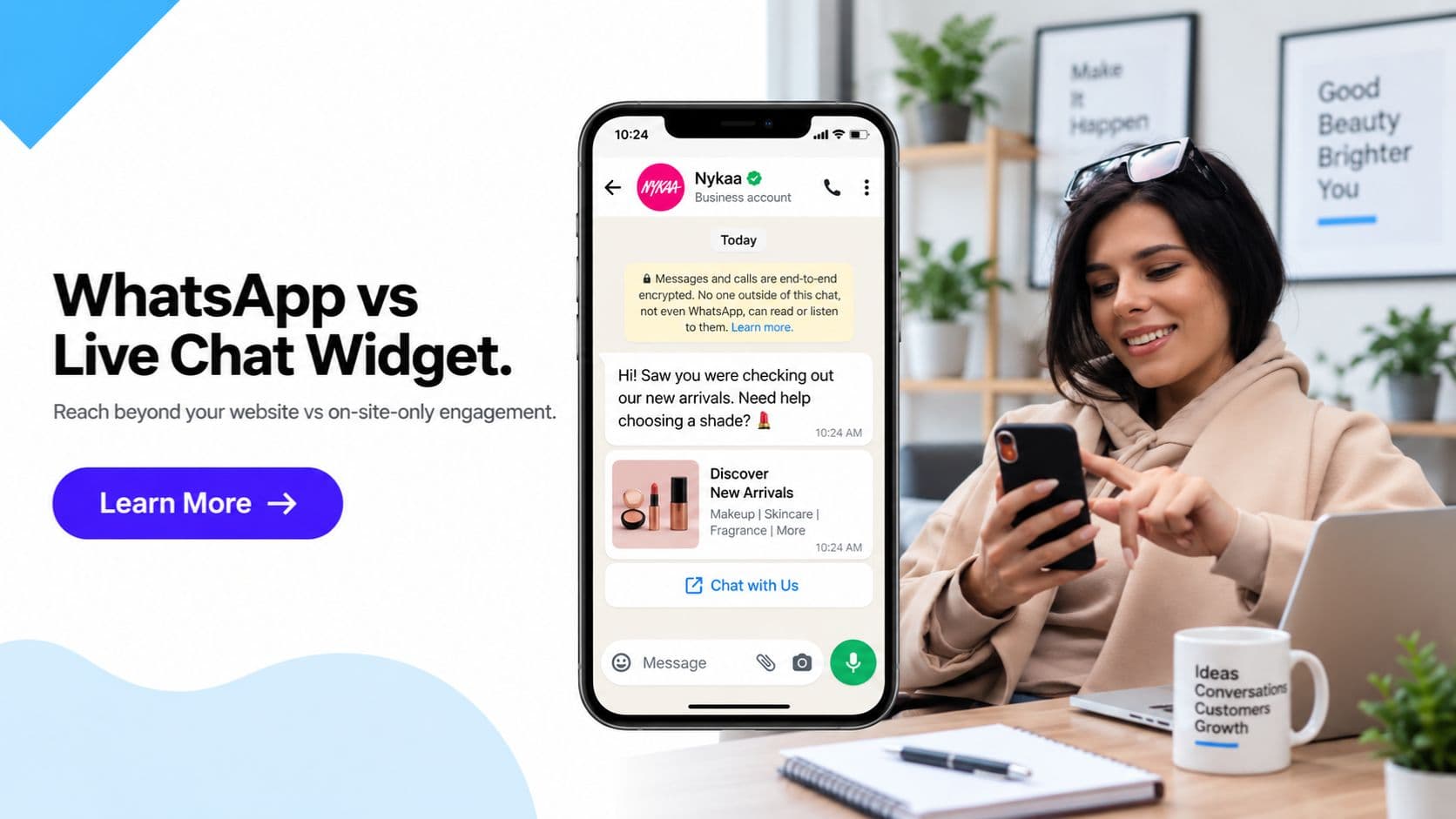
Every Indian business website eventually asks the same question: should we run a live chat widget, or push visitors straight into WhatsApp? A live chat widget sits embedded on the page and can trigger a proactive message the instant a visitor lingers on your pricing page- but the moment that browser tab closes, the conversation and the visitor's identity are both gone. WhatsApp keeps the exact same conversation alive as a saved thread on a device the customer already carries everywhere, reachable long after they've left your site. Get Click Media builds both WhatsApp Business API deployments and WhatsApp click-to-chat widgets for Indian businesses, and this comparison lays out exactly where each approach wins.
Live chat widgets have been the default "talk to us" tool on business websites for over a decade- Intercom, Tawk, Zendesk Chat, Tidio, and dozens of similar tools all follow the same pattern: a chat bubble in the corner of the screen, a live agent (or bot) responding in real time, and a session that exists only within that browser tab. WhatsApp Business messaging flips the model- the conversation isn't tied to a website session at all, it's tied to a phone number the customer controls and checks dozens of times a day.
This page compares both channels head-on for Indian businesses- persistence, re-engagement, staffing cost, reach, and the specific scenarios where each one is genuinely the better choice. The goal isn't to declare live chat widgets obsolete- it's to show you precisely which parts of the customer journey each channel is built for, so you stop losing visitors to a chat session that quietly expired.
The core structural difference is this: a live chat widget is a website feature- it exists only as long as the visitor is on your site and an agent is watching. WhatsApp is a messaging channel- it exists independently of your website, reachable via a click-to-WhatsApp button, a QR code on packaging, an Instagram bio link, or an ad, and it keeps working long after the visitor has closed every tab. For any business trying to build an actual ongoing relationship with a customer rather than a single isolated session, that difference compounds fast.
Quick answer: WhatsApp wins for nearly everything beyond the first few seconds of contact- persistence, re-engagement, async support, and reaching the customer anywhere, not just while they're on your website. A live chat widget still wins for capturing a completely anonymous first-touch visitor who hasn't shared any contact detail, and for high-touch B2B sales motions where a rep needs to jump on a live signal instantly.
Get WhatsApp Business API- Persistent chat threads · Async support · Click-to-chat widget
WhatsApp vs Live Chat Widget- 18-Point Comparison
| Dimension | WhatsApp Business API | Live Chat Website Widget |
|---|---|---|
| Conversation persists after visitor leaves site | Yes- saved as a normal WhatsApp chat thread | No- session ends when the browser tab closes |
| Re-engagement days later (abandoned cart, back-in-stock) | Yes- native, one message into the existing thread | No- no way to reach the visitor once they've left |
| Requires live agent monitoring | No- chatbot or async human reply works fine | Yes- or the visitor waits with no response |
| Async support (reply hours later) | Yes- customer sees it whenever they open WhatsApp | No- delayed replies feel broken or go unseen |
| Works after visitor closes the website | Yes | No |
| Reachable outside the website (QR, Instagram, ads, packaging) | Yes- one number reused everywhere | No- tied only to the website session |
| Requires app installation | WhatsApp must be installed (~500M Indian users) | No- runs directly in the browser |
| Captures anonymous first-time visitor with no contact shared | Limited- needs a CTA to trigger | Yes- built for exactly this |
| Proactive triggered messages (time on page, cart abandonment) | Not native to the chat itself | Yes- core widget feature |
| Screen-share / co-browsing support | No | Yes- offered by some widget tools |
| Rich media (images, PDFs, product carousels, buttons) | Yes | Limited- mostly text and basic links |
| Mobile-native experience | Yes- customer's own WhatsApp app | Depends on mobile browser, often clunky |
| Chatbot automation | Full AI and rule-based chatbot | Basic bot flows on most tools |
| Notification fatigue for agents | Low- async, no constant tab-watching | High- multiple simultaneous live sessions |
| Cost model | Per-conversation (₹0.14-0.91), 1,000 free/month | Flat monthly per-agent seat fee |
| Setup complexity | Meta Business verification + template approval | Plug-and-play script embed |
| Analytics depth | Delivery, read, click, conversion funnel | On-site engagement, session, chat logs |
| Identity captured on first contact | Yes- phone number captured immediately | No- name/email only if visitor chooses to share |
Worked Example- Cart Abandonment Recovery
Here's a common scenario for an Indian D2C brand: 1,000 visitors add a product to cart but leave the website without purchasing.
| Metric | Live Chat Widget Only | WhatsApp Re-engagement |
|---|---|---|
| Visitors who abandoned cart | 1,000 | 1,000 |
| Contactable after leaving the site | 0- no persistent identity captured | 620- captured via WhatsApp click-to-chat widget at checkout |
| Re-engagement message sent | Not possible- session already ended | Yes- automated abandoned cart reminder sent 2 hours later |
| Message opened | N/A | 590 (95% open rate) |
| Clicked back to complete purchase | N/A | 149 (25% CTR) |
| Orders recovered | 0 | 62 (42% conversion on click) |
| Average order value | ₹1,800 | ₹1,800 |
| Revenue recovered | ₹0 | ₹1,11,600 |
What this shows: A live chat widget has no mechanism to recover an abandoned cart once the visitor leaves- the session is simply gone. WhatsApp, because the conversation persists as a saved thread, can send a targeted reminder hours later and recover real revenue from visitors who would otherwise be a total loss.
1. Capturing a completely anonymous first-touch visitor
A visitor lands on your pricing page, has a quick question, and hasn't shared any contact information at all. A live chat widget lets them type that question immediately with zero friction- no app to open, no number to share. This is the one moment where a widget's low-friction, embedded-in-the-page nature genuinely beats WhatsApp, which needs at least a tap-through to open a separate app.
2. High-touch B2B SaaS sales motions
When a sales rep is watching for a demo-request signal in real time- a visitor spending three minutes on the enterprise pricing page- a live chat widget lets them jump into that exact moment with a proactive triggered message. This kind of instant, behaviour-triggered interception isn't something a WhatsApp thread can replicate, since WhatsApp has no visibility into on-site browsing behaviour.
3. Screen-share and co-browsing support
Some live chat widget tools offer co-browsing or screen-share capability, letting a support agent see exactly what the customer sees and walk them through a complex on-site flow- filling a form, navigating a dashboard, completing checkout. WhatsApp has no equivalent- it's a messaging channel, not a screen-sharing tool.
4. Tight integration with on-site analytics
A live chat widget sitting inside your website stack can trigger off session data directly- pages viewed, time on page, referral source, cart contents- and pass that context to the agent instantly. WhatsApp conversations, happening outside your website entirely, don't have this native visibility unless you build a separate integration to pass that context across.
5. Visitors who actively avoid sharing a phone number
Some visitors, particularly in privacy-conscious B2B segments, are willing to type a quick question into an anonymous chat widget but reluctant to hand over a WhatsApp number to a business they haven't decided to trust yet. For that narrow segment, a widget remains the lower-friction entry point.
Where WhatsApp Beats a Live Chat Widget- 5 Scenarios
1. Abandoned cart and re-engagement campaigns
The moment a visitor leaves your website without converting, a live chat widget has nothing left to work with- the session simply ends. WhatsApp, because the conversation is a persistent thread, can send a reminder hours or days later- "Still thinking about that order? Here's 10% off"- something structurally impossible for a widget to do once the browser tab is closed.
2. Support continuity across multiple visits
A customer who messages once, closes the tab, and comes back three days later with a follow-up question gets treated as a stranger by a live chat widget- there's no memory of the earlier conversation unless the visitor happens to be logged in. On WhatsApp, it's the same thread- the agent scrolls up and sees the full history instantly, with no re-explaining needed from the customer.
3. Reaching customers who never visit the website at all
A live chat widget only works for people actively on your website right now. A WhatsApp number printed on packaging, shared in an Instagram bio, or scanned from a QR code at a physical store reaches customers who may never visit your website at all- extending your reach well beyond on-site traffic.
4. Order lifecycle and post-purchase communication
Order confirmation, shipping updates, delivery rescheduling, and review requests all happen well after the customer has left your website- often days later. None of this is possible through a live chat widget, since there's no session to send into. WhatsApp handles the entire post-purchase journey in the same thread the sale started in.
5. Reducing agent staffing pressure
A live chat widget with multiple simultaneous conversations creates real notification fatigue for agents juggling browser tabs and expecting near-instant replies from all of them at once. WhatsApp's asynchronous nature- combined with chatbot automation for common queries- lets a smaller team handle a larger conversation volume without customers feeling like they're waiting in a queue that never explains itself.
Use Case Recommendation Matrix
| Use case | Best channel | Why |
|---|---|---|
| Anonymous first-touch visitor question | Live chat widget | Zero friction, no app or number needed |
| B2B SaaS demo-request interception | Live chat widget | Real-time behaviour trigger, instant rep jump-in |
| Screen-share / co-browsing support | Live chat widget | WhatsApp has no equivalent capability |
| Abandoned cart recovery | Persists after visitor leaves, async reminder days later | |
| Post-purchase order updates | Session-independent, reaches customer anywhere | |
| Customer support with history continuity | Same thread across multiple visits, full context | |
| Lead capture that survives the browser session | Number captured immediately, contactable later | |
| Win-back / re-engagement campaigns | Impossible in a widget once the session ends | |
| Packaging, Instagram bio, QR code contact point | Not tied to a website session at all | |
| High-volume support with a lean team | WhatsApp + chatbot | Async handling avoids live-agent notification overload |
Compliance and Data Privacy- DPDP 2023
Neither channel falls under TRAI's DND or DLT regulations- those apply specifically to commercial SMS. Both, however, sit squarely under the DPDP Act 2023 for consent and data handling.
| Compliance requirement | Live Chat Widget | WhatsApp Business API |
|---|---|---|
| DPDP Act 2023 applicability | Applies- consent for data collected via chat | Applies- opt-in consent for marketing messages |
| Consent mechanism | Cookie consent banner + chat data notice | Explicit opt-in before marketing sends |
| TRAI DND/DLT applicability | Not applicable | Not applicable |
| Data storage location | Depends on widget vendor's hosting | Meta infrastructure + your CRM integration |
| Consent for follow-up messaging after first contact | Typically covered under general site consent | Requires explicit opt-in, tracked separately |
| Right to erasure handling | Vendor-dependent | Managed via WhatsApp Business API + your CRM |
The Recommended Strategy- WhatsApp as Your Website Chat
For most Indian businesses, the highest-leverage setup isn't choosing one channel exclusively- it's replacing a traditional live-chat inbox with a WhatsApp click-to-chat widget that still lives on the website but hands the entire conversation off into WhatsApp from the first tap. The visitor gets the same "chat with us" button they'd expect from any widget, but the moment they engage, their number is captured and the conversation becomes persistent, async, and re-engageable- instead of disappearing the second they close the tab.
This is exactly why many Indian D2C and SaaS websites have stopped running a separate live-chat tool altogether. Rather than paying for a per-agent widget subscription and still losing every visitor who leaves without converting, they route all on-site chat traffic through a single WhatsApp entry point- one number, one inbox, one chatbot layer, covering the website, Instagram, packaging, and offline touchpoints together.
| Layer | Channel | Role |
|---|---|---|
| On-site entry point | WhatsApp click-to-chat widget | Same visibility as a chat bubble, captures number on first tap |
| Ongoing conversation | WhatsApp Business API | Persistent thread, chatbot + agent handoff, works after visitor leaves |
| Re-engagement | WhatsApp Business API | Cart abandonment, back-in-stock, win-back- days later, same thread |
| Anonymous/high-touch exception cases | Dedicated live chat widget (optional) | Only where co-browsing or instant B2B interception is required |
For the small subset of businesses running high-touch B2B sales or requiring co-browsing support, keeping a lightweight live chat widget alongside WhatsApp still makes sense- but for the vast majority of Indian e-commerce, D2C, and service businesses, a WhatsApp click-to-chat widget alone now does the job a full live-chat stack used to require.
Frequently Asked Questions- WhatsApp vs Live Chat Widget
Is WhatsApp better than a live chat widget for my website? For most Indian businesses, yes- once you look beyond the first ten seconds of a visit. A live chat widget only works while the visitor is on your website and an agent is online to respond immediately; the moment the tab closes, that conversation and the ability to reach the visitor again disappears. WhatsApp turns the same conversation into a persistent thread the customer already has installed, so you can follow up hours or days later- abandoned cart reminders, back-in-stock alerts, order updates. The live chat widget still wins for capturing a completely anonymous first-time visitor who hasn't shared any contact detail yet, and for high-touch B2B SaaS sales where a rep needs to jump on a live demo signal instantly.
Can I replace my live chat widget entirely with WhatsApp? Many Indian D2C and SaaS websites have done exactly this. Instead of running a separate live-chat inbox tool, they embed a WhatsApp click-to-chat widget on the website- the visitor taps it, WhatsApp opens with a pre-filled message, and the entire conversation moves into WhatsApp from that point. This captures the visitor's WhatsApp number immediately, which a traditional live chat widget never does, and lets your team reply asynchronously instead of needing an agent glued to the browser tab. The only scenario where a dedicated live chat tool still adds value is co-browsing or screen-share support, which WhatsApp does not offer.
Does a live chat widget capture leads better than WhatsApp? A live chat widget can capture an anonymous visitor who hasn't shared any contact information- it's embedded right on the page, so there's zero friction to start typing. But most visitors who don't get an instant reply simply close the tab rather than leaving an email or number and waiting, so the lead is lost the moment they leave. A WhatsApp click-to-chat widget converts that same visitor into a saved contact the moment they tap it- because starting the chat means opening WhatsApp with their number already attached. For lead capture that survives beyond the browser session, WhatsApp has a structural advantage.
Do I need an agent online 24/7 for a live chat widget to work? Effectively, yes. A live chat widget with no agent monitoring it becomes a broken promise- the visitor sees "Chat with us" and types a message expecting a fast reply, and when nothing comes back within a couple of minutes, they leave. WhatsApp doesn't have this constraint- because it's asynchronous, a chatbot can answer instantly and a human agent can pick up the thread hours later without the customer feeling ignored, since the conversation persists as a normal WhatsApp chat rather than a live session that expired.
Is a WhatsApp chat widget on my website compliant with Indian data privacy law? Yes, when opt-in is handled correctly. Under the DPDP Act 2023, both a live chat widget and a WhatsApp click-to-chat widget need clear consent language for any data collected- cookie consent for widget analytics and chat transcripts, and explicit opt-in for WhatsApp marketing follow-ups after the initial conversation. Neither channel falls under TRAI's DND or DLT rules, since those apply specifically to commercial SMS. Get Click Media configures the opt-in language and consent capture for WhatsApp Business API deployments as part of setup.
Can I use a live chat widget just to route visitors into WhatsApp? Yes- this is the most common combined pattern we see. Rather than choosing one or the other, businesses keep a lightweight widget CTA on the website ("Chat with us on WhatsApp") whose only job is to capture the visitor's number and open a WhatsApp conversation, rather than running a full live-chat inbox behind it. This gets the on-site visibility of a widget with the persistence, re-engagement, and chatbot capability of WhatsApp, without paying for or maintaining two separate messaging systems.
What is the main cost difference between a live chat widget and WhatsApp Business API? Most live chat widget tools charge a flat monthly per-agent seat fee regardless of conversation volume, which can get expensive as teams scale. WhatsApp Business API is typically priced per conversation- ₹0.14-0.91 depending on category- so cost tracks usage rather than headcount, and the first 1,000 service conversations each month are free. For businesses with seasonal or spiky enquiry volume, WhatsApp's usage-based model is usually more cost-efficient than a fixed per-agent widget subscription.
Get Started
If your website is still running a standalone live chat widget that loses every visitor the moment they close the tab, it's worth evaluating a switch to a WhatsApp click-to-chat widget backed by full WhatsApp Business API capability- persistent conversation threads, automated re-engagement, and a WhatsApp chatbot that handles common queries without needing an agent glued to the screen. Get Click Media sets up the entire stack end-to-end for Indian businesses, from widget embed to Meta template approval.
Get WhatsApp Business API- Persistent chat threads · Async support · Click-to-chat widget
Article topics
Frequently Asked Questions
Is WhatsApp better than a live chat widget for my website?
For most Indian businesses, yes- once you look beyond the first ten seconds of a visit. A live chat widget only works while the visitor is on your website and an agent is online to respond immediately; the moment the tab closes, that conversation and the ability to reach the visitor again disappears. WhatsApp turns the same conversation into a persistent thread the customer already has installed, so you can follow up hours or days later- abandoned cart reminders, back-in-stock alerts, order updates. The live chat widget still wins for capturing a completely anonymous first-time visitor who hasn't shared any contact detail yet, and for high-touch B2B SaaS sales where a rep needs to jump on a live demo signal instantly.
Can I replace my live chat widget entirely with WhatsApp?
Many Indian D2C and SaaS websites have done exactly this. Instead of running a separate live-chat inbox tool, they embed a WhatsApp click-to-chat widget on the website- the visitor taps it, WhatsApp opens with a pre-filled message, and the entire conversation moves into WhatsApp from that point. This captures the visitor's WhatsApp number immediately, which a traditional live chat widget never does, and lets your team reply asynchronously instead of needing an agent glued to the browser tab. The only scenario where a dedicated live chat tool still adds value is co-browsing or screen-share support, which WhatsApp does not offer.
Does a live chat widget capture leads better than WhatsApp?
A live chat widget can capture an anonymous visitor who hasn't shared any contact information- it's embedded right on the page, so there's zero friction to start typing. But most visitors who don't get an instant reply simply close the tab rather than leaving an email or number and waiting, so the lead is lost the moment they leave. A WhatsApp click-to-chat widget converts that same visitor into a saved contact the moment they tap it- because starting the chat means opening WhatsApp with their number already attached. For lead capture that survives beyond the browser session, WhatsApp has a structural advantage.
Do I need an agent online 24/7 for a live chat widget to work?
Effectively, yes. A live chat widget with no agent monitoring it becomes a broken promise- the visitor sees "Chat with us" and types a message expecting a fast reply, and when nothing comes back within a couple of minutes, they leave. WhatsApp doesn't have this constraint- because it's asynchronous, a chatbot can answer instantly and a human agent can pick up the thread hours later without the customer feeling ignored, since the conversation persists as a normal WhatsApp chat rather than a live session that expired.
Is a WhatsApp chat widget on my website compliant with Indian data privacy law?
Yes, when opt-in is handled correctly. Under the DPDP Act 2023, both a live chat widget and a WhatsApp click-to-chat widget need clear consent language for any data collected- cookie consent for widget analytics and chat transcripts, and explicit opt-in for WhatsApp marketing follow-ups after the initial conversation. Neither channel falls under TRAI's DND or DLT rules, since those apply specifically to commercial SMS. Get Click Media configures the opt-in language and consent capture for WhatsApp Business API deployments as part of setup.
Can I use a live chat widget just to route visitors into WhatsApp?
Yes- this is the most common combined pattern we see. Rather than choosing one or the other, businesses keep a lightweight widget CTA on the website ("Chat with us on WhatsApp") whose only job is to capture the visitor's number and open a WhatsApp conversation, rather than running a full live-chat inbox behind it. This gets the on-site visibility of a widget with the persistence, re-engagement, and chatbot capability of WhatsApp, without paying for or maintaining two separate messaging systems.
What is the main cost difference between a live chat widget and WhatsApp Business API?
Most live chat widget tools charge a flat monthly per-agent seat fee regardless of conversation volume, which can get expensive as teams scale. WhatsApp Business API is typically priced per conversation- ₹0.14-0.91 depending on category- so cost tracks usage rather than headcount, and the first 1,000 service conversations each month are free. For businesses with seasonal or spiky enquiry volume, WhatsApp's usage-based model is usually more cost-efficient than a fixed per-agent widget subscription.
About the author
Get Click Media creates practical resources for businesses using messaging, automation, analytics, and digital communication to improve customer engagement. This article was published on .